AIRHelp Links Pages Styles Change Appearance
Using RoboHelp 9 trial on Windows 7 x64.
The issue:
When displaying external web pages in an AIRHelp Application the page displays correctly for
about 2 seconds and then suddenly jumps to some different styles on some elements.
This makes some of the text change size and become justified full (instead of aligned left).
Obviously this makes the pages look broken.
Example Before (on page load it looks correct for about 2 seconds)

Example After (after about 2 seconds the style jumps to justified and a bit larger)
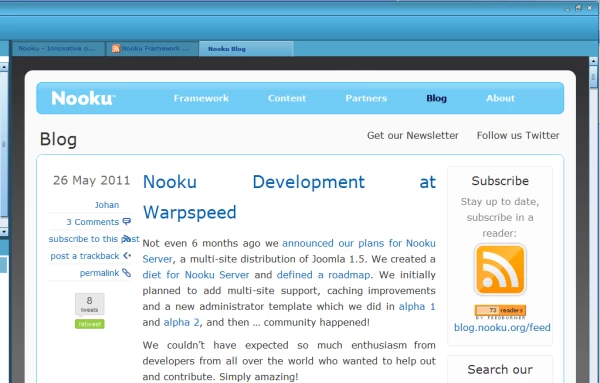
You can see in this example that it has affected both the heading and the body text
(which are now justified and larger).
I used the Application Help template for this test project.
The default CSS has not been changed much (just some left margin).
Found no "justified" in the default CSS file.
It happens on multiple completely different website links.
Does not happen on all websites.
Above example link for testing (http://blog.nooku.org)
Happens on both Favorites Links and TOC URL links. (just add to Favorites to test)
The page zoom in AIRHelp does not seem to be related to this.
What am I missing? 
Have been using H&M for years and am testing RH9 because of the advanced AIRHelp
features such as the ability to seamlessly incorporate web pages and feeds etc.
Any guidence on this would be greatly appreciated.
Thanks!
 AdChoices