
Inspiring
June 12, 2020
Answered

Align objects in footer

  • June 12, 2020
  • 4 replies
  • 360 views

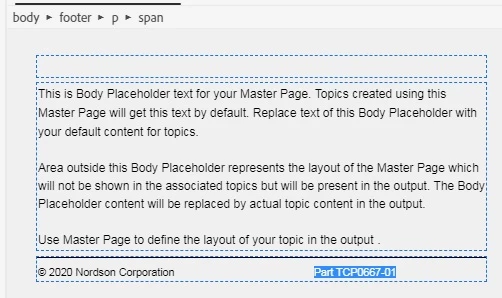
Is there a way to have the "Part TCP0667-01" shown in this Master Page footer align flush right? (The copyright should be flush left)
 

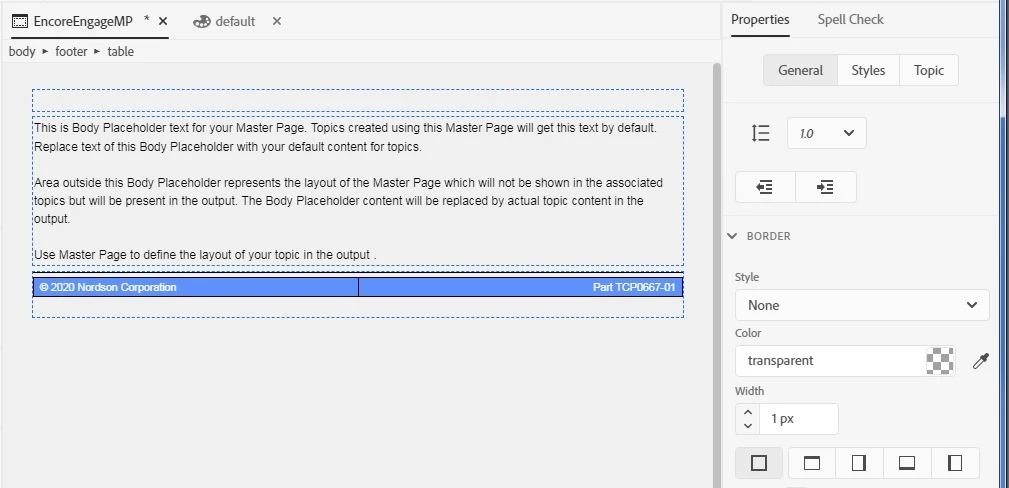
I thought I had this resolved by making the footer a 2-cell single-row table.  Align copyright left and Part right.  It works, except that I still can't make the table bordes transparent.  I selected "table" in teh breadcrumbs and set all borders to transparent (see pic).  They still are black in the HTML5 output.
    This topic has been closed for replies.
    Correct answer Peter Grainge

    In Style you haven't set anything to be transparent. Select Line and make that transparent.


    4 replies

    GLNT1Author
    Inspiring
    June 12, 2020

    Ugh!  I thought this setting meant ALL SIDES


    Peter Grainge
    Community Expert
    Peter GraingeCommunity ExpertCorrect answer
    Community Expert
    June 12, 2020

    In Style you haven't set anything to be transparent. Select Line and make that transparent.


    Use the menu (bottom right) to mark the Best Answer or Highlight particularly useful replies. Found the answer elsewhere? Share it here.
    GLNT1Author
    Inspiring
    June 12, 2020

    I still can't get the borders transparent.  See updates in my edit

    Peter Grainge
    Community Expert
    Community Expert
    June 12, 2020

    Best way I have found is to insert a table with however many cells you want. Apply the alignment to cells as required.


    Use the menu (bottom right) to mark the Best Answer or Highlight particularly useful replies. Found the answer elsewhere? Share it here.