
Known Participant
June 7, 2012
Question

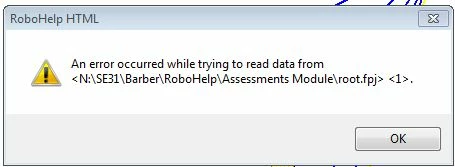
An error occurred while trying to read data from...

  • June 7, 2012
  • 23 replies
  • 5511 views

Hello,

I'm getting this error repeatedly in more than one project.  It happens when i click Save a topic.  It also happened when I tried to create a new folder in the Project Files, and then i could not create the new folder.  I'm using RoboHelp HTML 9.2.  I did try moving the project files off the network drive and into my local C:/ drive, but still get the error.

Are there any known cures?
Thank you,

Sherry

    This topic is closed to new replies. Start a new post to keep the conversation going.

    23 replies

    Peter Grainge
    Community Expert
    Community Expert
    June 7, 2012

    Yes, Don't run projects from the network in the first place! Sorry but it has always been a dangerous practice.

    How to fix it? Try deleting the project's CPD file and then reopen the project.

    The problem is you may have corrupted the project irretrievably.

    Is there a reason for having the project on the network without source control? If it is an IT requirement, see Snippets on my site for arguments you can put to them.


    See www.grainge.org for RoboHelp and Authoring tips

    @petergrainge

    Use the menu (bottom right) to mark the Best Answer or Highlight particularly useful replies. Found the answer elsewhere? Share it here.
    barberslAuthor
    Known Participant
    June 7, 2012

    Yes, deleting the CPD file pretty much wiped out the project; there are no topics in the project files.

    There’s no reason the files have to be on the network, I can move them. However, moving them to the C drive doesn’t seem to correct the error.

    Is there anything else I can try?

    Thank you, Peter.

    Sherry

    Jeff_Coatsworth
    Community Expert
    Community Expert
    June 7, 2012

    It will if you hadn't damaged the project by running it from the network drive. Your only option now is to recreate it by building a fresh project in your c:\projects\project_name\ folder and carefully re-import each topic.