alaaa39293643
Known Participant
October 4, 2017
Answered

Applying Paragraph Style for EN

  • October 4, 2017
  • 1 reply
  • 263 views

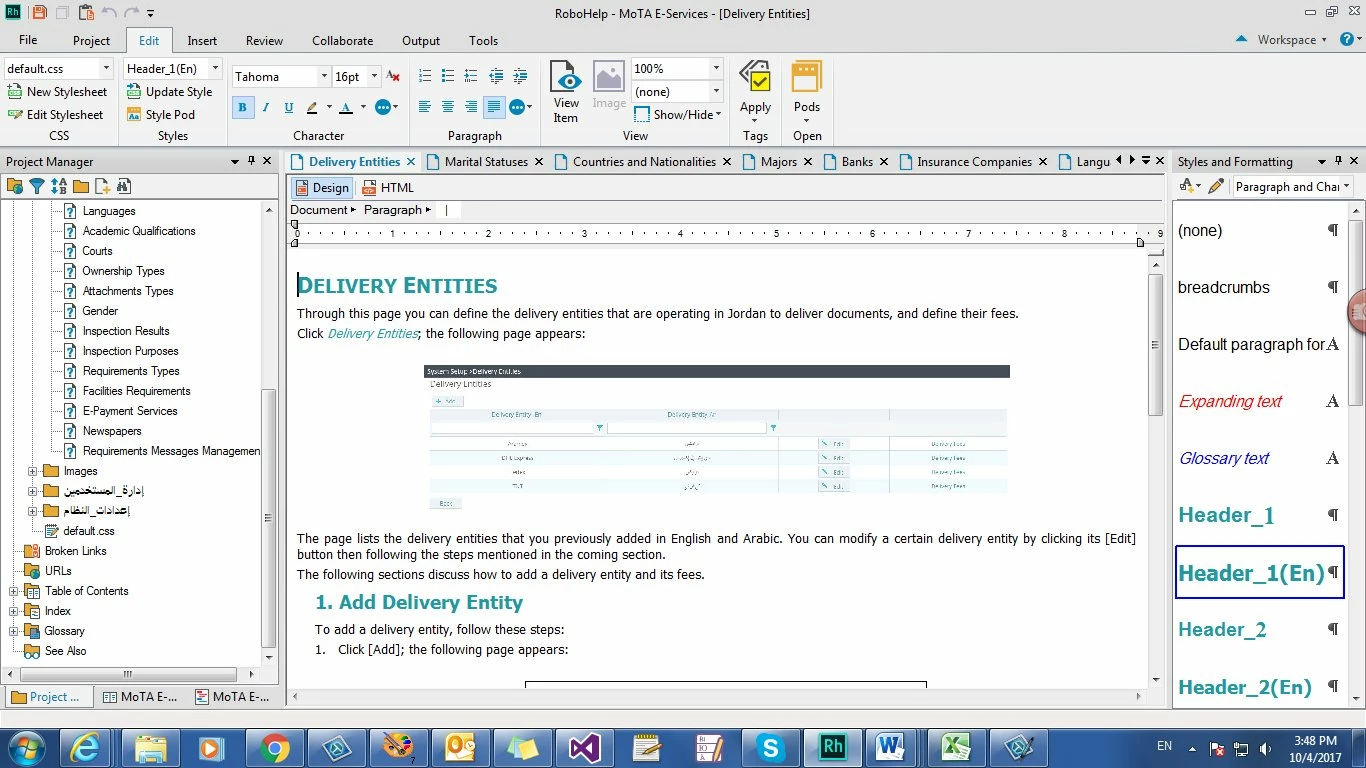
I am currently writing an online help in English, so I defined styles for Titles and paragraphs.

Header (1) (Tahoma/ 16pt) spacing (Before 6pt/ After 6pt)

Par (1) Tahoma/ 10pt) spacing (Before 0pt/ After 3pt)

Header (2) (Tahoma/ 14pt) spacing (Before 6pt/ After 6pt) Indentation (Left 0.5cm/ Right 0cm)

Par (2) Tahoma/ 10pt) spacing (Before 0pt/ After 3pt) Indentation (Left 0.5cm/ Right 0cm)

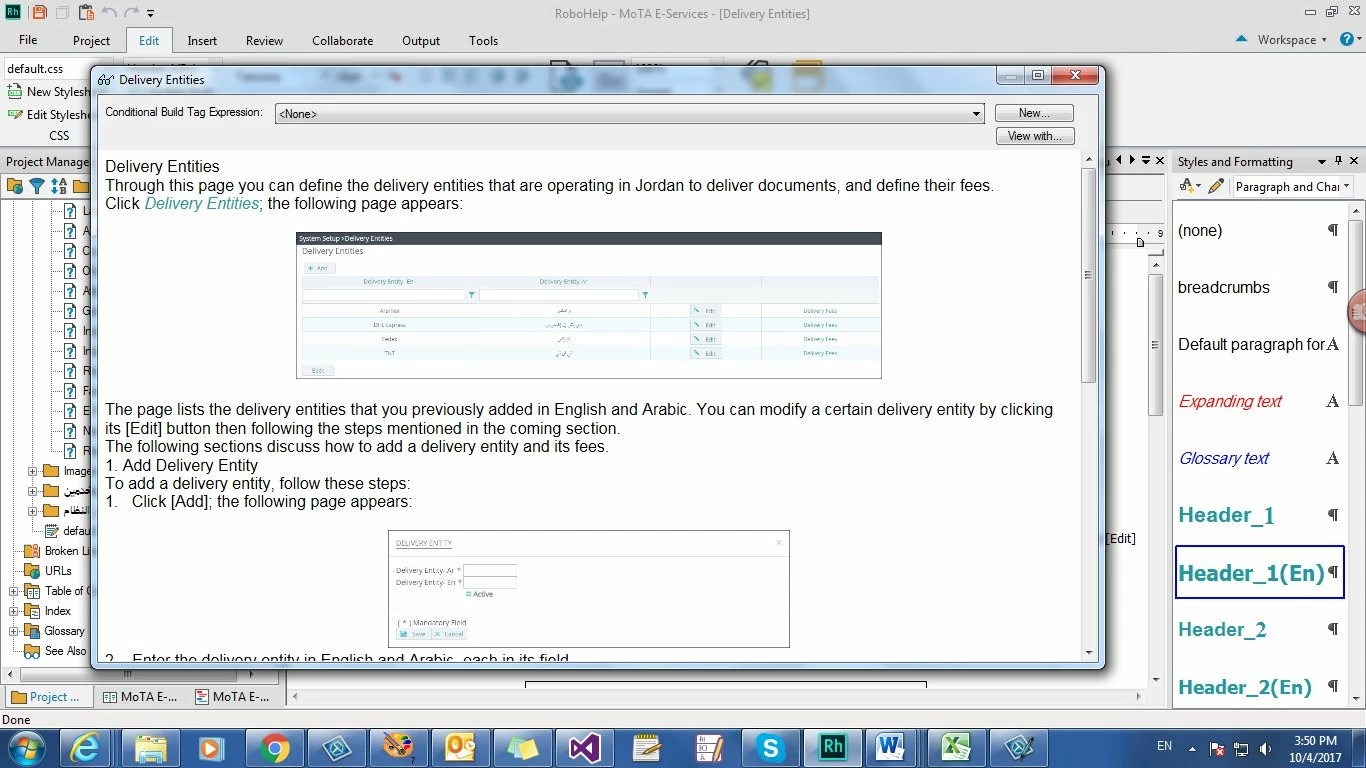
When I apply them to the text, they didn't appear when I click (View Item), However, it only appears in Design mode.

What Shall I do?
    This topic has been closed for replies.
    Correct answer Amebr

    Try changing the names to remove the parentheses (). I don't think these are allowed in css and really RH shouldn't allow them. I recommend using only a-Z, 0-9 and _ (underscore) for style names.

    1 reply

    AmebrCommunity ExpertCorrect answer
    Community Expert
    October 4, 2017

    Try changing the names to remove the parentheses (). I don't think these are allowed in css and really RH shouldn't allow them. I recommend using only a-Z, 0-9 and _ (underscore) for style names.