


alaaa39293643
Known Participant
February 3, 2019
Question

Arabic Indentation Issue

  • February 3, 2019
  • 4 replies
  • 716 views

Hello,

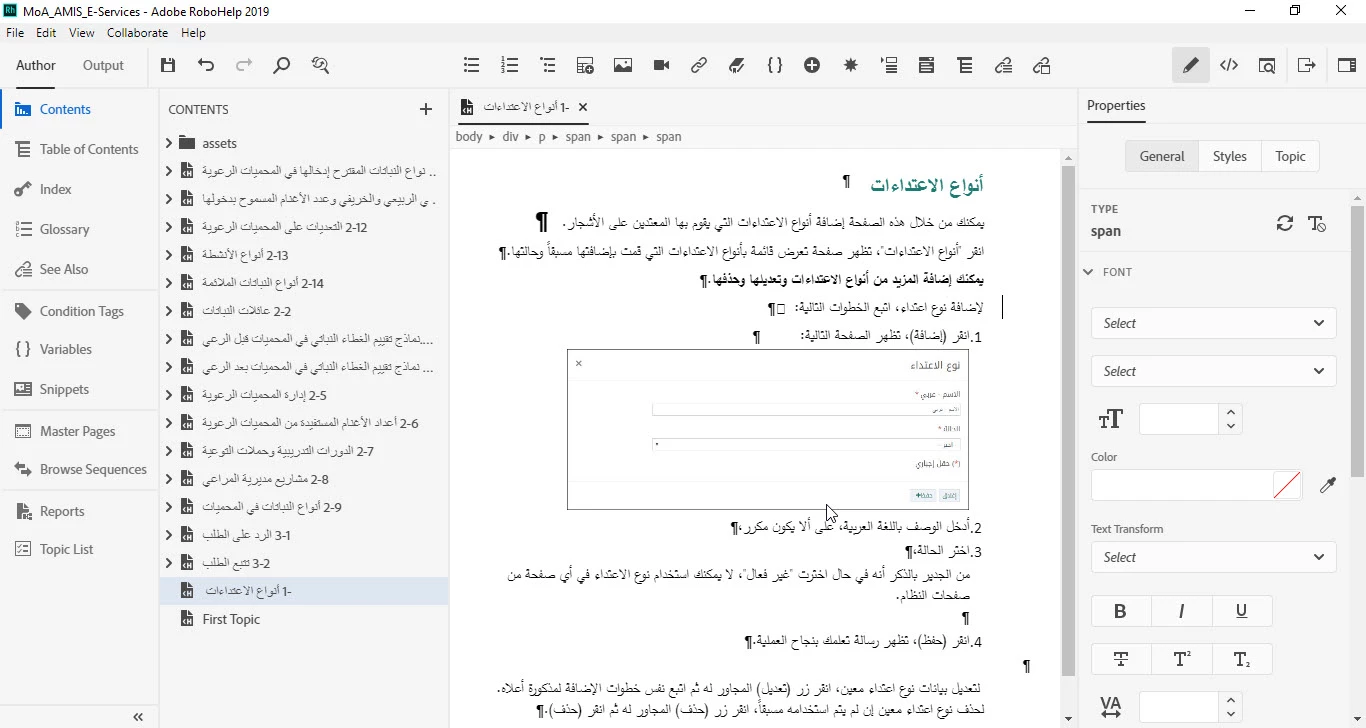
I'm creating an online help by importing a Word document in Arabic (Right to Left language) on Robohelp 2019. I couldn't change the indentation or move the text to justify the indentation. Once I try to move the text manually it appears as follows on Preview mode.

Edit Mode
Preview Mode
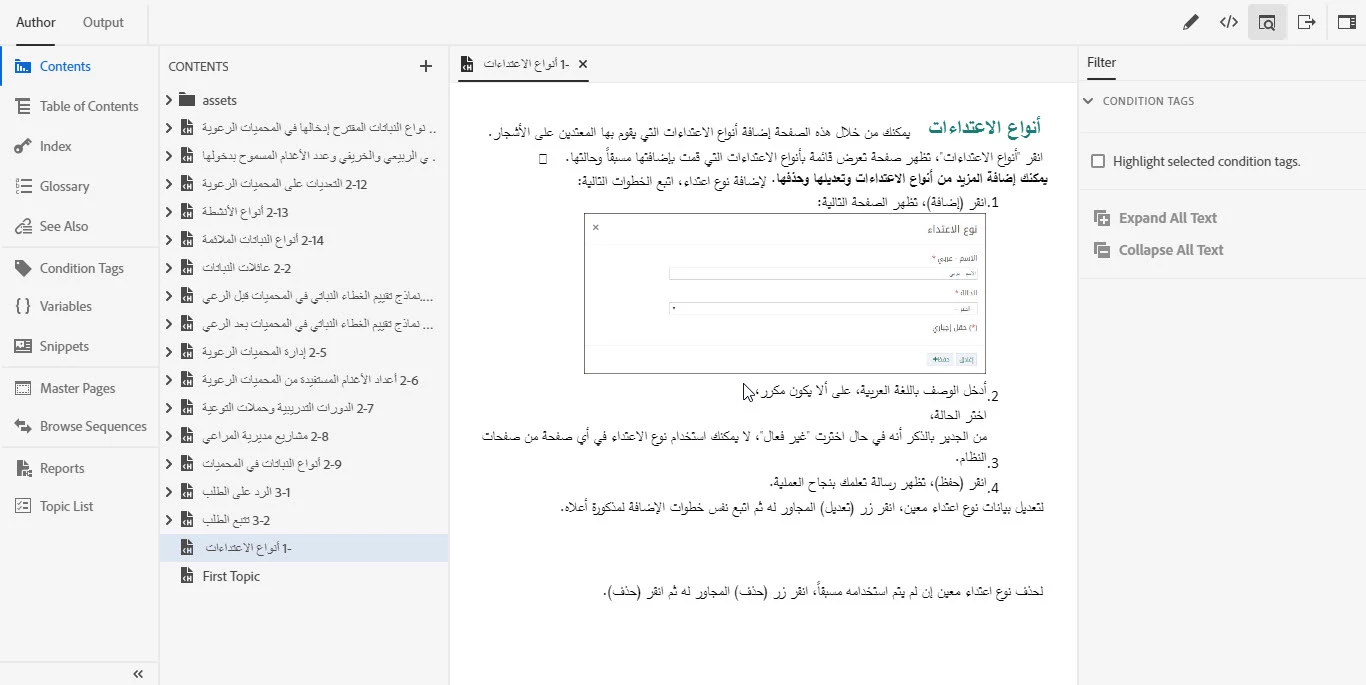
How  can I change the indentation?

This topic has been closed for replies.

4 replies

alaaa39293643
Known Participant
March 18, 2019

Hi Nitika,

Thanks for your response.

When will be the next update available, so I can check.

Peter Grainge
Community Expert
Community Expert
March 18, 2019

In another thread it was posted as being end of March.


See www.grainge.org for free RoboHelp and Authoring information.

@petergrainge

Use the menu (bottom right) to mark the Best Answer or Highlight particularly useful replies. Found the answer elsewhere? Share it here.
alaaa39293643
Known Participant
February 5, 2019

I will send it via email

Adobe Employee
February 25, 2019

Hi,

Thanks for sharing the doc.

We are working on fixing the issue and it should be available in next update.

Thanks,

Nitika

Prahul
Adobe Employee
Adobe Employee
February 4, 2019

Hi,

Apologies for your trouble.

Would it be possible to share the Word doc so that we can try reproducing the issue. I was unable to reproduce it by adding Arabic text on a blank word file.

Thanks and Regards,
P Rahul

Peter Grainge
Community Expert
Community Expert
February 4, 2019

I don't think any of the regular supporters here use RTL languages so I suggest for this and your other post, email tcssup@adobe.com


See www.grainge.org for free RoboHelp and Authoring information.

@petergrainge

Use the menu (bottom right) to mark the Best Answer or Highlight particularly useful replies. Found the answer elsewhere? Share it here.