


Participant
July 12, 2026
Question

Automatic Import of Index Entries from Word Documents

  • July 12, 2026
  • 2 replies
  • 21 views

I’ve been using the RoboHelp 2019 Classic version for many years for generating responsive Html5 help. It helps me to create responsive Html5 help from imported Word files in a few minutes, including a glossary and automatic index generation. And that's exactly what's been keeping me away from switching to the new RoboHelp versions for years. Why aren’t the index entries from the imported Word file automatically taken over as the index, as it is the case with RoboHelp 2019 Classic or is this now possible?
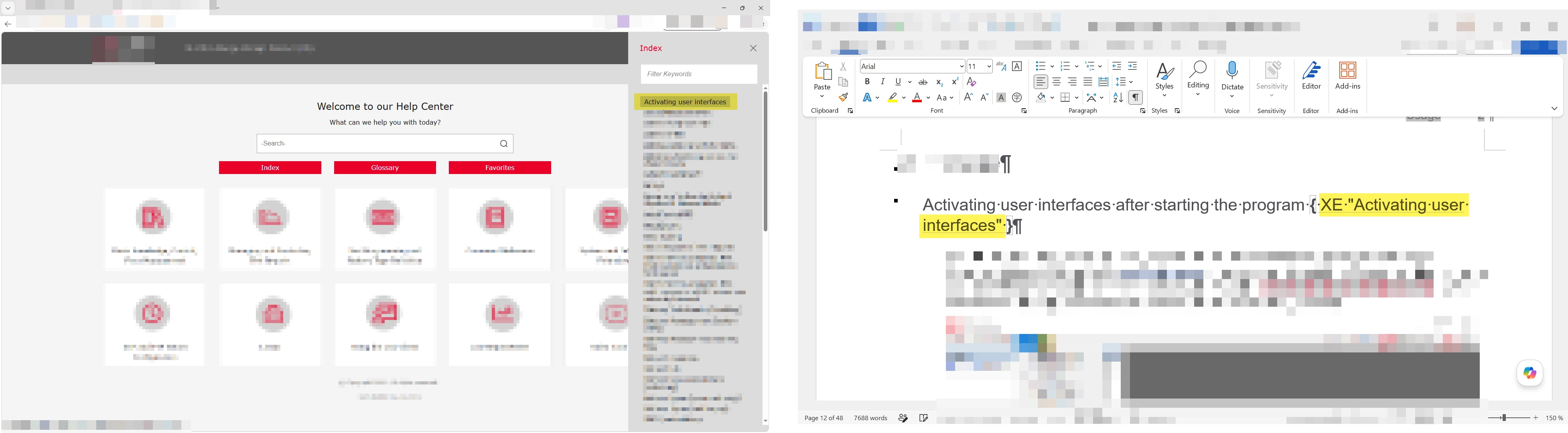
Example of an automatically generated index from Word index entries


    2 replies

    Jeff_Coatsworth
    Community Expert
    Community Expert
    July 13, 2026

    Probably goes along with the dropping of that feature in the FrameMaker import routine too.

    Peter Grainge
    Community Expert
    Community Expert
    July 12, 2026

    I wasn’t aware of this issue as I don’t use the Word import feature, other than to test issues such as this. I have confirmed what you say but I don’t have a real answer. 

    The best I can think of is that in Classic I recall you could create more than one index if you needed to for different outputs. In the new UI the single index file looks at what topics are in the build. It then looks for index entries in the source of the topic and those found form the index. Thus one index file can create a different index for each output.

    When you import and create multiple topics I can’t see why any index entry in those topics is not added to the RoboHelp index. Maybe there is a technical reason but I don’t see what it is.

    What also mystifies me is that this hasn’t been brought up as an issue before now to the best of my recollection, years after the new UI was introduced. 

    At the moment searching Tracker to see if this has been reported seems to be broken. I suggest for this one you need to go to Adobe Support. See https://helpx.adobe.com/contact/enterprise-support.other.html#robohelp for your Adobe Support options. The email link tcssup@adobe.com is recommended as it reaches a team dedicated to Technical Communication Suite products including RoboHelp.


    My site www.grainge.org includes many free Authoring and RoboHelp resources that may be of help.

    Use the menu (bottom right) to mark the Best Answer or Highlight particularly useful replies. Found the answer elsewhere? Share it here.
    Bine_2704Author
    Participant
    July 12, 2026

    Thank you so much, Peter, for your quick reply. I actually requested this feature quite some time ago, but I can no longer access the ticket in the tracker, and I never received any feedback either. As you mentioned, the tracker isn't working right now. I’ll reach out to the email address you sent me. In fact, the issue of switching to the new RoboHelp version is highly relevant again, since the Windows 10 (KB5094127) and Windows 11 (KB5094126) June updates block the import of Word files into Classic (Only Classic is affected!). But even if Microsoft fixes this bug, an upgrade will be unavoidable in the long run.