


Inspiring
March 5, 2021
Answered

Browse sequence causes RH to hang when generating output (RH 2019, new UI, frameless)

  • March 5, 2021
  • 10 replies
  • 349 views

Hi, Everyone.


I'm trying out browse sequences for the first time (RH 2019, new UI, frameless). When I apply my browse sequence to an output preset and generate output, the process hangs. It gets stuck with the generate dialog open, perpetually indicating the continuing activity. (See screenshot):
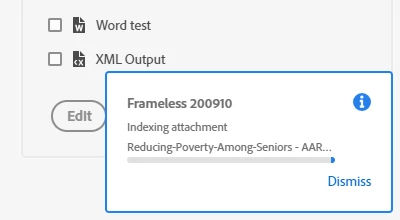


When I remove the browse sequence from the output preset, the output generates without any problem.


Any advice for me?


Thank you!

    This topic has been closed for replies.
    Correct answer martinl83372021

    Well, I don't know how to explain it, but it's working, now.


    Jeff, I took your troubleshooting suggestion and tried the browse sequence with a different output (Responsive HTML5). And it worked.


    So tried re-building the browse sequence, just to see if maybe a fresh build would make any difference. And generating output with my regular output preset, the new browse sequence worked just fine.


    So then I tried the "faulty" browse sequence with my regular output preset. And IT WORKED! I have no idea why.


    Any thoughts?


    Thanks much, Jeff!

    10 replies

    Inspiring
    March 9, 2021

    Good to know, Amber.


    I've put the topic into the sequence. And it works perfectly.


    Thank you!

    Community Expert
    March 8, 2021

    Browse sequences will only ever show the title of the topics in the sequence. So to add the "Start Here" book, you'd need to drag the "Start Here" topic into the sequence, and it would show in the sequence as "Start Here". You can't change the names as they aren't displayed anywhere, it's just a method of arranging topics so the Next and Previous buttons work in the desired order.

    Inspiring
    March 8, 2021

    The short answer is no, there's not a topic in that book. HOWEVER, I've set the book up to operate as a topic using "Source" in the book's properties panel. If I double click the book in the TOC, it displays as a topic in the editing panel (screenshot):


    I don't really remember why I did that. I guess I should just put an actual topic above the sub-book "About ETF"? 


    Jeff_Coatsworth
    Community Expert
    Community Expert
    March 8, 2021

    Is there an actual topic within that "Start Here" TOC book? I always thought you needed to build a browse sequence with specific topics for it to work.

    Inspiring
    March 8, 2021

    PS:  I am having one new problem. I'm unable to get the top-level book from my TOC into the browse sequence.


    Any advice on that?


    Thanks!

    Inspiring
    March 8, 2021

    PPS:  Here's a screenshot of what I mean.


    Jeff_Coatsworth
    Community Expert
    Community Expert
    March 8, 2021

    Sorry, no clue - just the vagaries of the RH gods 🤣

    martinl83372021AuthorCorrect answer
    Inspiring
    March 8, 2021

    Well, I don't know how to explain it, but it's working, now.


    Jeff, I took your troubleshooting suggestion and tried the browse sequence with a different output (Responsive HTML5). And it worked.


    So tried re-building the browse sequence, just to see if maybe a fresh build would make any difference. And generating output with my regular output preset, the new browse sequence worked just fine.


    So then I tried the "faulty" browse sequence with my regular output preset. And IT WORKED! I have no idea why.


    Any thoughts?


    Thanks much, Jeff!

    Jeff_Coatsworth
    Community Expert
    Community Expert
    March 5, 2021

    Nope, that's the last one for RH2019. Is it a number of sequences or just one? If it's a number of them, you could do some selective editing to see which one is giving the issue. If it's just one, can you try other output types to test to see if they choke on it too?

    Inspiring
    March 5, 2021

    Hi Jeff.


    It's RH 2019.0.14 


    Is that the latest update?


    Thanks!

    Jeff_Coatsworth
    Community Expert
    Community Expert
    March 5, 2021

    What point version of RH2019 are you running? Are you all patched up? Check Help > Updates to check.