

Building Native Mobile App for Android: error message, build fail
Hi,
I'm trying RH10 on a Win 8 x64 system, trying to get the generate for mobile devices, Android to work. I've installed the Android SDK (part of the complete ADT) in a "Development" folder in the C drive, installed JDK for Win 64, added the PhoneGap and ANT unzipped folders to the "Development" folder and then in the RH10 dialog to generate the Android APK, I've pointed set the correct paths to these tools. (All installed tools are correct for my OS, Win 8 x64.)
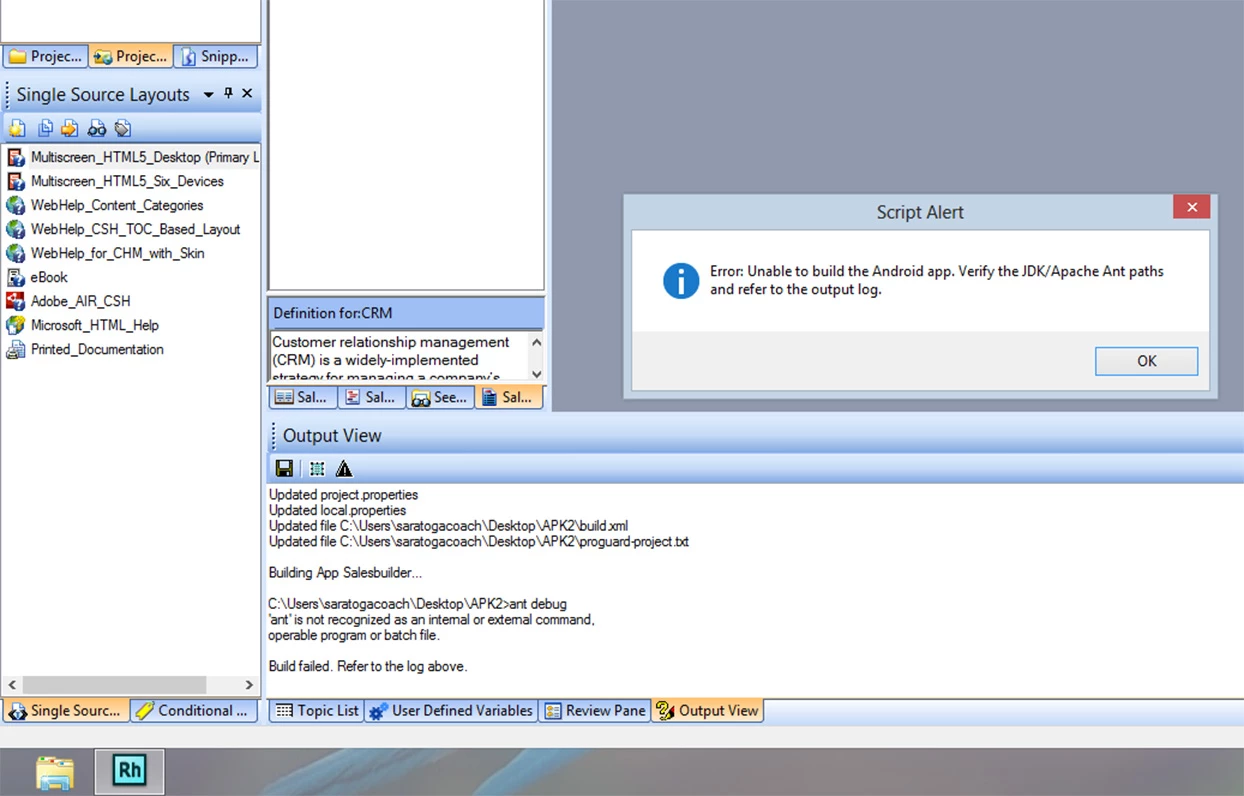
No matter what I try, using a sample file (EmployeeCare, Salesbuilder), I get an error message at the very end of the build process. Please see the screenshot showing the error message and the relevant part of the log which looks like the ANT path is not working correctly. The build fails every time. I've tried to do some troubleshooting online and for example, came across setting the environment variables for the ANT folder, which I did, but with no success in fixing the problem. The Eclipse installation connects with the JDK and runs OK if I simply boot it up.
My path settings are in a second screenshot below.
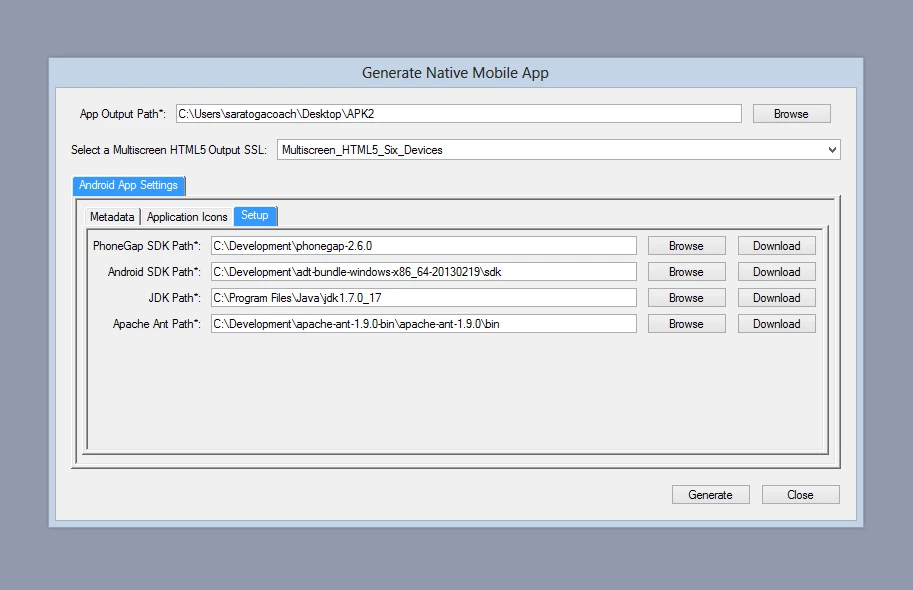
(I've tried the ANT path with different values, for example "C:\Development\apache-ant-1.9.0-bin" etc. Doesn't prevent error message and build failure.)
I am not sure what else to do. Any help would be appreciated. At this point, I would be happy to simply be able to build one APK then test it on an Android device.
Thank you for your help.
Kind Regards,
saratogacoach


 AdChoices