

Jared Hess
Legend
August 25, 2015
Answered

Can breadcrumbs be controlled with CSS on a specific topic?

  • August 25, 2015
  • 1 reply
  • 489 views

I'm using RH 9 and I have a CHM output.

We redid our intro page and it is markedly different in style from the other pages.

It doesn't have a master page.

It has a dark background from its css.

But all the other topics have a standard.htt master page and they have a white background from their css.

I'm trying to figure out how to control the breadcrumb style on the initial page so that it respects the style sheet of the current .htm. The Breadcrumb comes from the layout definition:

You can see the breadcrumb here in the top right is a nasty blue color. Yuck.

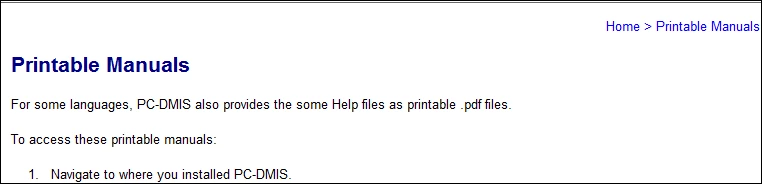
My other pages it looks fine because the background is white:
Ideas on how to style the breadcrumbs on just that page?

I know the workaround here is to probably remove the above check box and instead apply the breadcrumbs inside the .htt header. But I'm working in a source repository and that change makes a change to all 1400+ htms that use the standard.htt, and I'm trying to avoid that.

    This topic has been closed for replies.
    Correct answer Jared Hess

    I did find a way to do this. I used jQuery and the .CSS method to dynamically change the style. It took a lot of trial and error to choose the right code for my page. I did something like this:

        <script type="text/javascript" src="jquery-1.11.3.min.js"></script>

        <script type="text/javascript" src="jquery-1.2.1.min.js"></script>

        <script type="text/javascript" src="jquery-migrate-1.2.1.min.js"></script>

        <script type="text/javascript">

         $(document).ready(function(){      

             $("body > p").css("color","#0097ba")

             $("a").css("color","#0097ba")

         }):

        </script>

    Which resulted in this inside the chm where that breadcrumbs paragraph was added at build time:

    1 reply

    Jared Hess
    Jared HessAuthorCorrect answer
    Legend
    August 26, 2015

    I did find a way to do this. I used jQuery and the .CSS method to dynamically change the style. It took a lot of trial and error to choose the right code for my page. I did something like this:

        <script type="text/javascript" src="jquery-1.11.3.min.js"></script>

        <script type="text/javascript" src="jquery-1.2.1.min.js"></script>

        <script type="text/javascript" src="jquery-migrate-1.2.1.min.js"></script>

        <script type="text/javascript">

         $(document).ready(function(){      

             $("body > p").css("color","#0097ba")

             $("a").css("color","#0097ba")

         }):

        </script>

    Which resulted in this inside the chm where that breadcrumbs paragraph was added at build time:

    Peter Grainge
    Community Expert
    Community Expert
    August 26, 2015

    Nice. I will add this to my site with credit to Jared of course.


    See www.grainge.org for RoboHelp and Authoring tips

    @petergrainge

    Use the menu (bottom right) to mark the Best Answer or Highlight particularly useful replies. Found the answer elsewhere? Share it here.