
Matt-Tech Comm Tools
Community Expert
Community Expert
September 18, 2017
Question

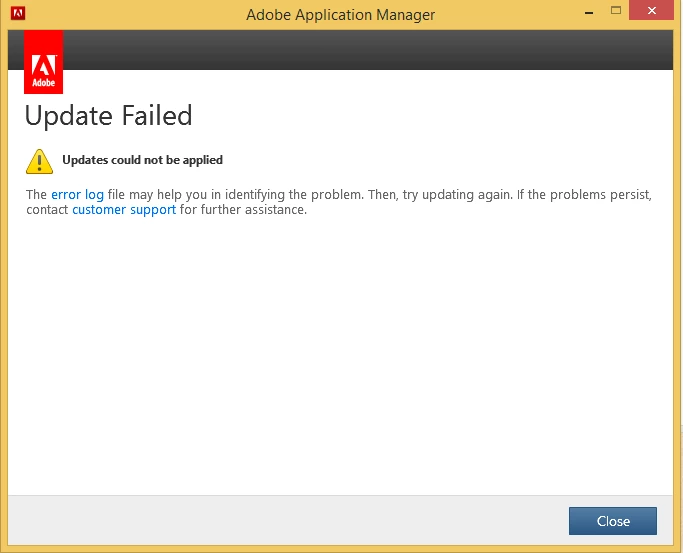
Can't install RoboHelp 2017 Update 2

  • September 18, 2017
  • 1 reply
  • 2843 views

Alas, the error log they mention is not available!

Anyone else seen/solved this?
    This topic has been closed for replies.

    1 reply

    Peter Grainge
    Community Expert
    Community Expert
    September 19, 2017

    How did you try to apply the update? If it was via File > Help, try downloading the update first.

    Adobe - Support : RoboHelp Support Center : Service Releases

    The only time I have seen this message, the log file was available, albeit not much help.


    See www.grainge.org for RoboHelp and Authoring information

    @petergrainge

    Use the menu (bottom right) to mark the Best Answer or Highlight particularly useful replies. Found the answer elsewhere? Share it here.
    doctester
    Participating Frequently
    September 22, 2017

    I'm having the same problem, and Support Chat didn't have a solution. When I checked for updates using Help > Updates, it didn't find any RoboHelp updates. When I manually downloaded it from the Adobe site and tried to install, I got a message similar to the one above, except mine said that the update was not applicable to my installation. I checked the datestamps on the RoboHelp application directory, and there is nothing new enough to indicate that the update did a stealth installation.

    The only suggestion I got from the Support Chat was to (oh joy) uninstall RoboHelp entirely and then re-install it. I was hoping someone here would have a solution. BTW, I also posted this on another thread related to one of the problems this update supposedly fixed. Will repost any answer I get here.

    Peter Grainge
    Community Expert
    Community Expert
    September 22, 2017

    I got the same message as DocTester but that was because I was running a beta version of RoboHelp 2017 on that machine. If it's any help, uninstalling and then installing the released version did fix the issue.


    See www.grainge.org for RoboHelp and Authoring information

    @petergrainge

    Use the menu (bottom right) to mark the Best Answer or Highlight particularly useful replies. Found the answer elsewhere? Share it here.
