


Known Participant
June 2, 2021
Question

Cannot check in topics

  • June 2, 2021
  • 3 replies
  • 375 views

Hello,


I am testing source control with a test project on AzureDevops, I managed to set up the connection and copied the project locally, but when I edit a topic and then I prompt the check-in dialogue box, the topic with changes does not appear in the list, the dialogue box is empty so the Check in button is disabled.
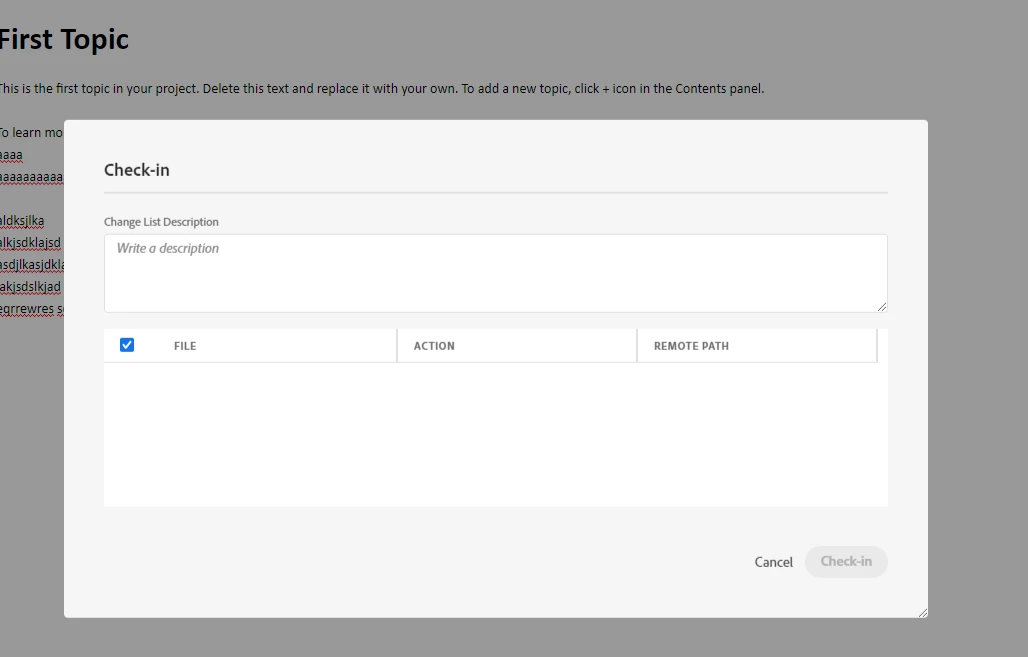


Any idea why this is happening?

Thanks!
Angelica

    This topic has been closed for replies.

    3 replies

    Jeff_Coatsworth
    Community Expert
    Community Expert
    July 26, 2021

    I think your best bet is to contact the RH folks - see https://helpx.adobe.com/contact/enterprise-support.other.html#robohelp for your Adobe Support options. I'd recommend using the tcssup@adobe.com e-mail address as it reaches a team dedicated to Technical Communication Suite products including RoboHelp.

    Community Expert
    June 3, 2021

    Do note that if you're on the first version of 2020 (2020.0) there is a bug that doesn't find any updates using Help > Updates. So you would need to manually download Update 4 from here:

    https://www.adobe.com/support/robohelp/downloads.html


    Known Participant
    July 26, 2021

    Hi, 


    Unfortunately I sitll bump into the same issue of checking in topics with an AzureDevOps connection on 2020. Is there anything else I could try?

    Thanks,

    Angelica

    Jeff_Coatsworth
    Community Expert
    Community Expert
    June 2, 2021

    What point version of RH are you running? Are you all patched up? Check Help > Updates to check.

    Known Participant
    June 2, 2021

    Yes, I am on the latest update. I eventually managed to use a Git repository instead, and it seems like the changes are pushed. I am trying to find a way though to set up the collaboration in a way that two or more people can't work on the same topic at the same time, and that a topic is checked out to one person when the perosn is working on it.

    Also, all the previous changes of a topic that are not in one person's version should immediately be pulled when the person starts to work on it.


    Do you know how could I do this?


    Thanks,

    Angelica