Inspiring
July 13, 2012
Answered

Change the Content Category Font Size??

  • July 13, 2012
  • 5 replies
  • 1090 views

Hi,

Can anyone figure out how to change the font size of the Content Category? 

thanks!

This topic is closed to new replies. Start a new post to keep the conversation going.
Correct answer RoboColum_n_

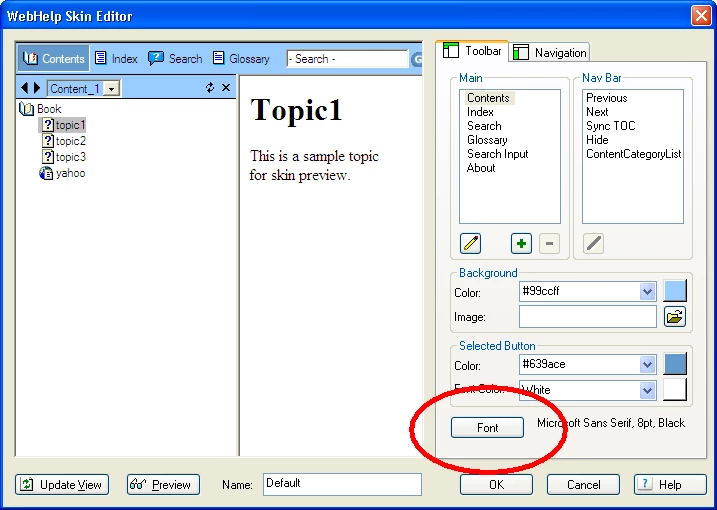
I believe you may be correct with the file, but this seems to control both the toolbar and the mini navpane. If this is the case you may as well control the font from the Skin Editor.
5 replies

RoboColum_n_
Legend
July 13, 2012

Can you please explain what you mean by "Content Category"?

Inspiring
July 13, 2012

Sorry........

RH9, Webhelp

The content category in generated WebHelp that displays content based on conditional build tags.  I'd like to change the font size to a bigger font.

I suspect it's controlled in the whtbar.js file, but I can't find it. 

(My suspicion is based on the fact I replaced the whtbar.js file after the doc was generated [with a customized one] and the content category disappeared)

RoboColum_n_
RoboColum_n_Correct answer
Legend
July 13, 2012

I believe you may be correct with the file, but this seems to control both the toolbar and the mini navpane. If this is the case you may as well control the font from the Skin Editor.