
Question
Change the position of sidebar buttons in Mobile layout
Hi
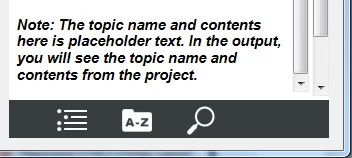
We are customizing Theme1_Standard screen layout for our requirement. Here, blank space after the sidebar buttons (ToC, Glossary, and Search) buttons look a bit odd in the mobile layout. How and where should I change the settings to be evenly space out these buttons against the background or align ToC to left, Glossary to center, and Search to right?
Thanks in advance.
Sreekanth
 AdChoices