
alaaa39293643
Known Participant
October 16, 2017
Answered

Changing skin's layout

  • October 16, 2017
  • 2 replies
  • 842 views

When trying to generate a project to online web form in Arabic.

I changed the skin into TRL acquarim  when I try to move the highlighted line to view the content, I cannot transfer it. as shown in the photo:
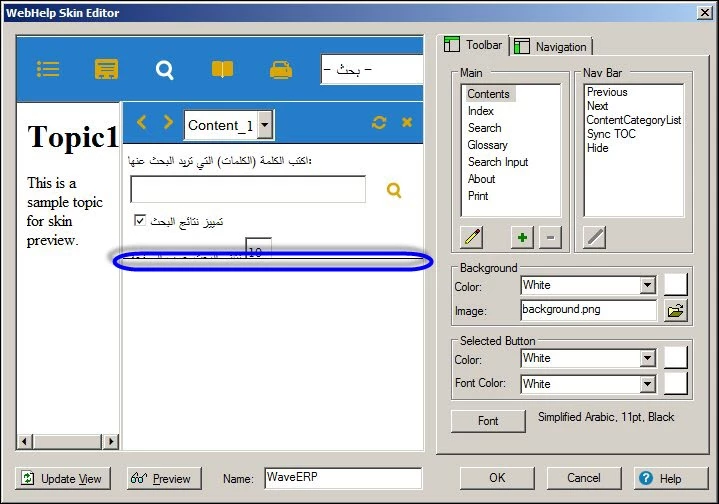
Where is the problem?
    This topic has been closed for replies.
    Correct answer Peter Grainge

    Hi,

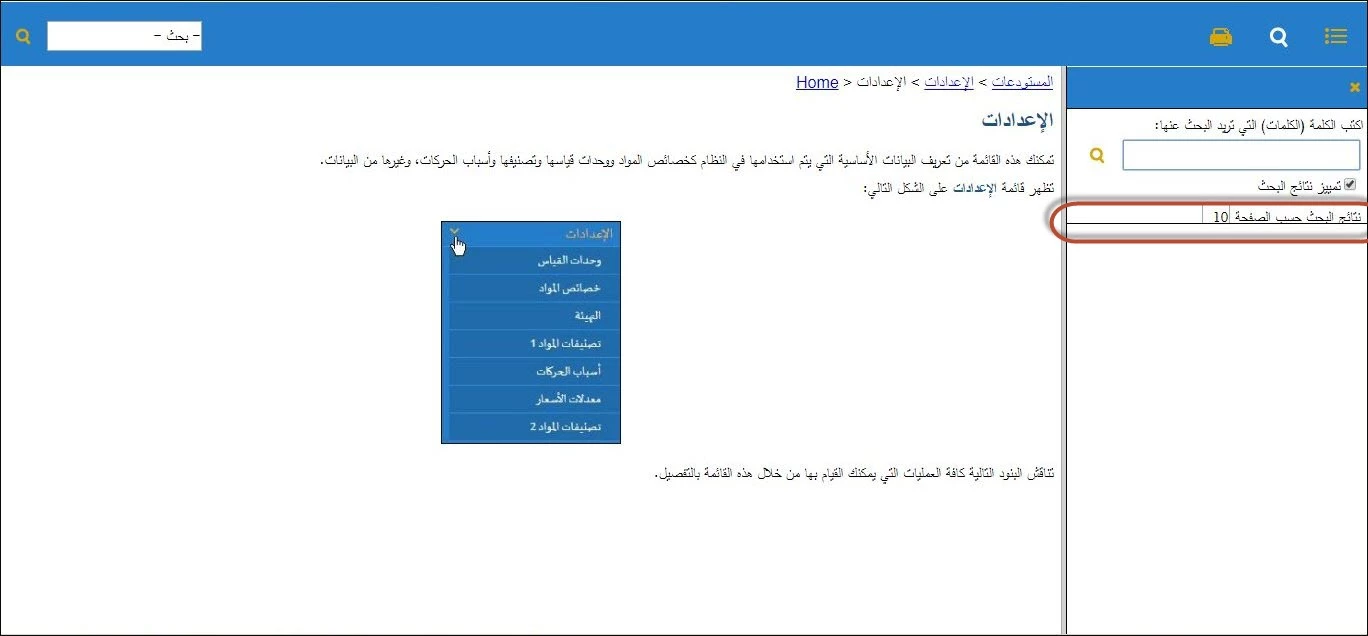
    yes, it appears too small as shown below:


    I think the skin you are using is Aquamarine RTL as I cannot find anything starting TRL.

    I just tried that skin and the line is the one below which the search results appear. Using English, the skin works OK.

    RTL editing is not supported in RoboHelp itself. The workflow is to edit in FrameMaker where RTL editing is supported.


    See www.grainge.org for RoboHelp and Authoring information

    @petergrainge

    2 replies

    Captiv8r
    Legend
    October 18, 2017

    Hi there

    The area you are wanting to make larger is known as the Navigation mini toolbar.

    I once documented how to adjust the height of the Navigation mini toolbar. See if these instructions work for you.

    Step 1. Locate your !SkinSubFolder!\SkinName.skn file and edit it using an ASCII text editor such as Windows Notepad.

    Step 2. Locate the second occurrence of Frameset Rows.

    Usually, pressing F3 will pop open the Find dialog, then you can simply type rows into the search field.

    Step 3. Alter the value to determine the height of the navigation toolbar.

    A smaller value makes the toolbar shorter, while a larger value makes the toolbar taller.

    *NOTE: After this file is modified, save a copy of it to a safe location. The WebHelp generation process will cause the modified file to be overwritten.

    Also: When editing the .SKN file using Windows Notepad, be sure to click File > Save As and ensure the Encoding: is configured for ANSI. I've seen it happen before where it somehow thinks I want to save as UTF-8. If saved using UTF-8, things won't work. WebHelp will appear to generate, but will refuse to launch as certain elements will not be present.

    Cheers... Rick

    Peter Grainge
    Community Expert
    Community Expert
    October 17, 2017

    I'm not sure what you are trying to describe.

    You are showing the editor. Does the problem occur in what you generate?


    See www.grainge.org for RoboHelp and Authoring information

    @petergrainge

    Use the menu (bottom right) to mark the Best Answer or Highlight particularly useful replies. Found the answer elsewhere? Share it here.
    alaaa39293643
    Known Participant
    October 17, 2017

    The line can't be moved in editor box when generating the file.

    Captiv8r
    Legend
    October 17, 2017

    Hi there

    Is the area too small in the actual generated output?

    Can you share a screen grab of what the project looks like after you generate and view/

    Cheers... Rick