
Changing the look of the Index widget
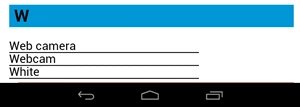
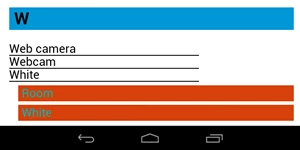
Hi, I'm working in RH10 Multiscreen HTML5 with an Android Tablet layout. I've successfully published it and am now trying to clean up little things that testers have commented on. On the Index page, my bottom entry in the index is the word "White", which should return two values when touched. However, those two values fall below the bottom edge of the screen, with no indication to scroll down to see them, so once you've touched there does not appear to be any result to your touch.
I'm trying to figure out some way to show what the TOC has, with the > and >> and two down arrows (NodePage, NodeOpenBook and NodePage). Is there a way for me to define additional stuff either in the Index page under the Android Tablet Layout or somewhere else in the project?
Perhaps my answer will have to be that I add another word to the index after White which will have only one place to go so there is no confusion like this.
After touching White:
What I want it to look like without scrolling down as it is not evident from above pic that you need to scroll down.
Thanks!
Helen


 AdChoices