


Inspiring
May 14, 2021
Answered

Clean code and span tags (RH 2020)

  • May 14, 2021
  • 5 replies
  • 508 views

Hi, Everyone.


I'm avoiding inline styling and trying to keep clean code, in general. But I don't really have HTML skills. 


Somehow, I've produced some text in RH 2020.4.173 that has two things I did not intend:  white space between paragraphs and lots of span tags. (Please see screenshots.)


SCREENSHOT 1
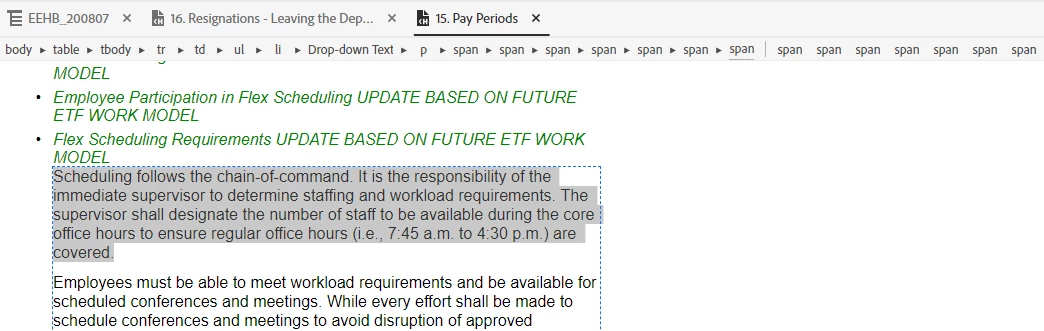
 

SCREENSHOT 2

 

I've copied-and-pasted the text from a MS Word file first into Notepad, then from Notepad into RH 2020. Shouldn't that have stripped the copied text of any inline styling?


Also, the dropdown header in Screenshot 3 shows span tags in the breadcrumbs, but not in code view (Screenshot 4). What's the story there?


SCREENSHOT 3

 

SCREENSHOT 4

 

Thank you for any help!


    This topic has been closed for replies.
    Correct answer Amebr

    Pasting into Notepad, then from Notepad into RH should indeed have stripped out formatting. Did you have to re-format your text when you pasted into RH? If not, then I don't think the copy from Notepad worked properly, and you actually pasted the Word content somehow.


    Regarding the spans, without trying it myself, my guess would be that the spans represent the tags in the dropdown content. Try deleting the spans in a section of content and see if they go away.

    5 replies

    Inspiring
    May 14, 2021

    Thanks, Peter, cool trick. Will try it out!

    Inspiring
    May 14, 2021

    I bet you're right, Amber -- I bet I did accidentally paste the Word text into RH. This was one in a long line of copy/pastes. I could easily have flubbed this one.


    Hi, AthensSlim, and thank you for the Ctrl+shift+V tip. I love it!


    Thank you, Both!

    Peter Grainge
    Community Expert
    Community Expert
    May 14, 2021

    In 2020 you can select text and go to Content Properties (top right) and click the Clear Formatting icon. Make sure it hasn't had unwanted effects before you save.

    ________________________________________________________
    See www.grainge.org for free Authoring and RoboHelp Information

    Use the menu (bottom right) to mark the Best Answer or Highlight particularly useful replies. Found the answer elsewhere? Share it here.
    AthensSlim
    Inspiring
    May 14, 2021

    Seems to me that your "Notepad trick" should have worked for you. I just did the same thing and it did work for me. So, I can't offer anything but a shoulder shrug on that one.


    What I can offer is a suggestion for another way to get where you are trying to go while saving a step. Try pasting from Word to RH by using the shortcut CTRL+SHIFT+V (rather than just CTRL+V); this does a paste without formatting, so you shouldn't have any span tags. 


    AmebrCommunity ExpertCorrect answer
    Community Expert
    May 14, 2021

    Pasting into Notepad, then from Notepad into RH should indeed have stripped out formatting. Did you have to re-format your text when you pasted into RH? If not, then I don't think the copy from Notepad worked properly, and you actually pasted the Word content somehow.


    Regarding the spans, without trying it myself, my guess would be that the spans represent the tags in the dropdown content. Try deleting the spans in a section of content and see if they go away.