
Compilation of the source code with RHCL not generating proper compiled output
Hi All,
I need an urgent help for the below issue I am facing when compiling the Robo Help source code with RHCL.
When the source is complied using command line Utility RHCL we found following issues:
a) Some of the .gif images are not properly copied to the output folder. due to which some images are missing from the Help output
b) We found when ever there is a pop-up in the source content the complied output is not working. That means in the complied output when click the those link to open pop-up images it is not working:
I am using the following command line:
RHCL D:\Junk\UAT_Test\ExtSource\PccNet.Rpt.Help\PCC_Contract\PCC_Contract.xpj -l "WebHelp" -o D:\sukanta\workings\projects\VSTS\ReleaseManagement\RoboHelp\TestOutPut-1
But the strange thing is that when the same code is complied from the RoboHelp interface itself (not using the command line) the things are working fine.
For analysing the difference i made some investigation and found the version generated using RHCL utility have many missing thing specially related to pop-ups like the one below:
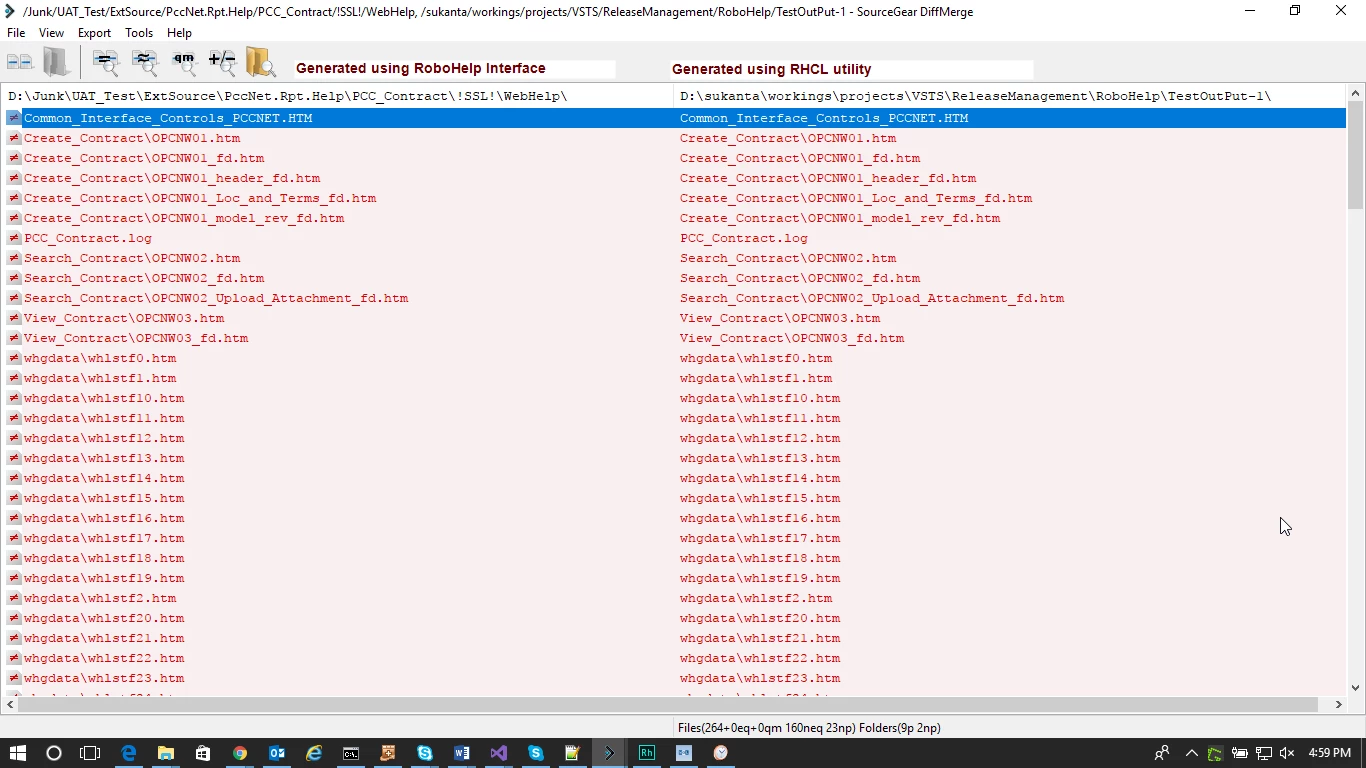
And difference in file:
Complied with RoboHelp Interface:
class="FieldName">Create Contract (OPCNW01)</span> screen <a href="javascript:void(0);" id="a34" onmouseover="if (parseInt(navigator.appVersion) >= 4 && typeof(BSPSPopupOnMouseOver) == 'function') BSPSPopupOnMouseOver(event);" class="BSSCPopup" onclick="BSSCPopup('../Images/s_opcnw01.gif',790,392);return false;"><img src="../Common/i_thumbnail.gif" alt="" title="Click to view screen-capture"
Complied with RHCL Tool:
class="FieldName">Create Contract (OPCNW01)</span> screen <a href="javascript:void(0);" id="a34" onmouseover="if (parseInt(navigator.appVersion) >= 4 && typeof(BSPSPopupOnMouseOver) == 'function') BSPSPopupOnMouseOver(event);" class="BSSCPopup" onclick="BSSCPopup('../Images/s_opcnw01.gif',,);return false;"><img src="../Common/i_thumbnail.gif" alt="" title="Click to view screen-capture"
style="border: none;" width="24" height="18" border="0" /></a>
You can fine missing Height-Width of popup in RHCL complied version
Can Help me to fix this issue, what can be the solution for this.


 AdChoices