
Inspiring
June 12, 2018
Answered

Conditional tags work locally but not on web server

  • June 12, 2018
  • 1 reply
  • 512 views

After I generate my pages and view locally, the content that I have excluded with a conditional tag is not visible - everything works great!

I have 3 conditional tags and all three work properly when viewed locally.

When I ftp the files to the web server, only content from one of the tags is hidden.
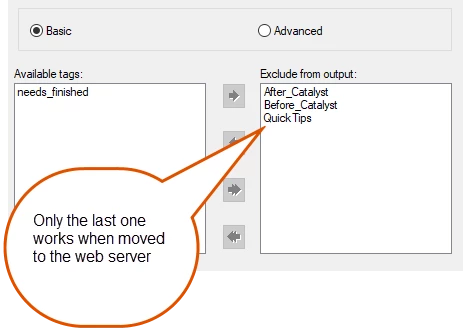
When I look at the properties of the conditional tags, only Quick Tips shows the NOT expression.
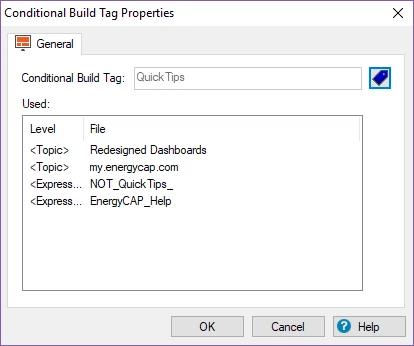
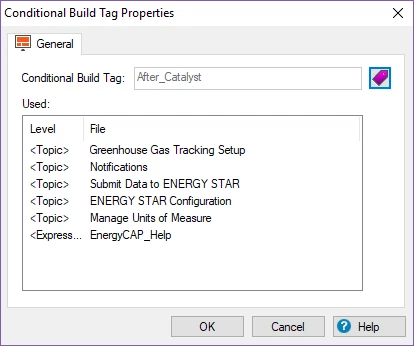
I tried removing all 3 conditional build tags and only using one and still have the same problem. It works locally but not after I ftp the files to the web server.

I must be copying something I shouldn't?

Thanks for any ideas you can provide.

Mary Ann

This topic has been closed for replies.
Correct answer maryann1366

I am manually copying the files.

I have deleted all the files on the server.

I have cleared cache and used different browsers.


Thanks for your help and questions. It is a problem with our load balancer and it is pointing to my dev site (which doesn't apply any conditional tags)

Your questions and comments helped me test and figure it out!

1 reply

Captiv8r
Legend
June 12, 2018

Hi there

Sorry, but we have questions that need answers before we proceed.

First - What version of RoboHelp are you using?

Second - What is your output? WebHelp? Responsive HTML 5?

If you can help us by answering those questions we can better guide you.

Cheers... Rick

Inspiring
June 13, 2018

Sorry about that, my version is 2017 and I am generating responsive html.

Captiv8r
Legend
June 13, 2018

Okay. First, you need to understand that with conditional tagging, you apply tags to content or to pages for two different reasons.

Reason 1. You want to create an output and control what the output contains. So you tag information and at the time you generate the output from RoboHelp, you decide what information is included or not, based on the tags and build expression. That seems to match what you are showing in your screen captures.

Reason 2. You are creating a Responsive HTML5 output and you want to use the Filters option. In this case the end user (not the author) decides what information is presented based on the filtering mechanism.

So which of the reasons are you using Conditional tags?

Cheers... Rick