
Context Help broken in Robohelp 2017?
We recently upgraded from Robohelp 2015 to Robohelp 2017. We have a large help project that has over 1000 topics and our software applications calls help topics by generating a URL with the Responsive HTML5 Help path and the appropriate Map ID for the topic. The application also adds arguments to the URL to specify the appropriate content filters. All of this was working fine in Robohelp 2015 (except for the defect that Multi-Level lists don't number correctly).
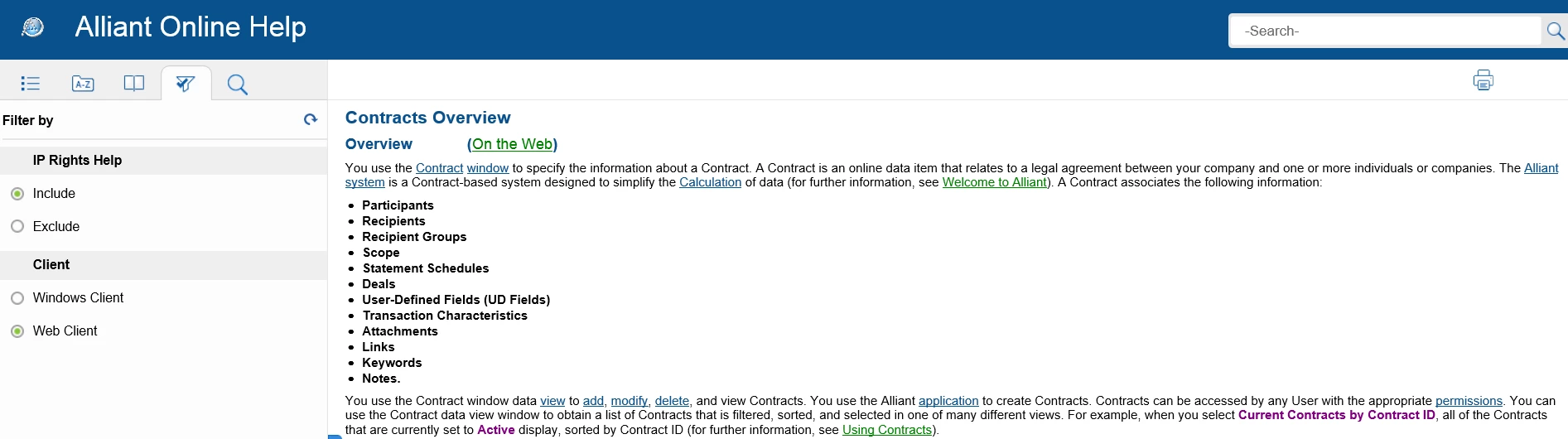
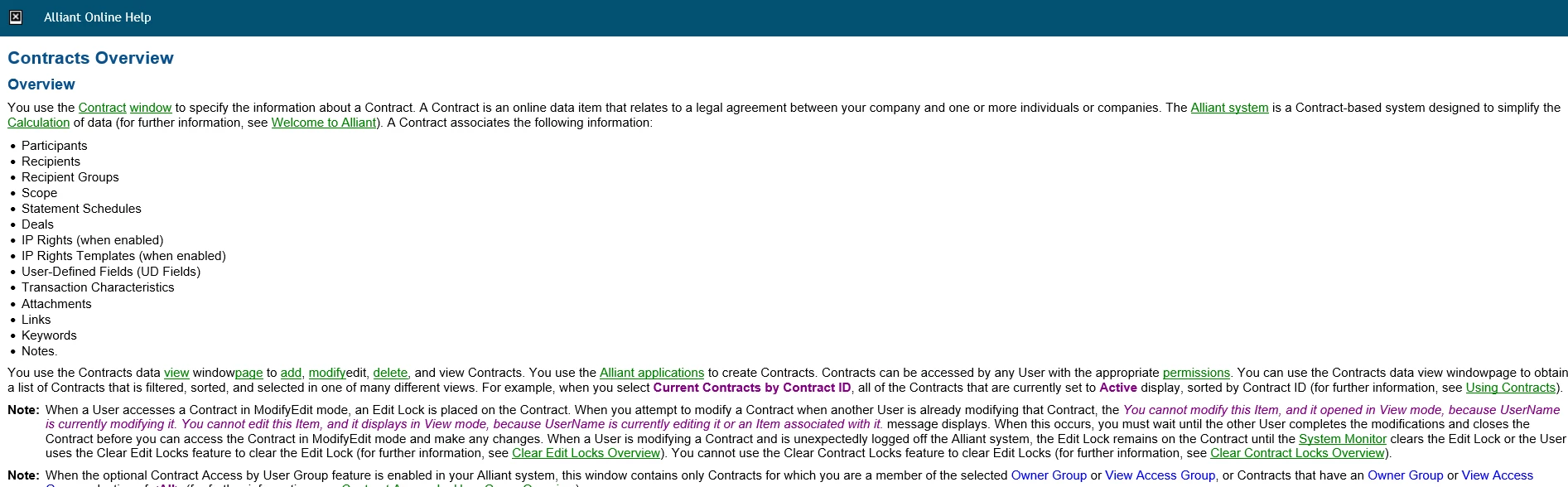
After upgrading to Robohelp 2017, calls to open topics do not work the way they should. The framed layout should open and display the correct topic with the correct filters, but instead it only opens the (correct) topic but without the framed layout and without any filtering. To confirm that this is a problem, I copied the exact same project file set to two computers, one with Robohelp 2015 and one with Robohelp 2017. I used the same settings to generate the Responsive HTML5 output on each and then I then used the same URL to call a topic. Here are the results:
Robohelp 2015:
Robohelp 2017
Has anyone else encountered this? Is there a workaround? This is a critical issue for us and we can't wait for Adobe to put it into their backlog and not address it as they typically do. We might have to cancel our Tech Com Suite subscription and go back to Robohelp 2015.


 AdChoices