


Participant
Sep 27, 2017 8:51 AM UTC
Question

Context Sensitive Help in Robohelp 8 is not working in the current version of Firefox and Chrome.

We have web help for our internet payroll. We are using the Map Id and calling the HTML page through Map Id's in a popup window by clicking on the ? image. But the popup window is blocked by current version of Firefox and Chrome it is working fine in the current version of IE. Although I have unblocked the Pop Up setting in Firefox and Chrome but still this both the browser are blocking the Popup. Is it to do with the security, as our web help is not on the https:// server.

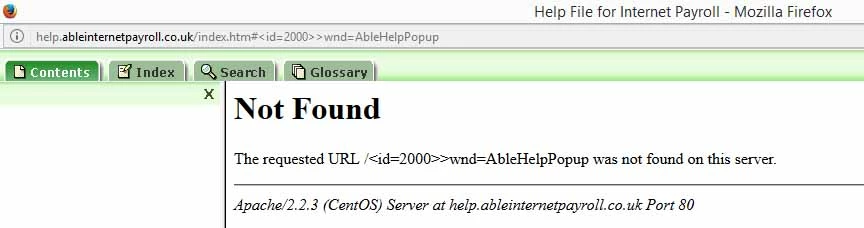
Error shown
This topic is closed to new replies. Start a new post to keep the conversation going.

1 reply

Peter Grainge
Community Expert
Community Expert
Sep 27, 2017 12:32 PM UTC

I doubt you will find a fix as you are using a very old version of RoboHelp that does not support modern browsers. Many changes were made to browsers during the life of RoboHelp 8, 9,10 and 11 in particular and usually only in the current and previous versions.

To confirm that is your issue, I would download a free trial version of RoboHelp 2017 onto a machine other than where you have your current version and generate from that.


See www.grainge.org for RoboHelp and Authoring information

@petergrainge

Translate
Use the menu (bottom right) to mark the Best Answer or Highlight particularly useful replies. Found the answer elsewhere? Share it here.