
custom buttons with a pop up
Hi everyone,
I have a RH 2022.0.346 and I am writing to you because I have inserted a custom button in the toolbar of a project generated in Responsive HTML 5, and I need, by clicking on it, to open a popup with some text inside. The only way I've found is to enter the following Javascript command:
rh.model.publish(rh.consts('EVT_WHAT_IS_NEW')); var testoPopup = '<span style="font-family: Arial; font-weight: bold;">What\'s new in version 1.0</span>'; var popup = window.open('', 'What_is_new', 'width=300,height=200'); popup.document.write('<h2>What is new</h2>' + testoPopup + '</body></html>'); popup.document.close(); return false;
this is the popup that opens
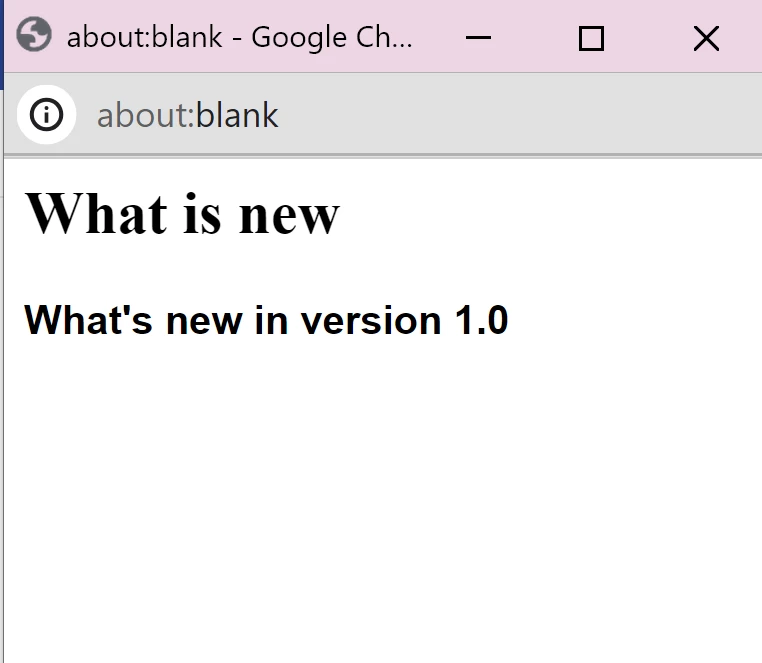
However, I don't like the popup: is there a way to change the layout of the popup window? For example, I would like to eliminate the gray part (with the writing "about blank") and the writing at the top "aboutblank - google ch.."
Thanks in advance and keep in touch!


 AdChoices