Inspiring
March 10, 2021
Answered

Custom fonts wont work on homepage (index.htm)

  • March 10, 2021
  • 6 replies
  • 456 views

Hi guys, I'm using RH2020 2020.3.32. 
I added custom font like in Peter's guide using the "@font-face" feature. 
It works for me in topics, but in homepage they are not displaying correctly in PC's without this font installed locally. 
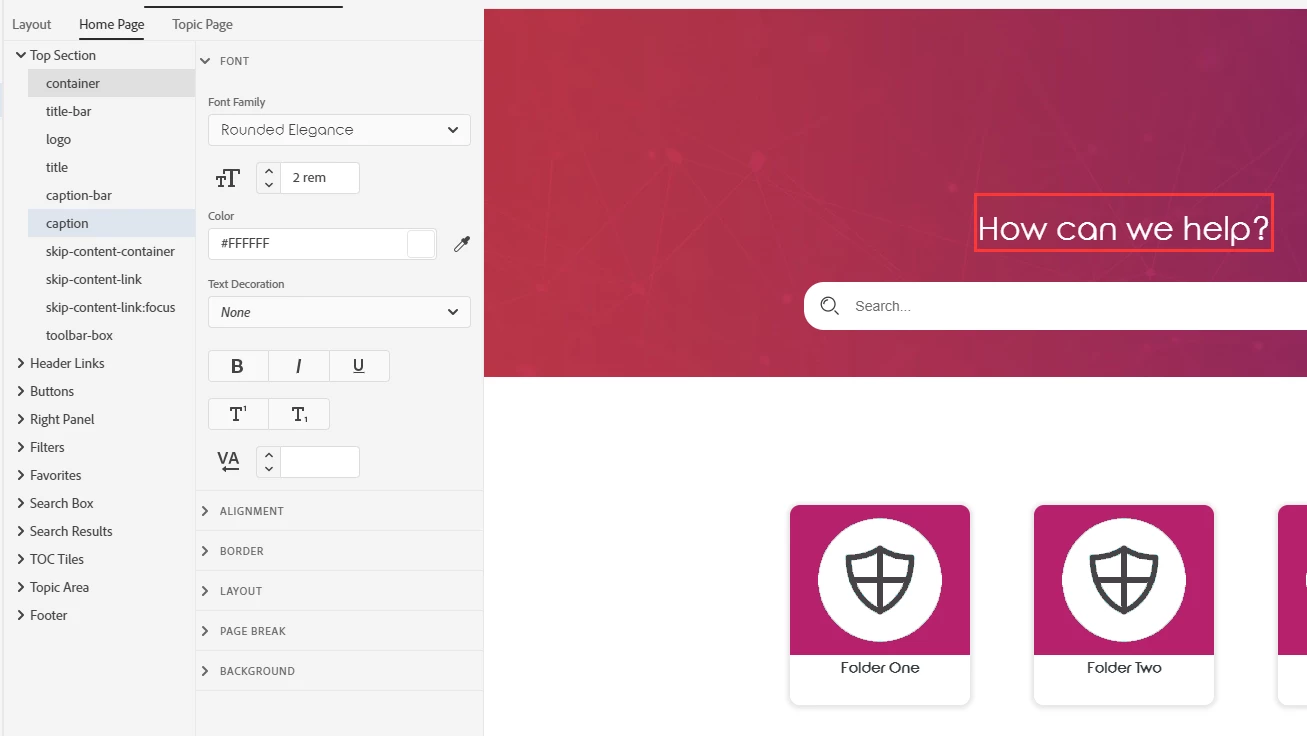
This is how it shoud be (when font is applied correctly or when ran from pc with font installed)

This is how it looks on another pc (font enabled)
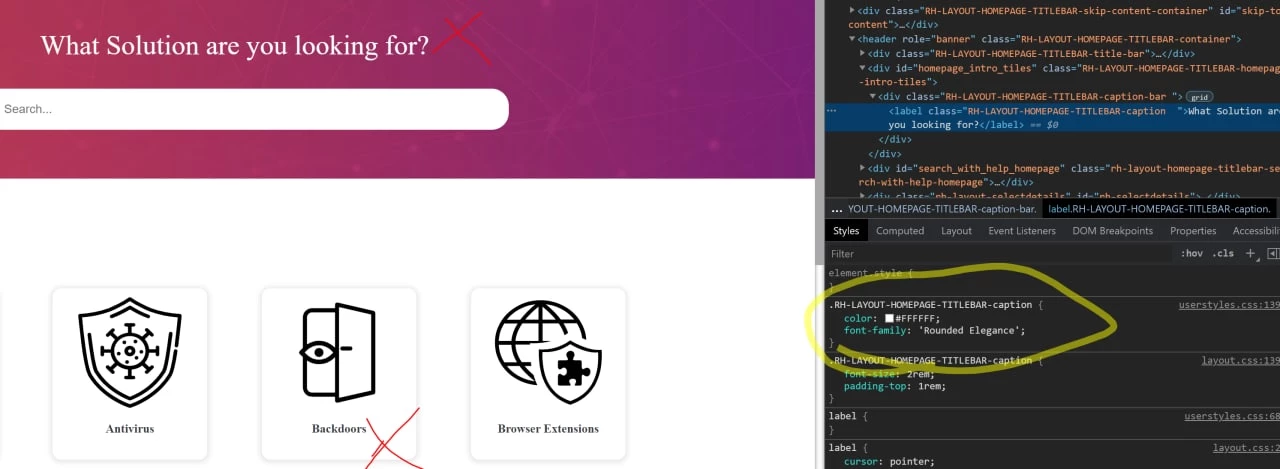


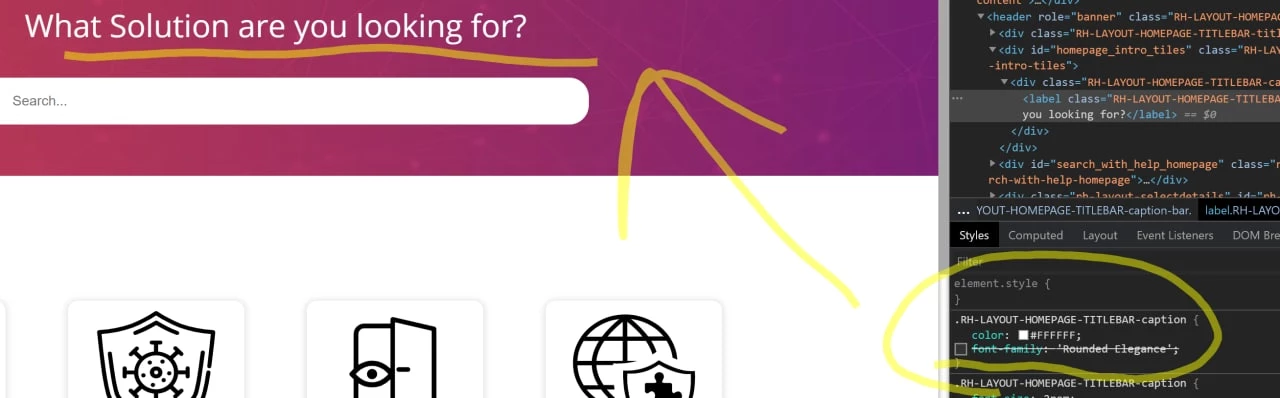
Interesting fact: if I disable font in web console, the font will be changed to a different. 
This is how it looks in another pc (font disabled in web console)

This is how font is specified for a title
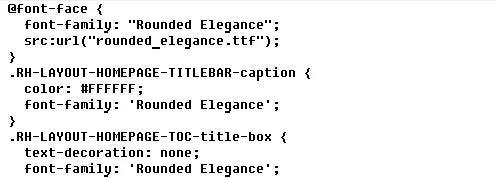
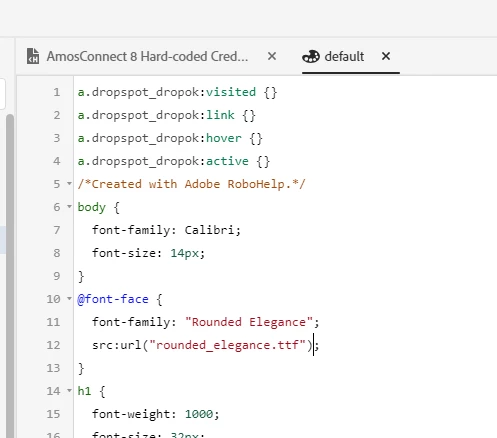
This is css:


This topic has been closed for replies.
Correct answer defaultv667u7s1tnd8

Fixed with specifying @11220649-face directly in custom css that in User Assets


6 replies

defaultv667u7s1tnd8AuthorCorrect answer
Inspiring
March 12, 2021

Fixed with specifying @11220649-face directly in custom css that in User Assets


Peter Grainge
Community Expert
Community Expert
March 11, 2021
  1. Create a new project leaving just First Topic in it.
  2. Add your CSS and skin.
  3. Set things up so that it should apply the font to your skin. Double check my instructions.
  4. Generate an output to prove it doesn't work.


See the Contact page on my site and send the project as instructed there. Do make sure you include a link to this thread and please do not email the project direct.

________________________________________________________
See www.grainge.org for free Authoring and RoboHelp Information

Use the menu (bottom right) to mark the Best Answer or Highlight particularly useful replies. Found the answer elsewhere? Share it here.
Inspiring
March 11, 2021

Hi Peter, 
Unfortunatelly, nothing changed. 

Here you can see, that font from User Assets css is applied, but do not work as expected. 
Below you can see how it is added in robo and file:

font.css file:


Peter Grainge
Community Expert
Community Expert
March 10, 2021

See if Item 15 helps. Snippets (grainge.org)

________________________________________________________
See www.grainge.org for free Authoring and RoboHelp Information

Use the menu (bottom right) to mark the Best Answer or Highlight particularly useful replies. Found the answer elsewhere? Share it here.
Inspiring
March 10, 2021

Custom font placed in same folder as css and present in final output in css folder

Inspiring
March 10, 2021


Jeff_Coatsworth
Community Expert
Community Expert
March 10, 2021

Are you actually packaging the custom font with the output? I think that part is what is required to make the reference in the css work on machines that don't have the font installed.