


Sleant
Inspiring
August 23, 2022
Question

Custom-sized popup in Image Mapping never works for me

  • August 23, 2022
  • 6 replies
  • 382 views

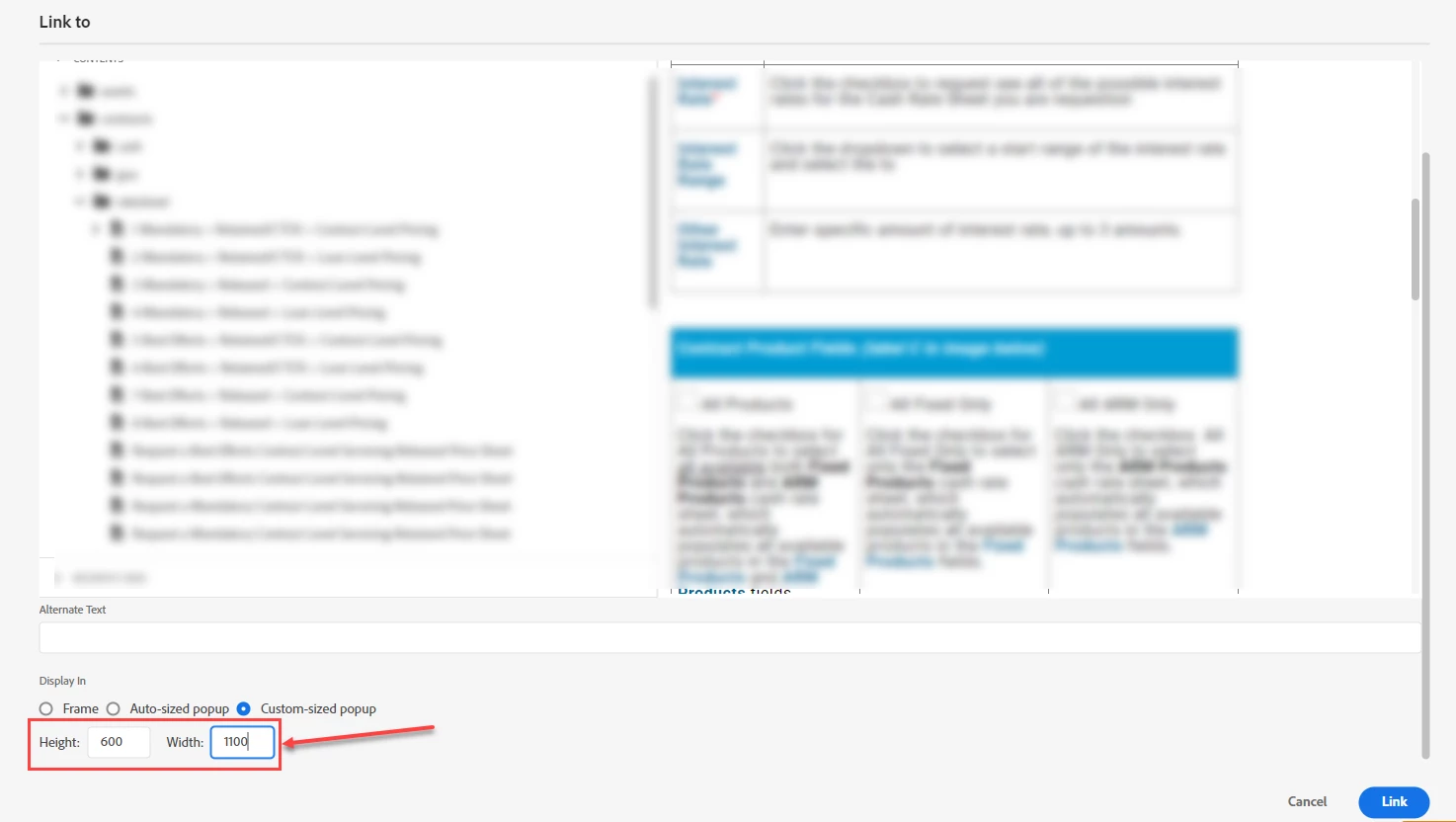
Hello Friends - using the latest 2020.8.34 version here. How come I can never make "Custom-sized popup" in Image Map to work for me? It always goes to something like 600x300 and I don't know why. Is this a know issue? Thank you so much.
    This topic has been closed for replies.

    6 replies

    Peter Grainge
    Community Expert
    Community Expert
    September 8, 2022

    OK I get what you are doing.


    • Right clicking an image and creating a map area.
    • The right clicking to create the link and setting that to your custom size.


    I just did that in a small project and it worked fine.


    Create a new project and import the target topic. In the First Topic created in the new project add an image and repeat the process. Does it work there?

    ________________________________________________________

    My site www.grainge.org includes many free Authoring and RoboHelp resources that may be of help.


    Use the menu (bottom right) to mark the Best Answer or Highlight particularly useful replies. Found the answer elsewhere? Share it here.
    Peter Grainge
    Community Expert
    Community Expert
    September 8, 2022

    Please reply to my post at https://community.adobe.com/t5/robohelp-discussions/custom-sized-popup-in-image-mapping-never-works-for-me/m-p/13156603#M145943

    ________________________________________________________

    My site www.grainge.org includes many free Authoring and RoboHelp resources that may be of help.


    Use the menu (bottom right) to mark the Best Answer or Highlight particularly useful replies. Found the answer elsewhere? Share it here.
    Peter Grainge
    Community Expert
    Community Expert
    August 24, 2022

    For me, please clarify the objective. Is it a link that opens a popup with an image in it or an image that has a hotspot that opens something else?

    ________________________________________________________

    My site www.grainge.org includes many free Authoring and RoboHelp resources that may be of help.


    Use the menu (bottom right) to mark the Best Answer or Highlight particularly useful replies. Found the answer elsewhere? Share it here.
    Sleant
    SleantAuthor
    Inspiring
    September 8, 2022

    Some time I image map an image that opens up another topic with the specific "Custom-sized popup" that I want, but it doesn't open in that size.

    Community Expert
    August 23, 2022

    Did it work or did you have another question? 

    Peter Grainge
    Community Expert
    Community Expert
    August 23, 2022

    You are trying to insert a popup on an image, correct? If so, that's not how you go about it. See Image Maps. You select the image and an additional icon appears on the right of the toolbar. That allows you to draw various shapes. Double click the shape and you can then link to whatever you want.

    ________________________________________________________

    My site www.grainge.org includes many free Authoring and RoboHelp resources that may be of help.


    Use the menu (bottom right) to mark the Best Answer or Highlight particularly useful replies. Found the answer elsewhere? Share it here.
    Community Expert
    August 23, 2022

    Are you talking about how it looks in the output? The default custom popup size for a new link in the editor 400w x 300h but once you set it for an existing link, you can edit that link and it will remember the size you previously entered.


    If you are talking about the output, for a Responsive output It looks like a runtime script forces the containing div to be no larger than about 600w x 800h. I didn't check the Frameless output, but it's likely to be set up the same way.


    There's a certain logic to not having a giant popup - if it was too wide and high for the browser window you could be stuck in the popup window (you have to click outside the popup window to dismiss it), which would be annoying for the user.


    However, you could try adding the following to your stylesheet (I only tested with Responsive). Change the height and width values to what you want, and use extremely cautiously. For example, I don't use a maximised browser, so these values cause the popup to fall off the side and bottom of the screen. It's pretty confusing and a bit awkward to navigate - some people might figure out how to navigate it.

    div.rh-popover {
        max-width: none;
        width: 1000px !important;
        height: 800px !important;
    }


    Sleant
    SleantAuthor
    Inspiring
    August 23, 2022

    Amebr - as always, you are amazing. Please let me provide more details. I know how to add image mapping and it has always worked. I always used a bookmark as my popup. However, when I tried to use "Custom-sized popup" and entered the height and width; it never displays in that specified height/width.