
Participant
March 16, 2026
Question

Customizing TOC in Knowledge Base Output preset

  • March 16, 2026
  • 2 replies
  • 14 views

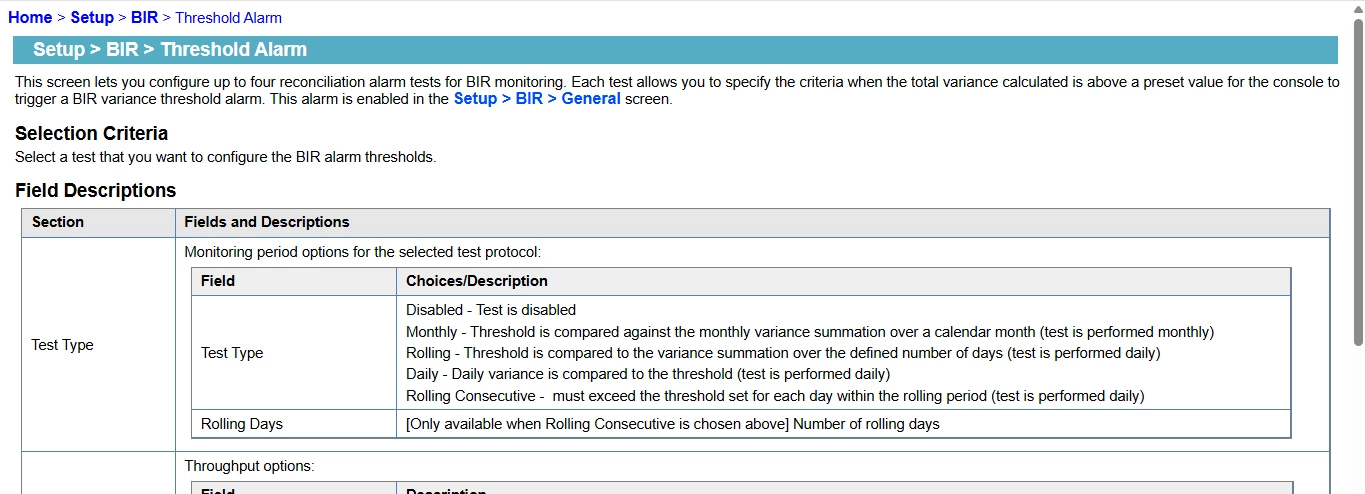
How do I customize the knowledge base output preset (RoboHelp 2022), so that the TOC for my project appears like the left menu pane of the image attached below, that will help me in easy access for moving from one topic to another.
 

    2 replies

    Peter Grainge
    Community Expert
    Community Expert
    March 16, 2026

    Or maybe you don’t want the Knowledge Base template but something like my site?


    My site www.grainge.org includes many free Authoring and RoboHelp resources that may be of help.

    Use the menu (bottom right) to mark the Best Answer or Highlight particularly useful replies. Found the answer elsewhere? Share it here.
    Jeff_Coatsworth
    Community Expert
    Community Expert
    March 16, 2026

    From my understanding, a Knowledge Base output is designed to be “content-only” for easier integration into whatever KB software you’ve hooked it up to. There’s no “skin” to customize on the RH end of things. See https://www.grainge.org/RoboHelp_Tour/rh2022/outputs/outputs_knowledge_base.htm