
Answered
Deleted pages showing up under Broken Links, but no links ever went to/from them
Tech
- RoboHelp 10 (project upgraded from RH7, 8, and 9 over the years)
- Windows 7
- Connected to a VSS repository.
Issue
The title describes what's happening, and I want to to know how to clear the Broken Links list of these links.
Here's what I did
- Through the TOC sidebar, I added a page. (right click > New > Page).
- Through the New TOC pop-up, I added a New Topic.
- After adding the new topic, it showed up on both the project view and the TOC, as it should.
- I wrote a bit in the file:
- I created multiple files, some using templates and user-defined variables, others without anything more than your standard, blank page.
- There were no inbound (that I'm aware of) or outbound links.
- I went ahead and deleted both the TOC entry and the Project View entry.
Here's what happened
- The file shows up in the Broken Links list.
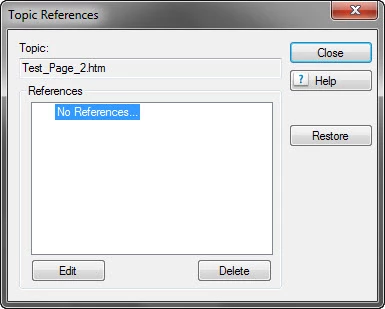
- When I vew its properties, it says that it has no references.
- Clicking "Edit" does nothing.
- The issue happened with mutliple test pages, none of which linked to anything.
History
- I inherited this file from another writer.
- Basically, I'm trying to figure out what they did or didn't do with this project.
- Right now, there are literaly hundreds of broken links, broken images, and I'm pretty sure I saw a monster hiding in the code.
TIA.


 AdChoices