

Deleting a Topic Folder?
I generated output for my RoboHelp project and need to make some changes to the structure. How can I delete a topic folder? When I right-click, the delete option is sometimes grayed out, and so is the delete option in the Project menu.
Other times, it isn't grayed out, but when I click delete, I get the following message:
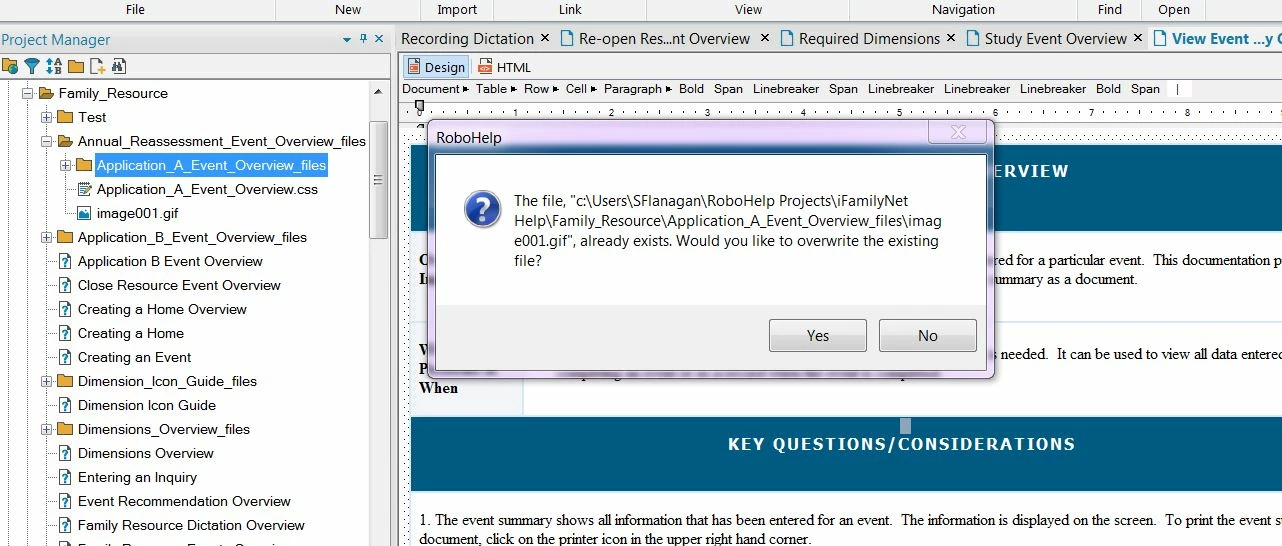
Maybe moving (dragging) all the content out of the folder FIRST is an important step? So I tried doing this. I'm trying to delete the Annual_Reassessment_Event_Overview_files folder (see below).
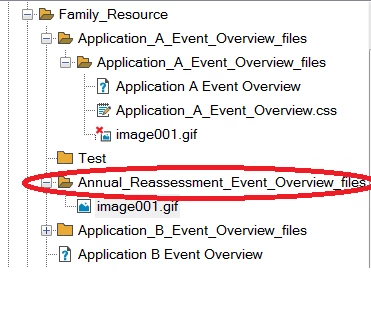
So I started moving some of the content out and into a "parent" folder. I successfully moved all the content, except for the image gif. But now the image gif is broken, and I can't move the unbroken version of it that's still in the folder. When I do, I get the following message. Should I overwrite the file? If I do that, will that fix the link? Will I then be able to delete the Annual_Reassessment_Event_Overview_files topic folder?


 AdChoices