



Question
Different font in parts of a table
I add code Style to break lines so that they would not enlarge the table.
code {
  word-break: break-all;
}
But after that the font I used in the table changed. I use IBM Plex Sans Medium font in the left side of the table
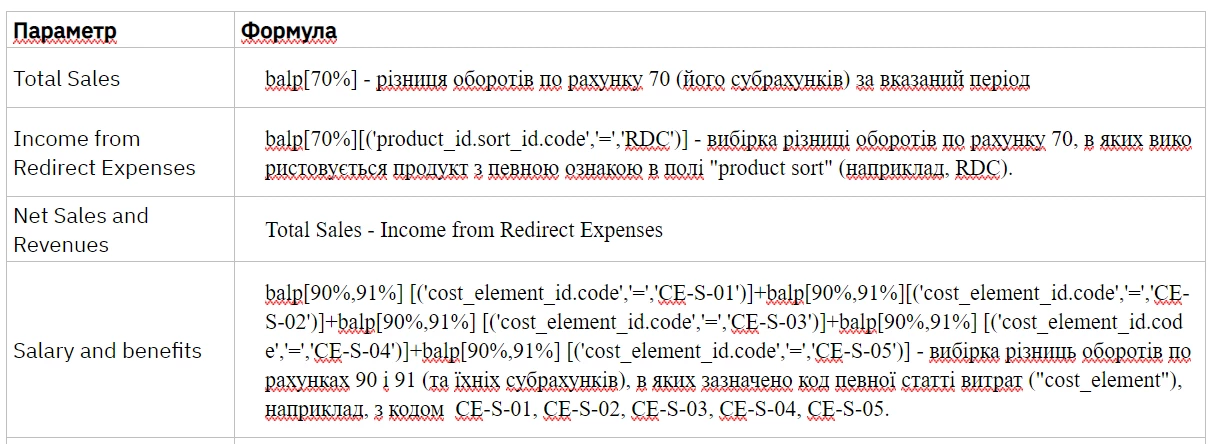
The code of the first table row (Total Sales) looks like that:
As you see, I added IBM Plex Sans Medium font twice here. So why does not it look like IBM Plex Sans Medium?
<tr>
<td style="text-align: left;">Total Sales</td>
<td style="text-align: left;font-family: 'IBM Plex Sans Medium'">
<p class="body1"><code class="LongLine"><span style="font-family:'IBM Plex Sans Medium';">balp[70%] - різниця оборотів по рахунку 70 (його субрахунків) за вказаний період</span></code></p>
</td>
</tr> AdChoices