


Participant
May 16, 2022
Question

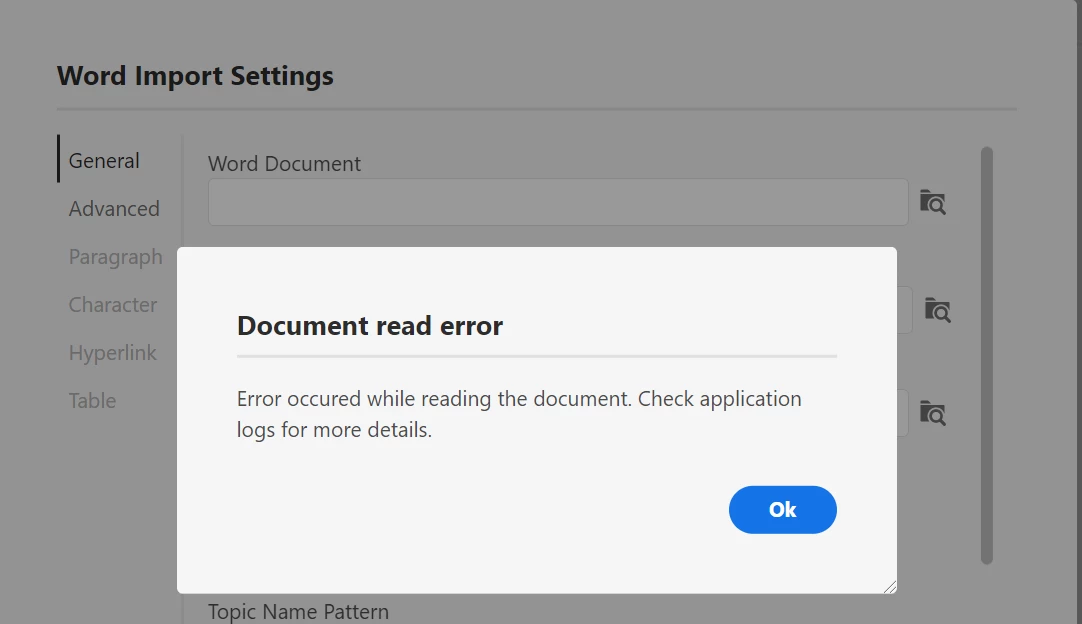
"Document Read Error", when a word document is imported into RoboHelp 2020.7.46 version

  • May 16, 2022
  • 1 reply
  • 129 views

Unable to import word document into RoboHelp 2020.7.46 version. I have tried all the below methods.

1.Word document is closed while importing.

2.Ensured word is not open in Task manager.

3. Updated patch 7.

4. Removed all the hyperlinks in the word document before importing.

5. Ensured the format of the document is.docx.

However after trying all these techniques, still the word document is not getting imported. Is the issue from Application end. Awaiting for your valuable response.
 

This topic has been closed for replies.

1 reply

Peter Grainge
Community Expert
Community Expert
May 16, 2022

First try some other document to prove this issue is specific to this document.


Then create two copies of the document and delete the first half from one and the second half from the other. Does either half import?

  • If yes, repeat the process with the half that does not import until you identify what is choking the process.
  • If no, split both halves.


Let us know how it goes.

________________________________________________________

My site www.grainge.org includes many free Authoring and RoboHelp resources that may be of help.


Use the menu (bottom right) to mark the Best Answer or Highlight particularly useful replies. Found the answer elsewhere? Share it here.