


Does anyone know how topic keywords in RH2019 behave in RH2020 after the project upgrade?
I upgraded my project from RH2019 14.0.14.002 (.xpj) to RH2020 2020.8.34 (.rhpj).
In RH2019, in the Index Designer, two types of keywords were defined.
Feature: Add Project Number is defined as an index file keyword.
Feature: Addition of Original… is defined as a topic keyword (the icon has a key/page). (There were multiple instances but I am only showing one example here.)

In the HTML output, both keywords show up the same way as expected. It did not seem to matter that they were defined differently in RH2019.

After upgrading the project to RH2020, in the Authoring view of the Index, Feature is treated as a main keyword. Add Project Number and Addition of Original… are treated as subkeywords due to the colon after Feature. This looks fine to me.
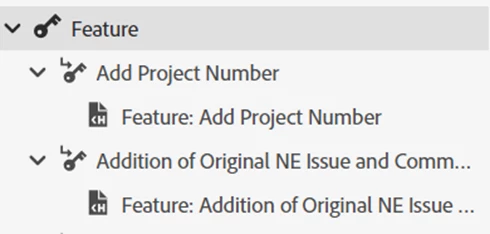
The Topic Properties of the two topics look similar. I don’t see any issues.
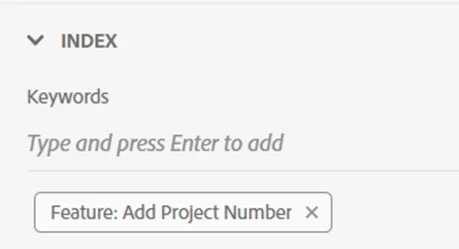
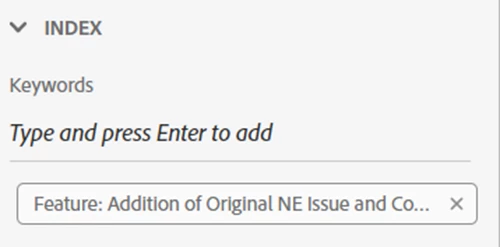
In the HTML output, Index tab, the keyword Feature is listed with two indented subkeywords as expected. This looks fine to me.
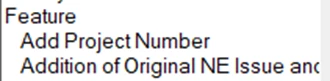
!!!However, Feature: Addition of Original… is again displayed as its own keyword (after all the subkeywords under Feature).!!!
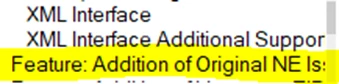
I suspect this is because Feature: Addition of Original… was defined as a topic keyword in RH2019 and is treated by RH2020 in an unexpected way. Is there a way to fix this? To troubleshoot, I have even removed the keyword Feature: Addition of Original… from the topic or changed it to “AAA Test”. It is no longer a subkeyword under Feature but Feature: Addition of Original… still shows up as its own keyword.


 AdChoices