
Participant
December 30, 2020
Question

Download not automatically starting - RoboHelp 30-day trial
  • December 30, 2020
  • 3 replies
  • 250 views

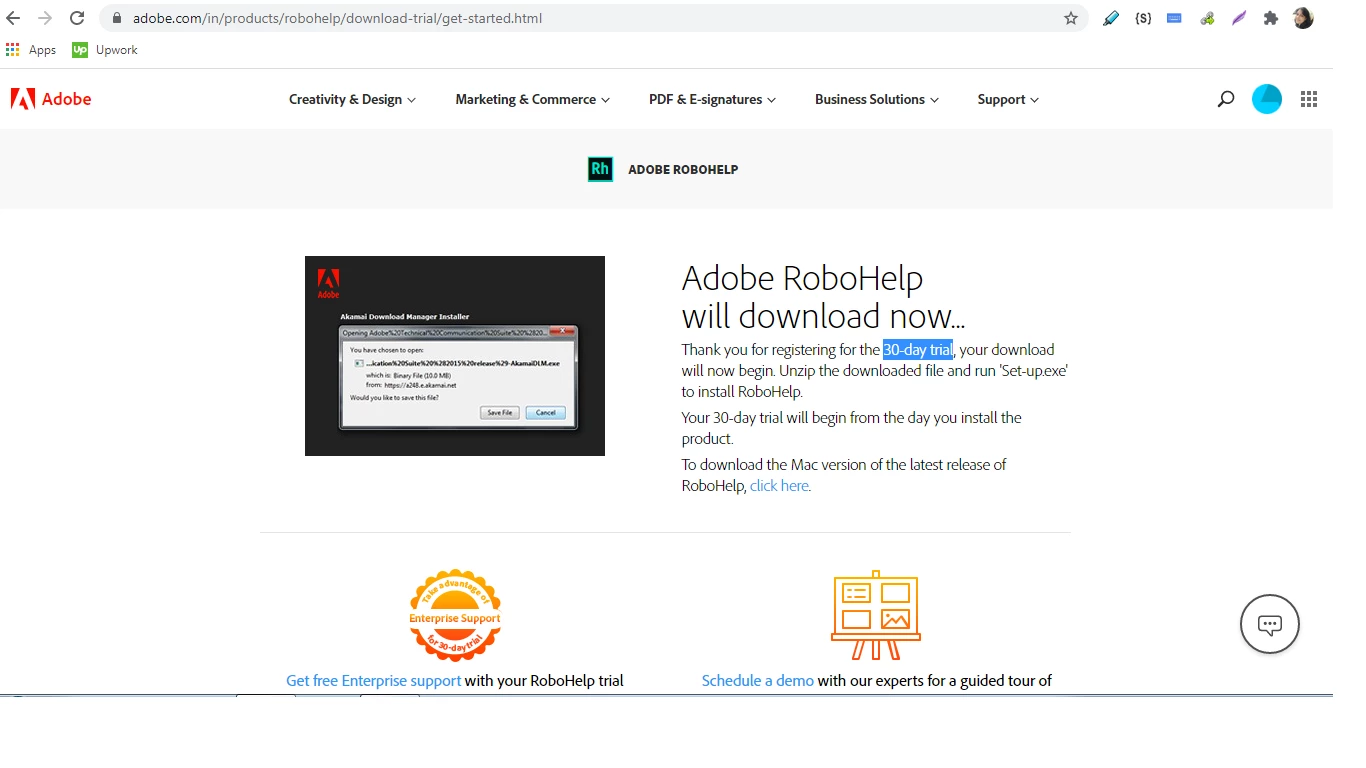
What could be the reason that the download doesn't start automatically? There is no option to manually start the download for Windows. I'm trying to install the RoboHelp Trial version so I can learn how to use it. Please help 😞 . 
Does the software work on win 7 OS? 

This topic has been closed for replies.

3 replies

Peter Grainge
Community Expert
Community Expert
January 1, 2021

Did you try closing it and then opening it again. That was a problem in one version.


If that does work, then apply the updates before you go any further. You cannot update from the initial release (2020.0) using Help > Check for Updates. Go to https://www.adobe.com/support/robohelp/downloads.html and download the latest update. You only need to apply the latest as it includes the incremental changes. Once you have applied a later update, Help > Check for Updates will work in the future.


Post back when you have tried that.

________________________________________________________
See www.grainge.org for free Authoring and RoboHelp Information

Use the menu (bottom right) to mark the Best Answer or Highlight particularly useful replies. Found the answer elsewhere? Share it here.
Peter Grainge
Community Expert
Community Expert
December 31, 2020

RoboHelp is not part of the Creative Cloud and according to this page it runs on Windows 7.

Versions of Windows and MS Word compatible with RoboHelp (adobe.com)


I don't believe that has changed for the current 2020 version of RoboHelp but I will check that with my Adobe contacts.


Maybe the downloader has an issue with Windows 7. I will ask about that too.


Your screenshot shows a dialog with a Save button. How long have you allowed for the download to complete? it's a pretty big download.

________________________________________________________
See www.grainge.org for free Authoring and RoboHelp Information

Use the menu (bottom right) to mark the Best Answer or Highlight particularly useful replies. Found the answer elsewhere? Share it here.
Participant
December 31, 2020

Thanks Peter for trying to help me out here. The dialog box is just a part of the "how to download" guide on the webpage (it's not an actual dialog box). Thanks