
Inspiring
June 19, 2018
Question

Drop-down menu sorting objects on the page

  • June 19, 2018
  • 1 reply
  • 451 views

Hi there, I realize this may be purely HTML question but I want to implement it in Robohelp so I believe this is the right place to ask the question.

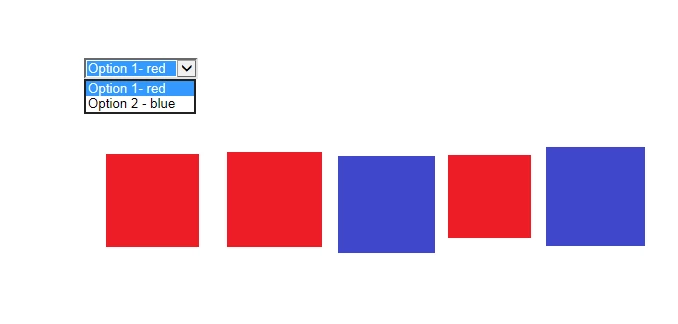
What I have is a simple page with several tiles/images (see the image).

I added also a drop down menu. What I want to happen is that when I select the first option only the red objects are visible on the page. When I select the blue one - only the blue should be visible. The default value will be something like "select" and all the tiles/images will be visible. Here is also the code

Thanks in advance

B

This topic has been closed for replies.

1 reply

Peter Grainge
Community Expert
Community Expert
June 19, 2018

This is not, as you realise, something built into RoboHelp so you would need to work out what is needed and then check it survives in RoboHelp. Sometimes it can remove HTML that it does not recognise so it's trial and error.

Depending on what output type you are generating, DUCC (Dynamic User Centric Content) for webhelp and DCF (Dynamic Content Filtering) for HTML5 responsive layouts, might achieve your objective.

Both are described in the sample projects. Click Open on the RoboHelp Starter page and then click Samples in the ribbon on the left.


See www.grainge.org for free RoboHelp and Authoring information.

@petergrainge

Use the menu (bottom right) to mark the Best Answer or Highlight particularly useful replies. Found the answer elsewhere? Share it here.
Community Expert
June 20, 2018

If the features Peter mentioned won't work in your situation, then I think you'll need to look at javascript. If you have access to a friendly web developer, I'd ask them for help.

Inspiring
June 20, 2018

Thanks Amebr