Drop-down Text - Bullet Format
Can bullets in a drop-down text box be different than the bullet of the item it is describing. In RoboHelp 9, the bullets take on the formatting of the original item even though I have them formatted differently.
Here is an example of what I'm trying to do.
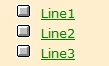
I start with this list:
When I create the drop-down text and format the bullets within this text for item "Line 1", they look like this.
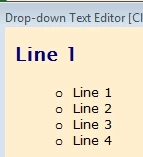
When I view the selected item and/or when I generate and view it, I get the following result.
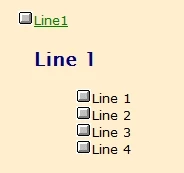
Obviously I didn't create the drop-down text with the large square bullet, but it appears to pick up the bullet from the main listing.
How can I get separate formatting for the drop-down text? Is there something wrong with the formatting of my drop-down text box?
I do have drop-down text boxes in RoboHelp 7 that have different bullet formatting, but the only way this could be achieved is by leaving the formatting of the original list as Normal and inserting the bullet as an image.
This shows the list item with an inserted image as the bullet and in Normal format.
This shows the formatting that I would like to see.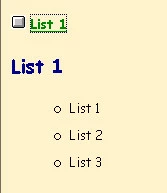
This shows that the formatting is ok in the drop-down, but only if I don't use bullets on the original list.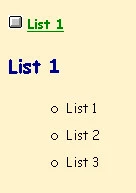
Thank you!
 AdChoices