


Question
Drop-Downs Bug in Responsive HTML5
Hi I have added a ton of drop-downs in my help that open as a "custom dialog" -for my navigation menus. When I checked locally, the drop-downs opened fine.
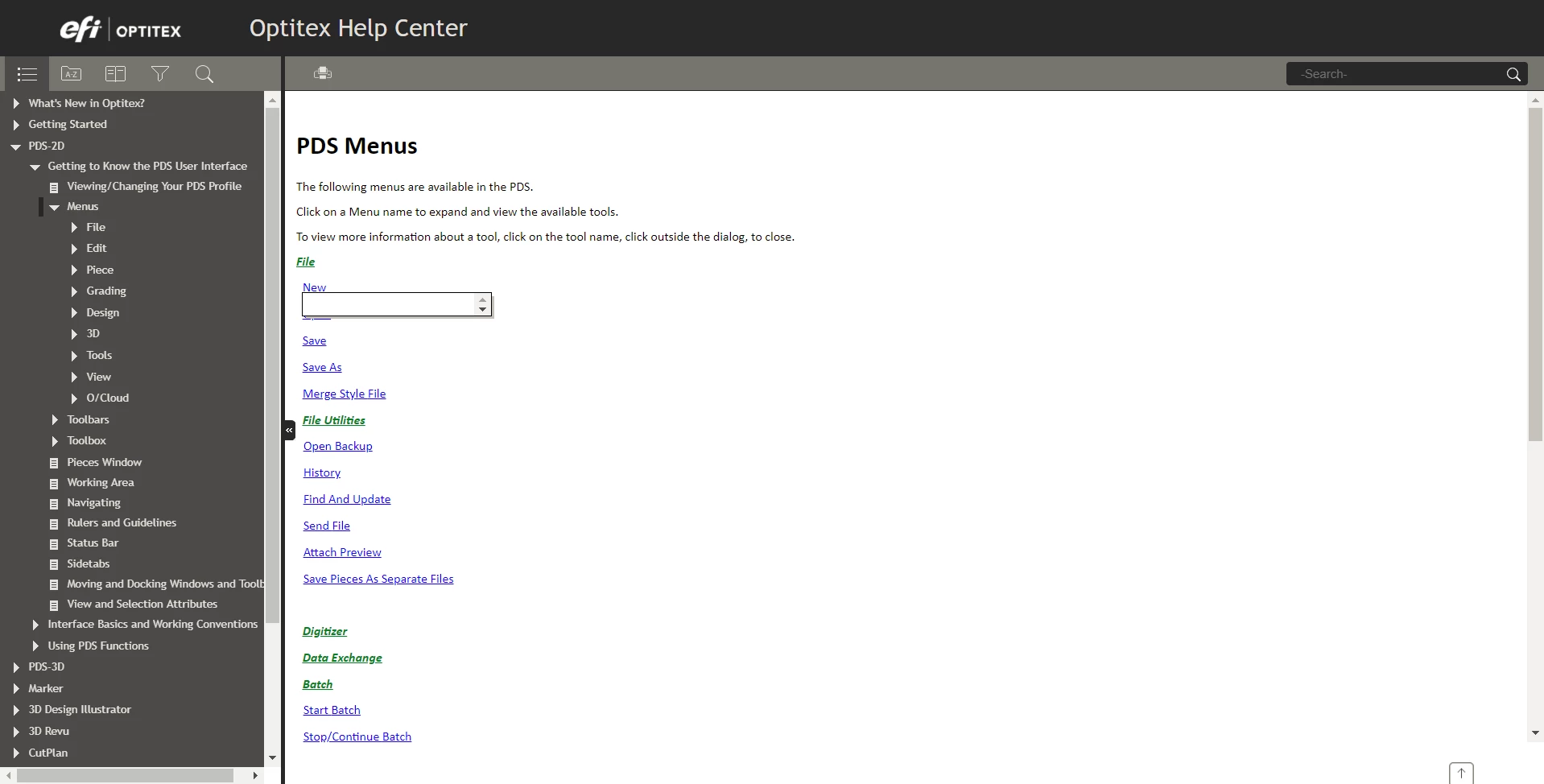
However, after uploading to our site, I am encountering a bug where the drop-down opens up correctly the first time, but if you click on it again, the dialog shrinks and the content basically dissapears.
Here is the site:
http://192.168.66.108/#t=Optitex_2D%2FMenus.htm
To see the bug, click on File then New. Click on another drop-down and then go back to New.
It should open like this:
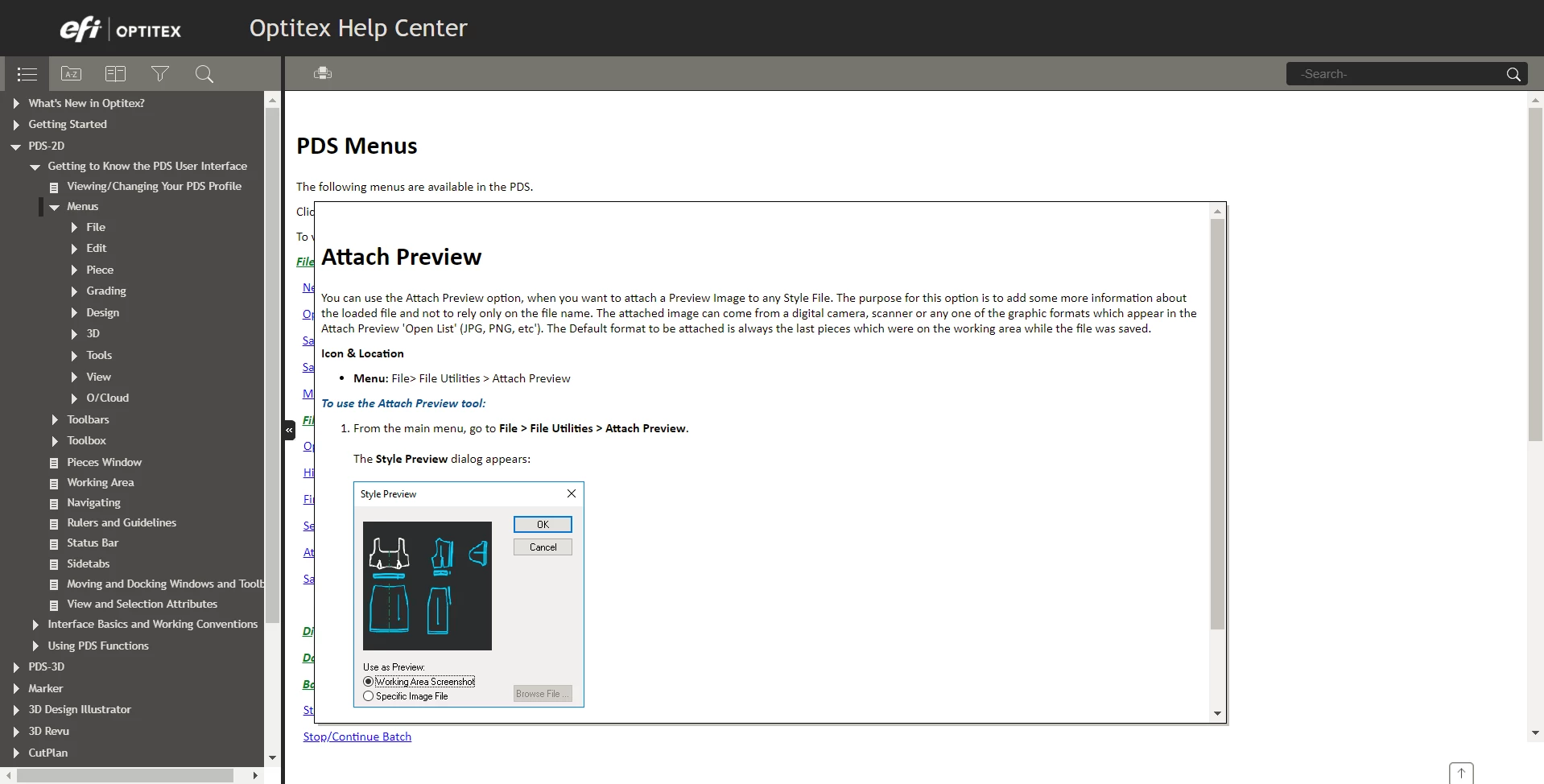
Instead it is opening like this:
I am curious if anyone is familiar with this bug. If yes, are there any workarounds?
 AdChoices