

JenniR_12
Inspiring
June 4, 2024
Question

edit top setion of frameless layout in robohelp 2022 3.93

  • June 4, 2024
  • 2 replies
  • 200 views

Hi.  Can anyone tell me what I need to edit in the template (Oceanic) to make the thick horizontal yellow and blue lines at the top of my homepage smaller?  I've clicked on everythuing inthe template editor and I can't seemt o find these "banners", I believe is wha they are called.  See below for areas I'm trying to make smaller height wise.  
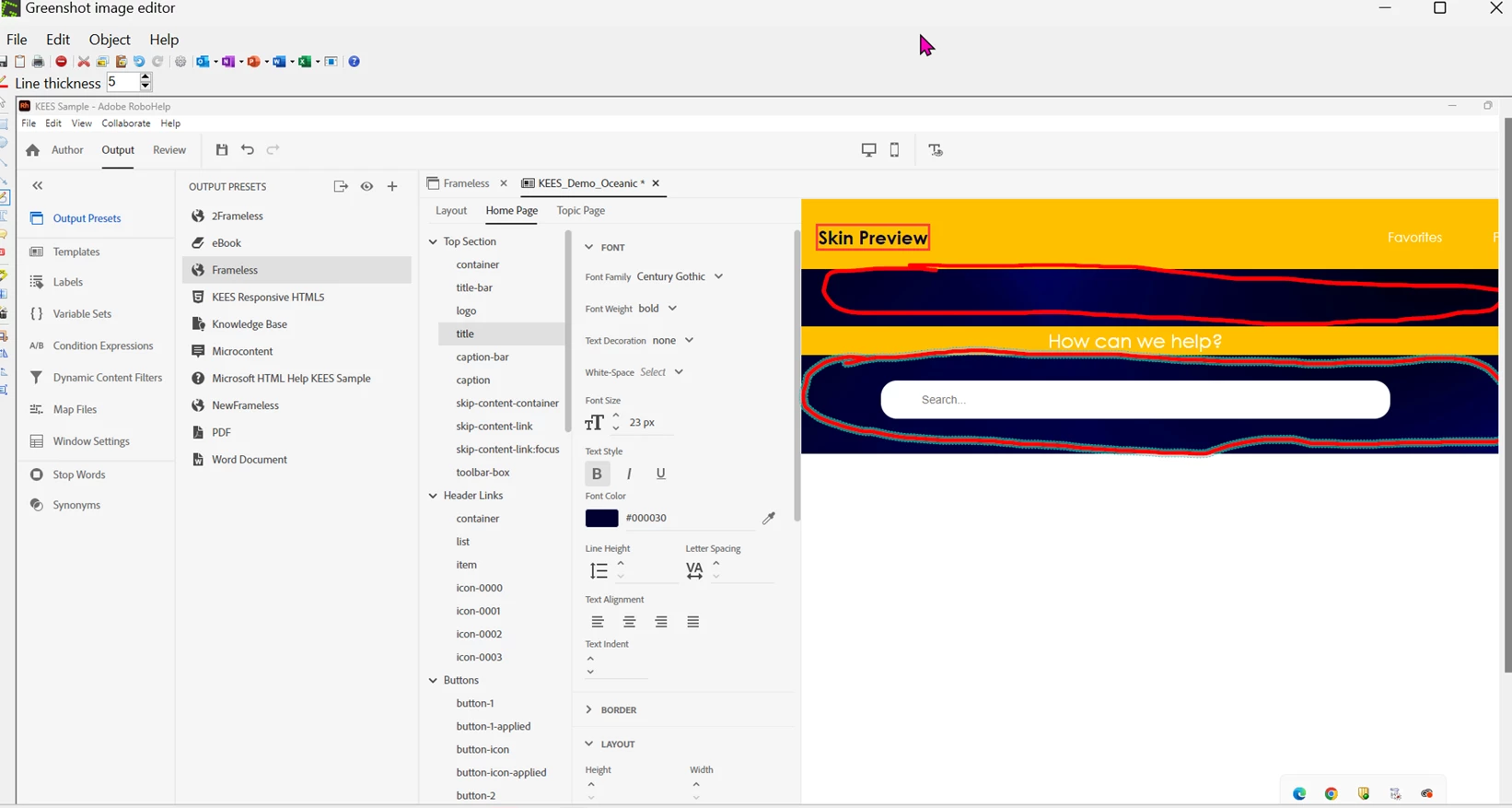
 

    This topic has been closed for replies.

    2 replies

    Community Expert
    June 24, 2024

    You need to look at height, min-height, margins (top and bottom) and padding (top and bottom). Some of these settings also probably won't be available in the skin, so you'll need to use the browser developer tools to inspect the output and figure out the correct styles to modify. Then add those styles to a custom css file and add the file in the User Assets section of the skin.

    Peter Grainge
    Community Expert
    Community Expert
    June 4, 2024

    When inserting images, please use the Large setting so that it is clearer without clicking on it.


    If that is Oceanic you have already edited the colours as they are nothing like the default. I recall you removed the image so this shows where you put colour behind the text.


    ________________________________________________________

    My site www.grainge.org includes many free Authoring and RoboHelp resources that may be of help.


    Use menu (bottom right) to mark as Best Answer or to Highlight particularly useful replies. Found the answer elsewhere? Share it here.
    JenniR_12
    JenniR_12Author
    Inspiring
    June 4, 2024

    Hi Peter.  Yes.  Correct.  I did remove the image and added the colors.  I'm pretty sure I just changed the background color for each "thing" in the template editor under top section.  I'd like to make each of those "thinner".  I think I should be changing the height but when I decrease the height, nothing happens.  Nothing at all.  I'm not sure if I'm just doing the wrong thing or if somehting is weird with my machine, possibly.  I thought it might be my live preview again but I generated and viewed and it was the same.  

    Jennifer Rogers