
Participant
May 5, 2014
Question

Empty Glossary - maybe not HHActiveX problem?

  • May 5, 2014
  • 3 replies
  • 555 views

Hello, all.

I am experiencing a problem with the glossary on my published .chm file.

First off, it does not seem to be the 64-bit HHActiveX.dll registration issue discussed here (and several other places). I have the 64-bit dll registered.

The problem is that when I publish the .chm, on initial viewing it displays a completely blank Glossary tab (as is symptomatic of the wrong HHActiveX dll being registered, and discussed in detail in this forum). When I close that version of the file and reopen it, I get a better, but still empty glossary; it displays fields for Term and definition, but they're empty. My .glo file contains many terms. Here's what I see:
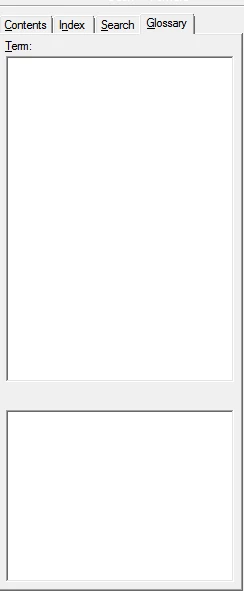
The Contents, Index, and Search tabs appear fine.

Here's what I've done to troubleshoot so far (none of these make any difference):

  • Searched every HTML Help forum topic that includes the word glossary.
  • Created a new dummy glossary and tried publishing with that one instead. (The fact that the problem persists when I created a brand new .glo file populated with a single dummy term and definition makes me think it's not an issue of incompatible characters in the .glo file.)
  • Deleted .cpd file and reopened the project.
  • Created a new window layout and published using that.

Any ideas?

I am using RH 9.0.2.271 on a Windows 7 64-bit PC.

This topic has been closed for replies.

3 replies

Inspiring
May 29, 2015

Hi

I had a similar problem with a chm file generated in RH11. The glossary was empty.

I assumed this was an issue with the DLL file on my new laptop, OR with my recent upgrade to RH11.

But then I tried opening a chm file generated in an earlier RH version (RH 9 or 10). The glossary displayed OK.

Then I reopened the chm generated in RH11, and suddenly the glossary displayed OK.

No idea why, but I can live with that.

Br,

Torgeir

Semantix AS

Participant
May 5, 2014

Thanks, Rick. I registered the 32 bit version and something did change, but it's not fixed. Now, when I publish the .chm and view the preview, it shows me the same empty glossary fields as in the image above (i.e., I see the same empty glossary when I view the .chm file from RoboHelp and from Windows Explorer).

FWIW, I just tried generating a WebHelp layout. The glossary works there, but that's not my ideal solution. Any further help is appreciated.

-Ryan

Captiv8r
Legend
May 5, 2014

Yeah, I'm thinking you need to report this to Adobe as a bug. Is this RoboHelp 11? If so, this would make the first report I've seen of this happening. The Glossary tab totally relies on the coding in that DLL. So perhaps something has gone wrong with it in this release.

Click here to visit the wish form/bug reporting form

Keep us posted on what happens. Hopefully Adobe will come back to you after you report.

Cheers... Rick

Participant
May 5, 2014

I'm on RH version 9.0.2.271.

Captiv8r
Legend
May 5, 2014

Hi there

Even though you say you have the HHActiveX.dll registered, I'd take an extra step to ensure BOTH the 32 bit as well as the 64 bit versions are registered.

Give that a try and see if anything changes.

Cheers... Rick