Inspiring
September 28, 2021
Question

Error adding Search Keywords using Properties

  • September 28, 2021
  • 4 replies
  • 238 views

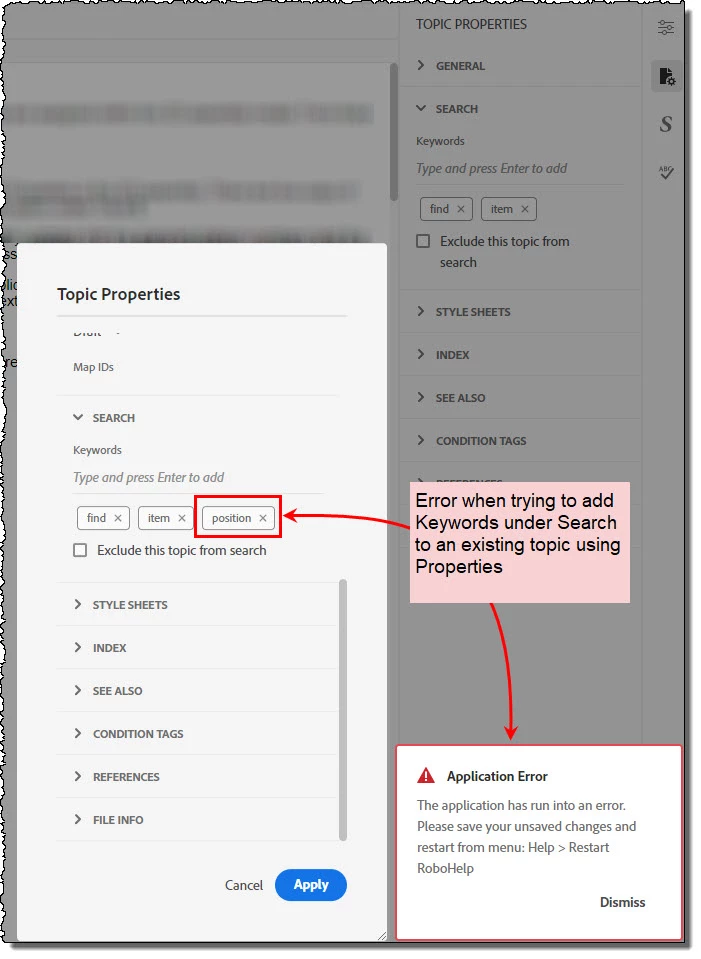
Prior to the Version 6 update, I have been adding Search Keywords during creation or after a topic is created by using Properties found under Topic ellipsis.
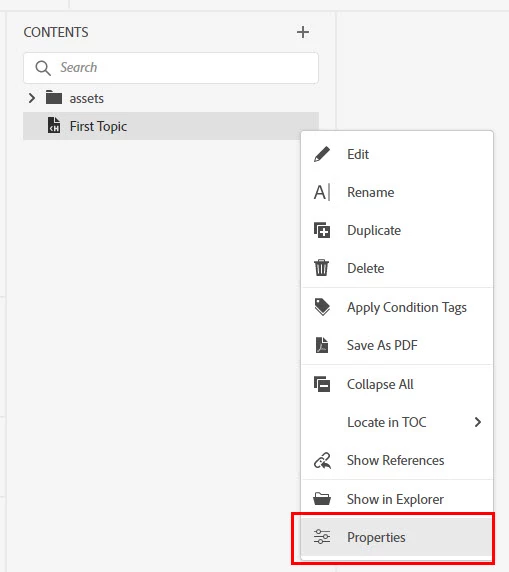
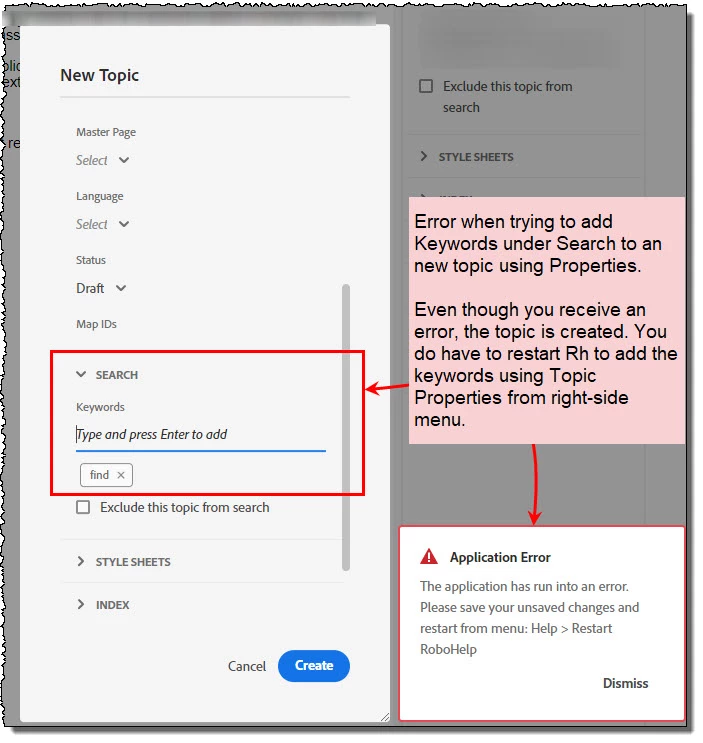
After the update to Version 6 (I am using Rh 2020.6.76), I am getting an error when I try to add Search Keywords using Properties.  This happens whether it is a new topic or an existing topic.
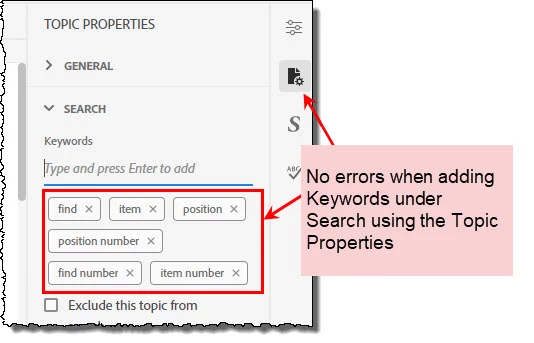
I can add/edit Search Keywords after opening a topic and using the Topic Properties in the right side menu.


I want to ask the community if anyone else experienced this before I put in a bug ticket.  


Thanks in advance.

    This topic has been closed for replies.

    4 replies

    Peter Grainge
    Community Expert
    Community Expert
    September 29, 2021

    Pending resolution of the problem, I suggest that you create topics without adding search terms at that point. Close the topic and reopen it, then add via Topic Properties and save. Let us know how well that works. 

    ________________________________________________________
    See www.grainge.org for free Authoring and RoboHelp Information

    Use the menu (bottom right) to mark the Best Answer or Highlight particularly useful replies. Found the answer elsewhere? Share it here.
    Peter Grainge
    Community Expert
    Community Expert
    September 29, 2021

    I'm sorry that I have confused the bug report but that has been clarified with Adobe behind the scenes.


    They have found the issue is intermittent and that is supported by the fact that New Topic crashed for me yesterday but not today.


    1. Are you finding it intermittent?
    2. When you add while creating a topic and it crashes you get the warning message. Are you closing and restarting the project before trying to add a search keyword in Topic Properties?

    ________________________________________________________
    See www.grainge.org for free Authoring and RoboHelp Information

    Use the menu (bottom right) to mark the Best Answer or Highlight particularly useful replies. Found the answer elsewhere? Share it here.
    Inspiring
    September 29, 2021

    No worries about the bug report. 

    To answer your questions:

    1. Are you finding it intermittent?  Yes. 
      • It definitely creates an error message when trying to add the search keywords on a new topic using New Topic dialog > Properties.  That has been consistent. 
      • Each time I try to use Properties to add search keywords on that newly created topic, I receive an error.
      • Today, I can go into existing topics and add search keywords using Properties.  I do not get an error like I did yesterday.  After adding the search keywords via Properties, they are showing up under Topic Properties.
      • I can add search keywords via Topic Properties without any errors.
    2. When you add while creating a topic and it crashes you get the warning message. Are you closing and restarting the project before trying to add a search keyword in Topic Properties? Yes.  The new topic is created but no search keywords are visible under Topic Properties.


    Hope this helps.

    Peter Grainge
    Community Expert
    Community Expert
    September 28, 2021

    Please add your vote at RH-10160 | Tracker (adobe.com)

    ________________________________________________________
    See www.grainge.org for free Authoring and RoboHelp Information

    Use the menu (bottom right) to mark the Best Answer or Highlight particularly useful replies. Found the answer elsewhere? Share it here.
    Inspiring
    September 28, 2021

    Thank you @Peter Grainge for your thorough look into this.  I added my vote.

    Peter Grainge
    Community Expert
    Community Expert
    September 28, 2021

    What I am seeing with Update 6 is:

    • If I add a term when creating a topic, RoboHelp crashes as you report.
    • If I add term in the Properties of a topic, it shows in Properties but does not appear in the Index panel or the output.


    I will report this and add a bug link in this thread.

    ________________________________________________________
    See www.grainge.org for free Authoring and RoboHelp Information

    Use the menu (bottom right) to mark the Best Answer or Highlight particularly useful replies. Found the answer elsewhere? Share it here.