
Find and Replace in Files
Quizzical behavior:
I've learned to click Save (or Save All) before attempting to Find and Replace in Files: somehow the RH app cannot handle "the currently open topic" and I've repeatedly got stuck in an infinite loop of the popup dialog "This file was modified outside of the Multi-File (sic,old term) Find and Replace. Would you like to reload the file?" -- and it doesn't matter if I click Yes or No (or maybe it does matter, but I don't know the conditions of yes and no).
This is frustrating, especially when it's stuck on a single file. After dozens of clicks. I get a RoboHelp HTML popup (with a red circled X) that states "the parameter is incorrect.
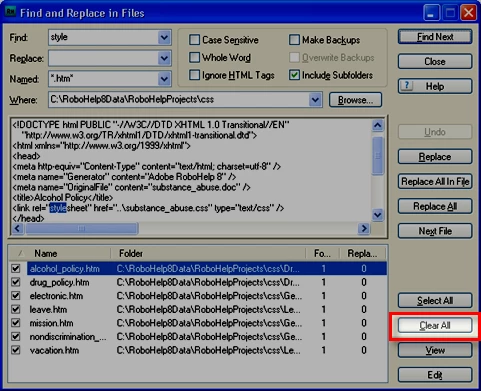
Second, it may be my imagination, but there used to be a toggle that enabled user to (de)select all...and that capability seems to be lost: if I want to limit my "multifile" edit to say 3 files, I need to manually deselect all the other 500 topics that I don't want to change. Sorry, but I don't have a folder structure that enables me to limit my search to a folder...and reorganizing the existing topics will destroy...the TOC, the see also hyperlinks, etc etc.
Third, the ability to drag topics from the topic list into the current page to create a hyperlink seems to have disappeared. Perhaps I'm dreaming here, as well, because the topic list and the current page were not viewable at the same time (in a previous version of RH); however, I have become accustomed to the click and drag ability for building hyperlinks to other topics and I haven't figured out why it works in some cases (project list, TOC) but doesn't work for the topic list.
Perhaps these are just gripes, or perhaps someone knows some usage tips I'm unaware of...Can anyone offer insight?



 AdChoices