


Inspiring
April 6, 2023
Question

Find and Replace Text Not Working

  • April 6, 2023
  • 4 replies
  • 344 views

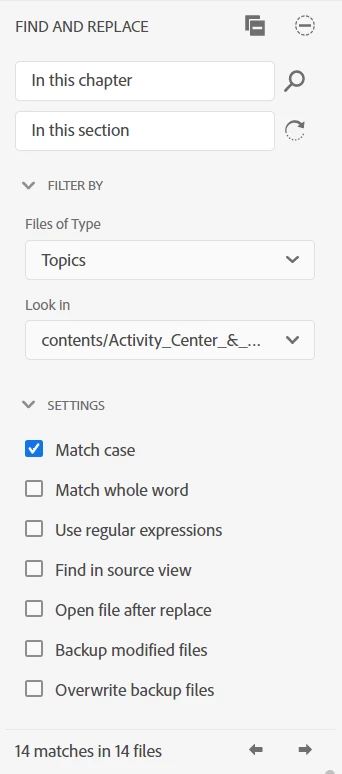
We are in the process of converting our previous documentation into Robohelp. I'm trying to find and replace some old terminology that doesn't really apply to an online help system. In this case, I'm trying to find instances of "In this chapter" and replace with "In this section."
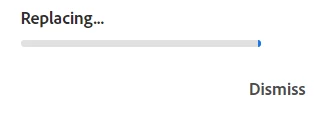
However, no matter how many results I try to replace at one (Going by one contents folder to replace 14 or doing the whole project to replace 220 instance), the process hangs on "Replacing..."
I've tried waiting hours and it does not complete. When I restart, none of the replacements have been executed. Looking for any tips on what I could be doing differently to get this to work before I go and make these changes manually.
Thanks!


    This topic has been closed for replies.

    4 replies

    Community Expert
    April 11, 2023

    Good grief. Who came up with the updates page user interface??? </RhetoricalQuestion>

    Peter Grainge
    Community Expert
    Community Expert
    April 11, 2023

    @Amebr There is a better link as the one you have quoted requires you to complete a form before you can download.


    Go to What's new in RoboHelp (2022 release) Update 2 (adobe.com) and follow the instructions in the red box. That bypasses the form.

    ________________________________________________________

    My site www.grainge.org includes many free Authoring and RoboHelp resources that may be of help.


    Use menu (bottom right) to mark as Best Answer or to Highlight particularly useful replies. Found the answer elsewhere? Share it here.
    Community Expert
    April 10, 2023

    If you're on RH2022.1, if I remember correctly, you'll need to manually download the latest patch as they broke the update menu.


    Download using the Try Now button here - it will correctly detect your license when installed: https://helpx.adobe.com/robohelp/kb/robohelp-downloads.html

    Jeff_Coatsworth
    Community Expert
    Community Expert
    April 6, 2023

    What version of RH? Looks like one of the New UI designs from your screenshot, but I'm not sure what flavour - 2019, 2020 or 2022 it comes from. Make sure you're all patched up. Also take a look at where your project is located - local on your C:\ drive or on some network drive or in some source control system. How was the content brought into RH?

    Inspiring
    April 6, 2023

    This is 2022, but I had the same issue in 2020 before upgrading. Originally, the files were word documents and they've been imported/split into topics and set to the default stylesheet (with aword stylesheets removed after import). I know I should have started from scratch, but I'm a team of one and was hoping to save the manual work of stripping all formatting/rebuilding the content from the ground up. These are all stored on my local C:\ drive.

    Jeff_Coatsworth
    Community Expert
    Community Expert
    April 6, 2023

    Hmm, if you try doing a F&R on some term in the sample project, does it stall too? If so, then I suspect it's something in the install; if not, it's something fishy in your project that's causing it.