
Inspiring
October 20, 2022
Answered

Folders are not opening (and missing the icon)

  • October 20, 2022
  • 5 replies
  • 627 views

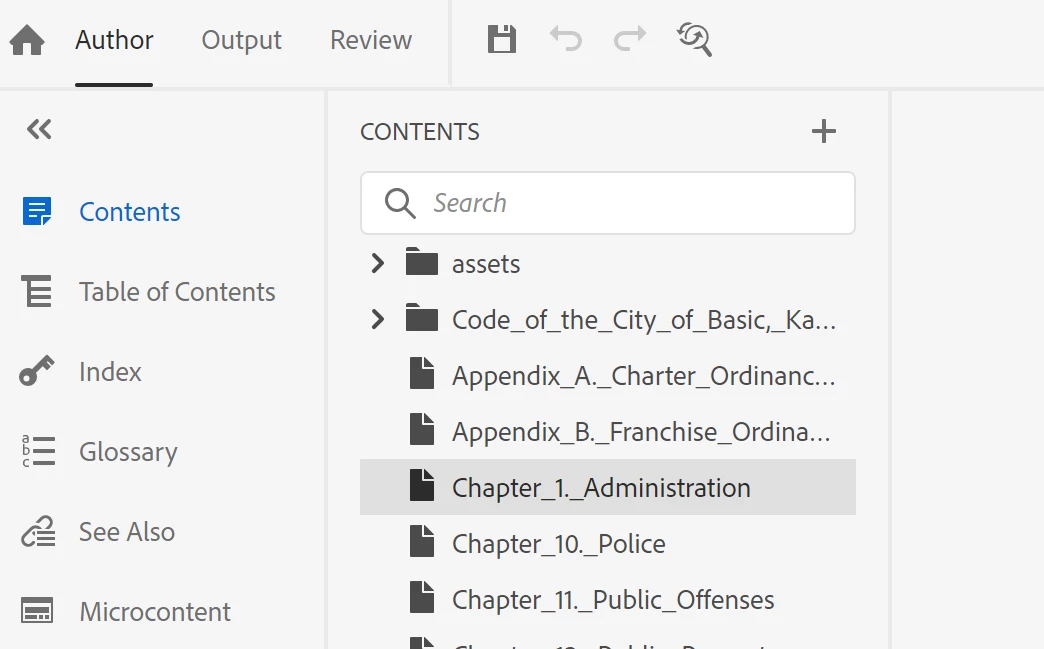
The icon for some of my folders for this project look like "topics" with no toggle arrow to the left.

Yet, in RH 2020, I was able to click the blank area (where the toggle arrow would be) to open the folder.

Now in RH 2022, that no longer works.  The folders can't be opened.

Anyone else have this problem? and find a solution?

(I will probably re-create each folder and move the topics into the new folders -- unless someone has an easier way.)


    This topic has been closed for replies.
    Correct answer davidk99046111

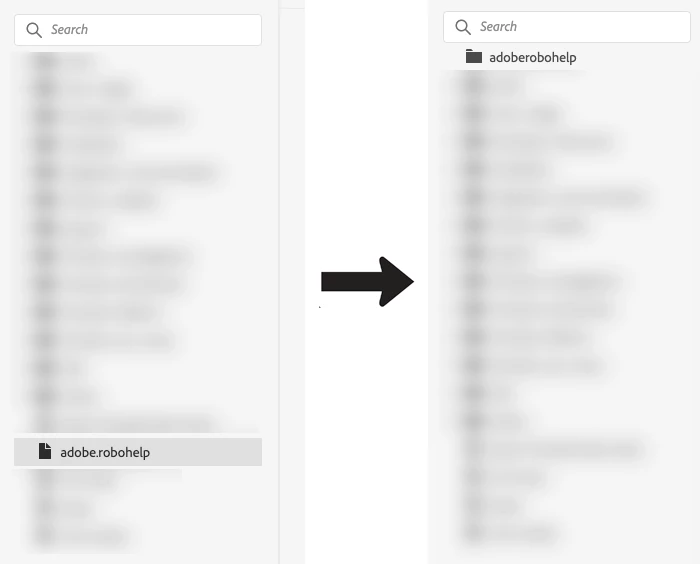
    I think its the periods in your folder names.  Try to create a new folder and call it Adobe.Robohelp - it will appear as a file (like your screenshot).  Go in the backend (the rename folder option is still broken in 2022 (for mac atleast) so use Finder or Explorer depending on your OS) and remove the period, it should update to a folder in RH.  Not sure if updating on the backend will mess with any cross references or links to/from the files inside.


    5 replies

    Community Expert
    October 26, 2022

    Good pickup @davidk99046111 dots should only be used as file extension separators.


    I think changing them in File Explorer would be the way to go, rather than recreating the folders manually. But you may need to fix links in your help manuallly (still easier imo than recreating the folder structure 🙂 )

    davidk99046111
    davidk99046111Correct answer
    Inspiring
    October 26, 2022

    I think its the periods in your folder names.  Try to create a new folder and call it Adobe.Robohelp - it will appear as a file (like your screenshot).  Go in the backend (the rename folder option is still broken in 2022 (for mac atleast) so use Finder or Explorer depending on your OS) and remove the period, it should update to a folder in RH.  Not sure if updating on the backend will mess with any cross references or links to/from the files inside.


    Inspiring
    October 28, 2022

    thanks @davidk99046111, that seems to be working


    Peter Grainge
    Community Expert
    Community Expert
    October 21, 2022

    There was a known issue like this in 2020 but it was fixed. I am woindering if the fix didn't make it to 2022. I think you will need to take this up with Adobe Support.


    See https://helpx.adobe.com/contact/enterprise-support.other.html#robohelp for your Adobe Support options. The email link tcssup@adobe.com is recommended as it reaches a team dedicated to Technical Communication Suite products including RoboHelp. 

    ________________________________________________________

    My site www.grainge.org includes many free Authoring and RoboHelp resources that may be of help.


    Use the menu (bottom right) to mark the Best Answer or Highlight particularly useful replies. Found the answer elsewhere? Share it here.
    Peter Grainge
    Community Expert
    Community Expert
    October 21, 2022

    Your image shows two folders with twisties and a series of topics. Are the two folders not opening?

    ________________________________________________________

    My site www.grainge.org includes many free Authoring and RoboHelp resources that may be of help.


    Use the menu (bottom right) to mark the Best Answer or Highlight particularly useful replies. Found the answer elsewhere? Share it here.
    Inspiring
    October 21, 2022

    The two folders are opening fine.

    The problem is all the other "topics" are supposed to be folders. 

    They appear as folders in Windows File Explorer as you see here...

    But they appear as "topics" in RH2022 and do not open.

    I even tried adding a new folder in RH, and moved topics over to the newly created folder -- and I now see that the folder has changed back to a "topic" that won't open.

    (Maybe it's another OneDrive issue.  I'll close out of that and re-try it again.)


    Inspiring
    October 20, 2022

    Maybe this was a problem with RH 2020 when it imported the information from a Word document.  Regardless, I am manually re-creating the folders in RH and moving the content over to the new folders that now work.

    Inspiring
    October 21, 2022

    Now the problem re-occurred.  The folder I had created has switched back to a topic/page.