


January 2, 2026
Question

Following files could not be imported, translated content is not in valid format

  • January 2, 2026
  • 1 reply
  • 39 views

Hi,

Thanks, If you can help me following my problem description:

I have sent to a Japanese translator an .xlf file.

He sent me back the .xlf file translated but this message appea&r when I import the file : 

"Following files could not be imported, translated content is not in valid format"

her the files content:
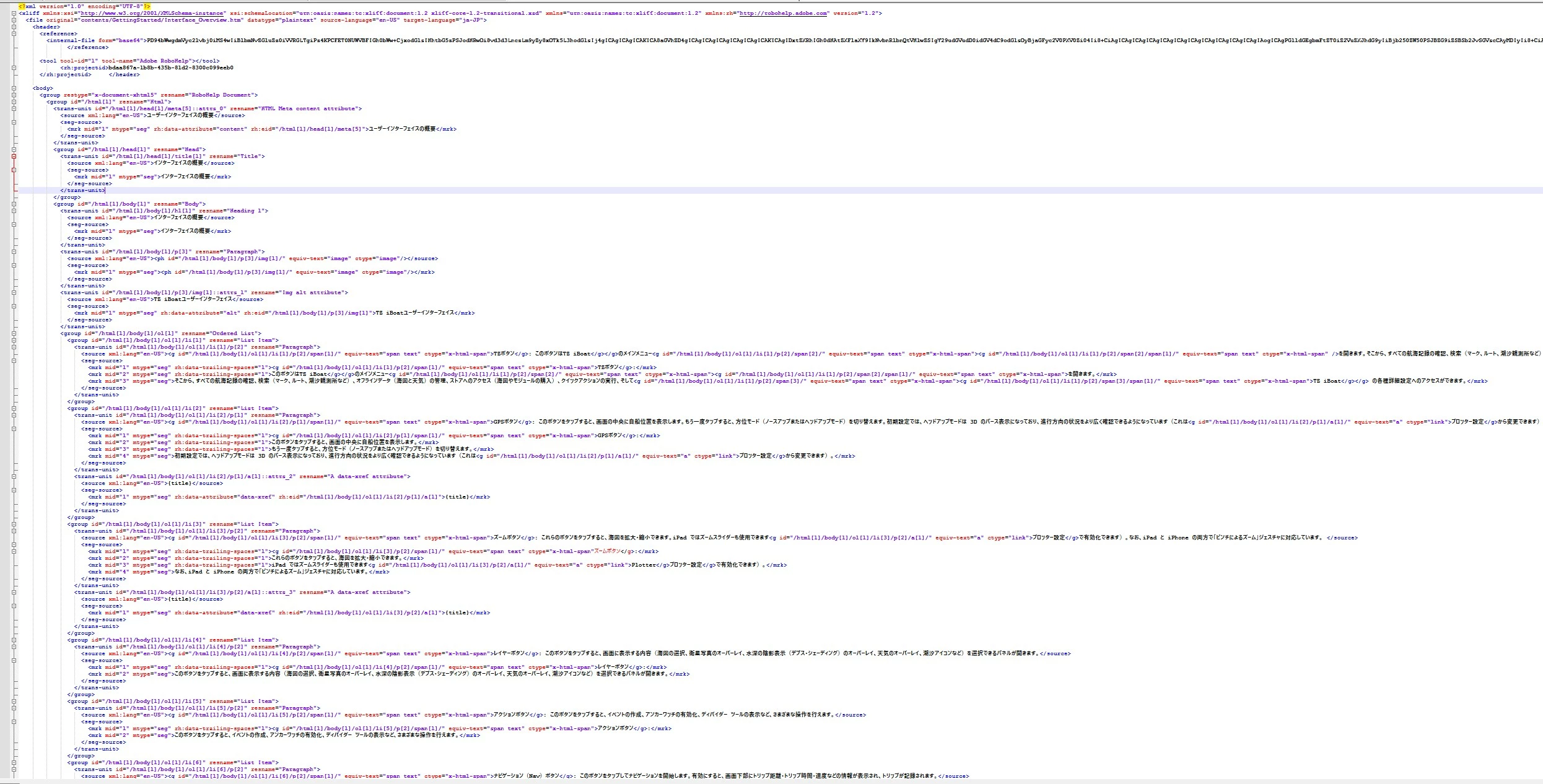
Content of file to be imported.jpg

    1 reply

    Peter Grainge
    Community Expert
    Community Expert
    January 2, 2026

    I suggest for this one you need to go to Adobe Support. See https://helpx.adobe.com/contact/enterprise-support.other.html#robohelp for your Adobe Support options. The email link tcssup@adobe.com is recommended as it reaches a team dedicated to Technical Communication Suite products including RoboHelp.


    The regular supporters of the forum don't use this feature, hence suggesting Adobe Support for this one.

    ________________________________________________________

    My site www.grainge.org includes many free Authoring and RoboHelp resources that may be of help.


    Use the menu (bottom right) to mark the Best Answer or Highlight particularly useful replies. Found the answer elsewhere? Share it here.