
Participant
July 2, 2024
Question

Formatting changes when accessing a topic from Search function

  • July 2, 2024
  • 2 replies
  • 261 views

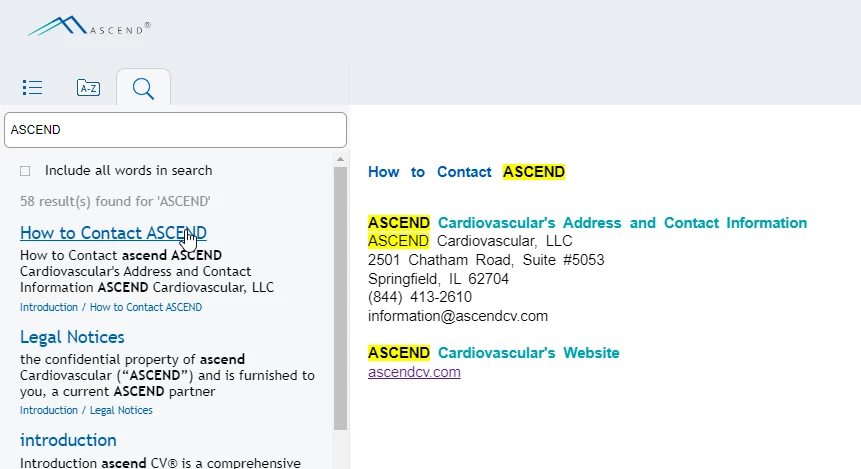
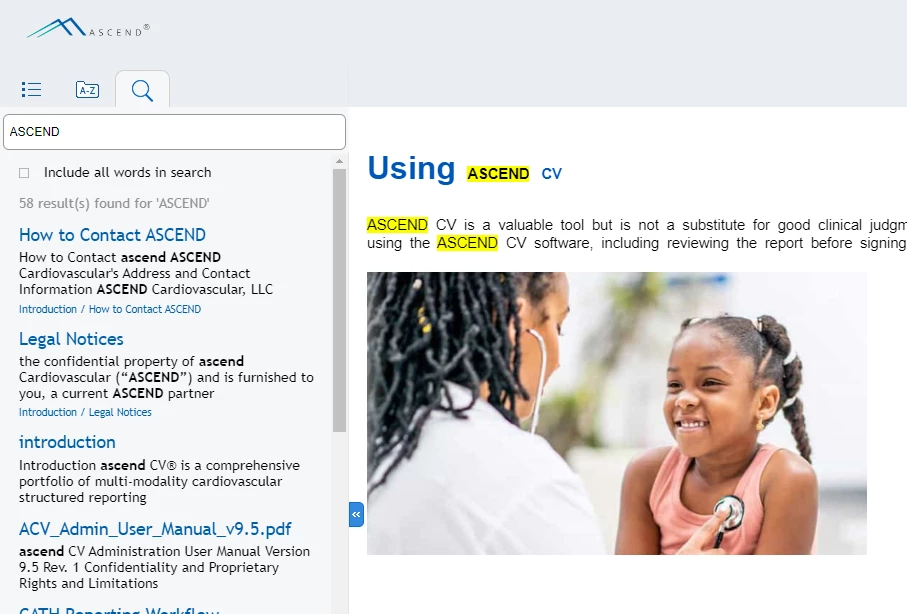
I am using RoboHelp 2020 and I am generating ResponsiveHTML5. When I view the output, put a term in the Search bar, and click on a result, if the term is in the Topic Title, it reduces the font size of the heading that contains the term. Sometimes the entire heading, sometimes part of the heading. Is there a way to correct that?


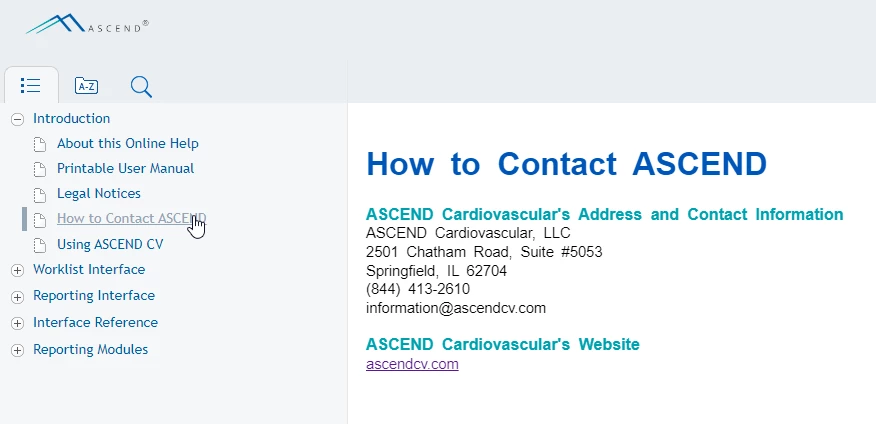
Here is how a Topic Title should be formatted: 
 

Here's how it looks when I click on the search result:
 

Here's an example of it changing only part of the heading's formatting:
This topic has been closed for replies.

2 replies

Community Expert
July 11, 2024

I'm sure I've seen this before but I can't remember what caused it. As Peter said, I feel it has to be something in the code. Check both in the topic source code inside Robohelp, and by using the developer tools to inspect the output (Right click on the weird text and select Inspect). You can  screenshots or code samples here for us to look at. If you include a screenshot of the developer tools window, make sure you include the full window, rather than a cropped section.

Jeff_Coatsworth
Community Expert
Community Expert
July 2, 2024

What point version of RH2020 are you running? Is this happening in the sample project? Was it working before and changed? If so, what changed?

Participant
July 2, 2024

Version 2020.7.46. This is not a sample project. I never noticed it doing this before. The only other thing I can think of is that I WAS using a variable for the word "ASCEND", but I ended up removing the variable and typing the word in.

Jeff_Coatsworth
Community Expert
Community Expert
July 2, 2024

I think there was one more patch in that version, but I'm not 100% sure on that. No, I realize it's not the sample project - I was suggesting that you try using the sample project to see if it's acting the same way.