
Participant
November 10, 2022
Answered

Formatting for certain topics are correct in one PDF guide but wrong in another

  • November 10, 2022
  • 1 reply
  • 167 views

Hi everyone,


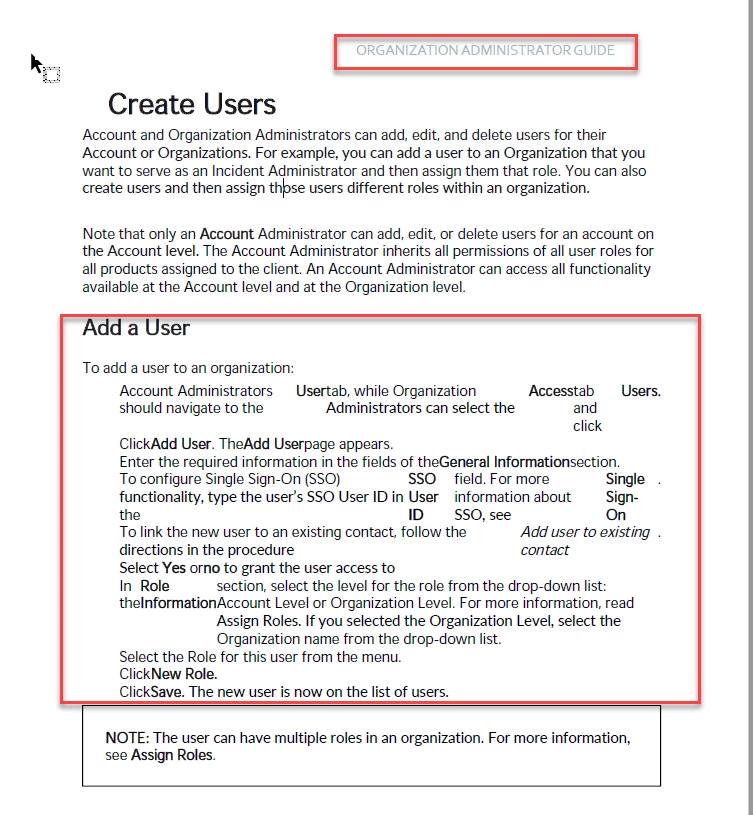
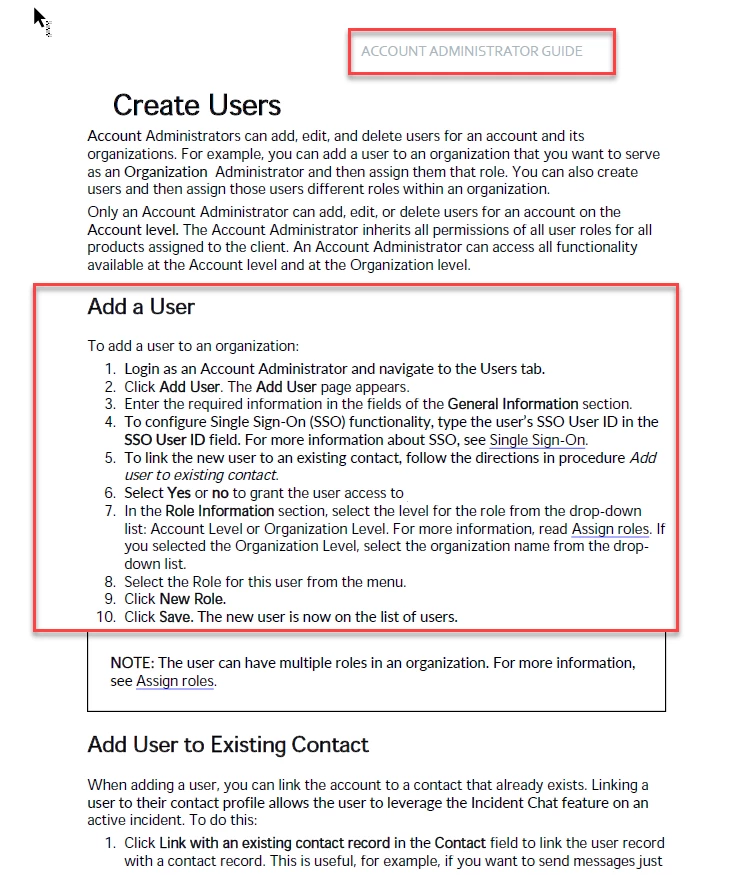
I'm running into a strange issue with the PDF output that's being generated for one of our user guides in RoboHelp 2020. The exact same topic ("Creating Users") is included in two guides: Organization Administrator Guide and Account Administrator Guide. In sections where there are numbered lists, the formatting in the Organization Admin Guide breaks, but looks fine in the Account Admin guide. 


I've checked the Output settings for both guides and they're identical (on each tab, but "Layout" seems the most applicable):
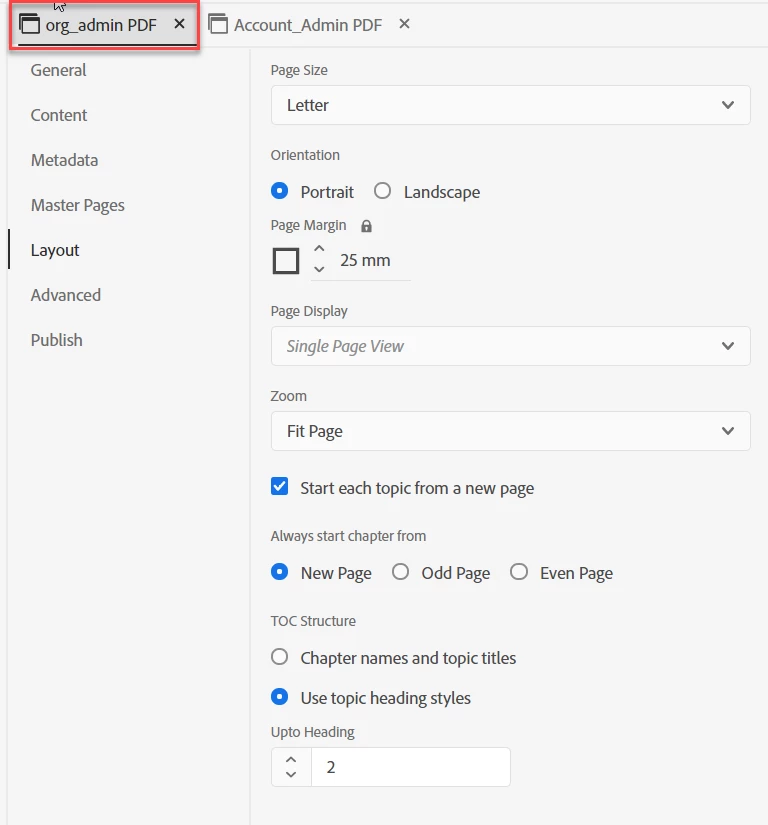
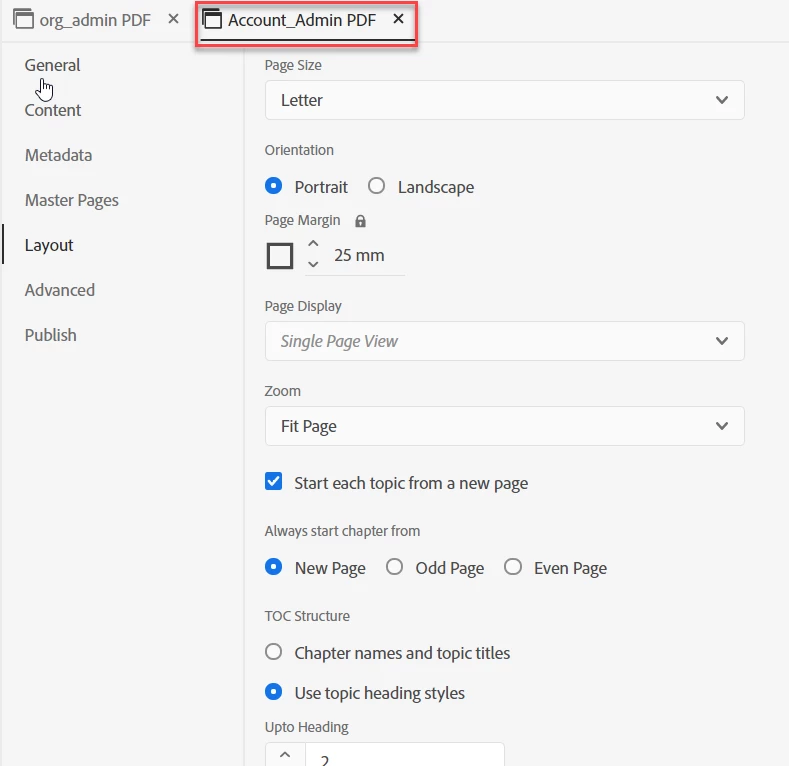
 

However, the Organization Admin Guide comes out looking like this: 
 

While the Account Admin Guide (using the same topic) looks correct:
 

I've tried removing any conditional labeling that may have been causing an issue without any luck. Any help would be greatly appreciated!

    This topic has been closed for replies.
    Correct answer Amebr

    Do you apply different master pages with different stylesheets to each output? That's the only thing I can think of that might cause it, if there's something wrong with the stylesheet used for one output.

    1 reply

    AmebrCommunity ExpertCorrect answer
    Community Expert
    November 10, 2022

    Do you apply different master pages with different stylesheets to each output? That's the only thing I can think of that might cause it, if there's something wrong with the stylesheet used for one output.

    Participant
    November 10, 2022

    I'm face-palming myself so hard right now - that was the exact issue. Recently inherited these guides and am still learning RoboHelp and this totally stumped me. Thank you! 

    Community Expert
    November 10, 2022

    I facepalm regularly. Welcome to the club 😛