


Inspiring
May 14, 2021
Question

Frameless generation failed with empty error

  • May 14, 2021
  • 20 replies
  • 1107 views

Robohelp 2020.4.173 with Git Integration
Windows 10
He all, 
We began to observe the next issue:
Almost every time, when you are trying to generate Frameless output, we get an error with on Indexing references (All log before is clear)
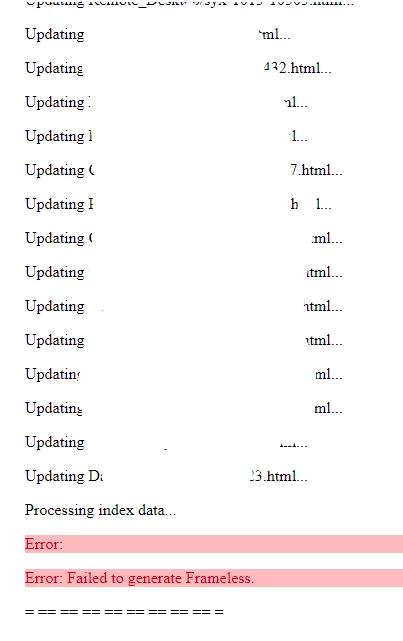

If you try to generate once more, you will get this:
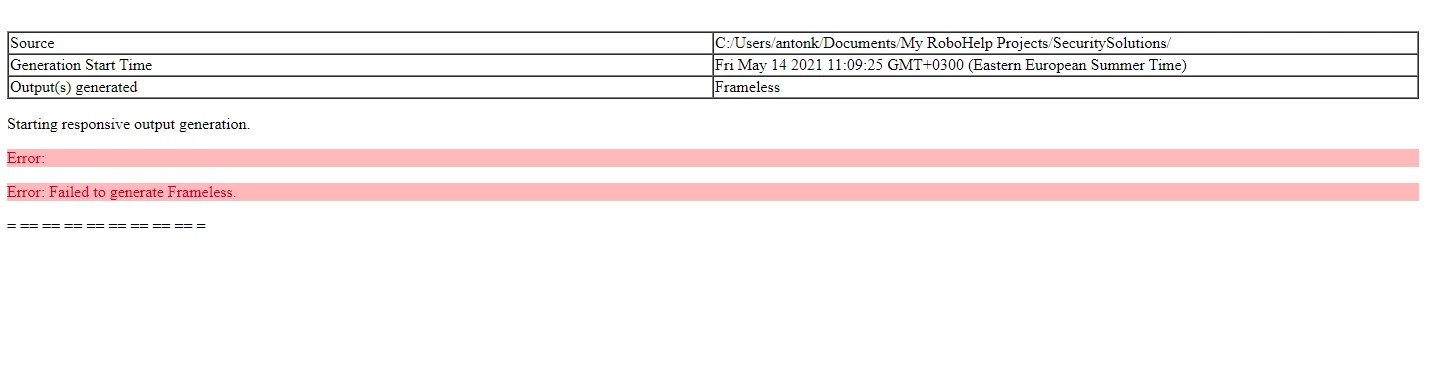
Restarting Robo for 1-2-3 times will fix this for 1 generation and after it you will always get an error as on screen #2 

This topic has been closed for replies.

20 replies

Inspiring
May 17, 2021

Hi Peter
2020 Samples present after reinstall.
The 'Compas' project was compiled several times with changes applied without any errors.
As before reinstall, when it was compiled successfully. But, when I go into a File -> Recent Project -> My project and compile it, it will be failing the first time in 30% cases, 99% at second compilation with empty error. After this, If I will go into 'Compas' Sample the same way (recent project) it will also fail to compile.
We observe this on 2 PC's (laptop, desktop in different networks)
I'm suspect project error more than installation, 'cause on the second laptop, samples were found.

Peter Grainge
Community Expert
Community Expert
May 17, 2021

Did you find the missing sample projects after the reinstallation?


If not then it does look like an installation issue.


If you did find the samples, then are you getting the error with the About RoboHelp sample project? If you do, we are back to it being an installation issue. 

________________________________________________________
See www.grainge.org for free Authoring and RoboHelp Information


Use the menu (bottom right) to mark the Best Answer or Highlight particularly useful replies. Found the answer elsewhere? Share it here.
Inspiring
May 17, 2021

Tried to reinstall Robohelp - error still comes after second generation. 

Jeff_Coatsworth
Community Expert
Community Expert
May 14, 2021

With the error happening in the sample project, I'd suspect installation issues. Try uninstalling & reinstalling as an Admin on the machine.

If the problem still persists after that on the sample project, then you'll have to contact RH support - see https://helpx.adobe.com/contact/enterprise-support.other.html#robohelp for your support contact options - and let them see what's going on.

Inspiring
May 14, 2021

Okay, the folder for 2020 exists on one of the devices. Tested generation + preview. Everything is okay.
Copied sample for Compas into another device - everything is okay too.
After this I'm opened my project:
1st generation - good
2nd gen. - error (2nd screen from original post)
Important: after this, without closing Robohelp I'm opened sample project (with file -> recent project) -> change something -> tried to generate and get this error again


Jeff_Coatsworth
Community Expert
Community Expert
May 14, 2021

I think you've got an install issue if you don't have that 2020 folder as Peter mentions.

Peter Grainge
Community Expert
Community Expert
May 14, 2021

What's strange about them?


The samples for 2020 are in Documents > My RoboHelp Projects. 

________________________________________________________
See www.grainge.org for free Authoring and RoboHelp Information

Use the menu (bottom right) to mark the Best Answer or Highlight particularly useful replies. Found the answer elsewhere? Share it here.
Inspiring
May 14, 2021

Where can i find it? 
In documents folder I got only Adobe RoboHelp Classic 2019 folder with strange samples


Community Expert
May 14, 2021

Can you try with the sample projects to see if you get the same error? This is just to rule out an installation problem.

Inspiring
May 14, 2021

UPD: Tried copy entire project into another dir and run it - same result: 1st generation is ok, second - as at 2nd screen.