
Frameless output: external links in same frame, internal topic links in new window
RoboHelp 2022 (version 2022.2.22)
Experimenting with trying to use a frameless template, and trying to make links behave the same way that they do in our current projects (RH2017). The projects are all on an intranet site.
External links:
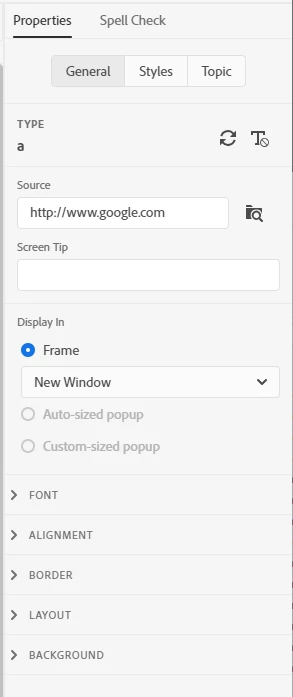
When using a frameless template, is there a way to make an external link (usually a topic in another project) appear in the center panel (make it replace the current topic with the external link, still viewing the same TOC and header from the original project)? If the Same Frame option is selected for the link, in an HTML5 template (and RH2017), the link opens in the same frame and you can still see the toc (and header, etc). If I select the same frame option in a frameless template, it opens the link in the whole window, so it appears that you are no longer in the same site. (Which I suppose you're not, but we want it to remain in the frame, or the center panel in frameless, only). Is that possible? (Side note - the same frame and parent frame options seem to do the same thing in the frameless templates; is there a difference between them?)
Opening links (same project, not external) in a new window:
The 2nd issue is opening topic links (a different topic in the same project) in a new window. In those situations, we want just the topic only (not the TOC) to open in a new window for the user to complete those steps, close it, and return back to the open topic that the link was in. That's how it appears to work in HTML5 and how it works in our RH2017 projects. But in a frameless template, it opens the new topic + the TOC in a new window. Is there a way to avoid that?
Thanks!


 AdChoices