


Frameless skin - Topic page buttons
Hi all,
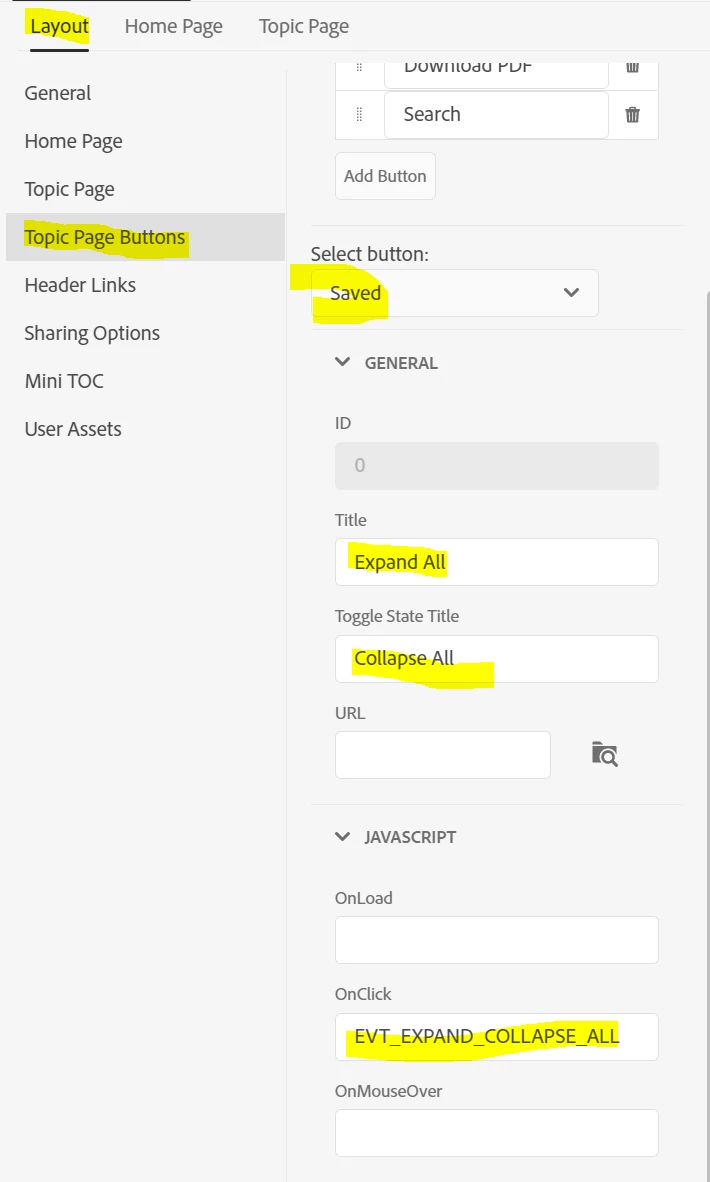
I am a bit at a loss. I am using RH 2020.7.46 new UI. I don't understand what this setting in the frameless skin editor does exactly:
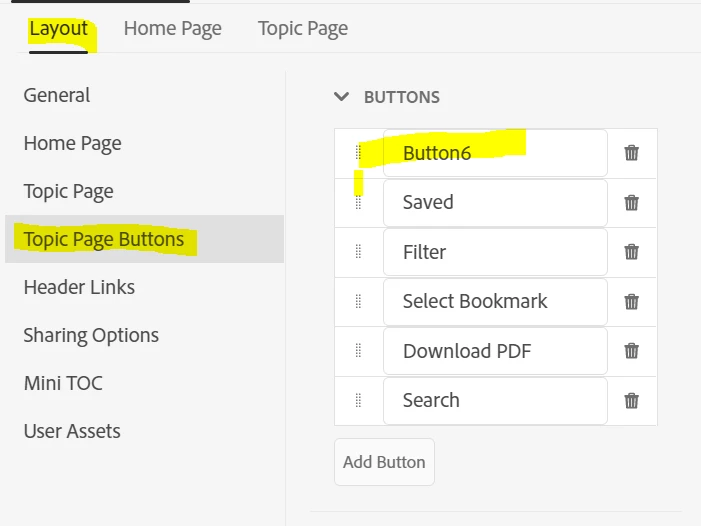
I deleted the button "Expand/Collapse all" here, as I don't want it to be displayed on my pages. I do not use expanded text. However, this took no effect.
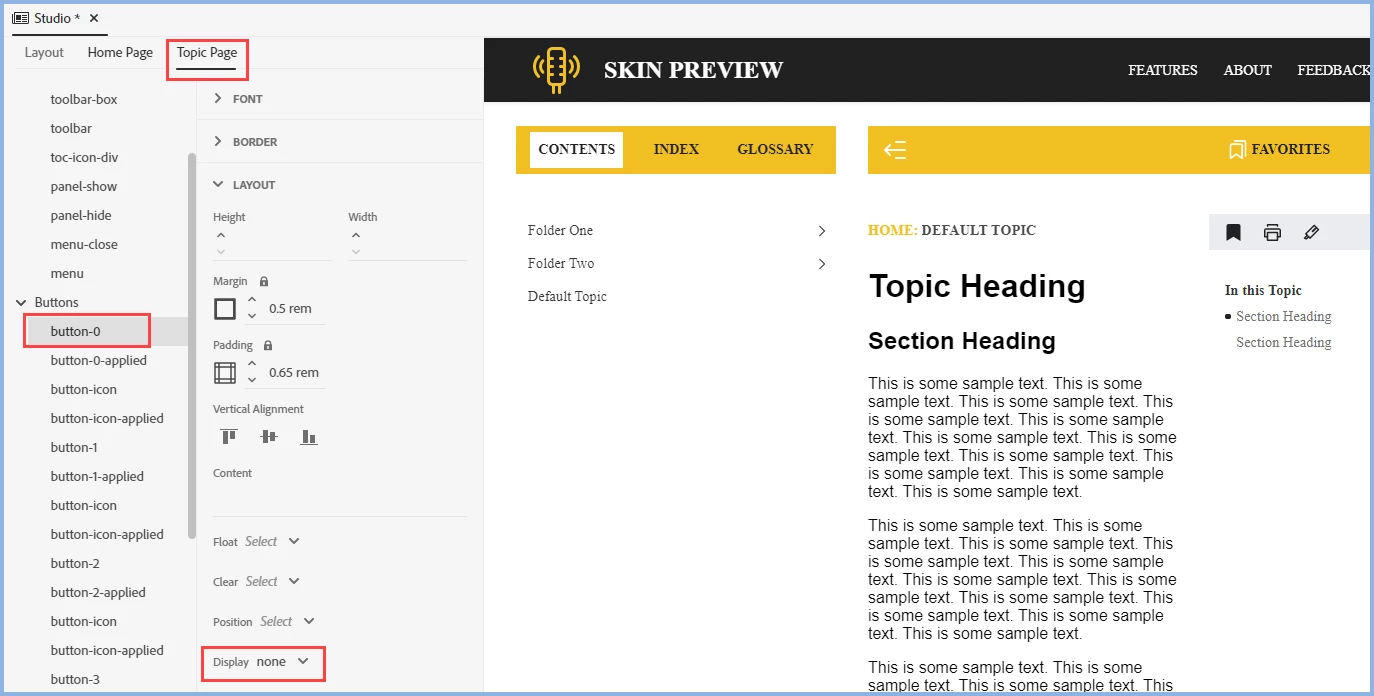
I then found another place in the skin editor:
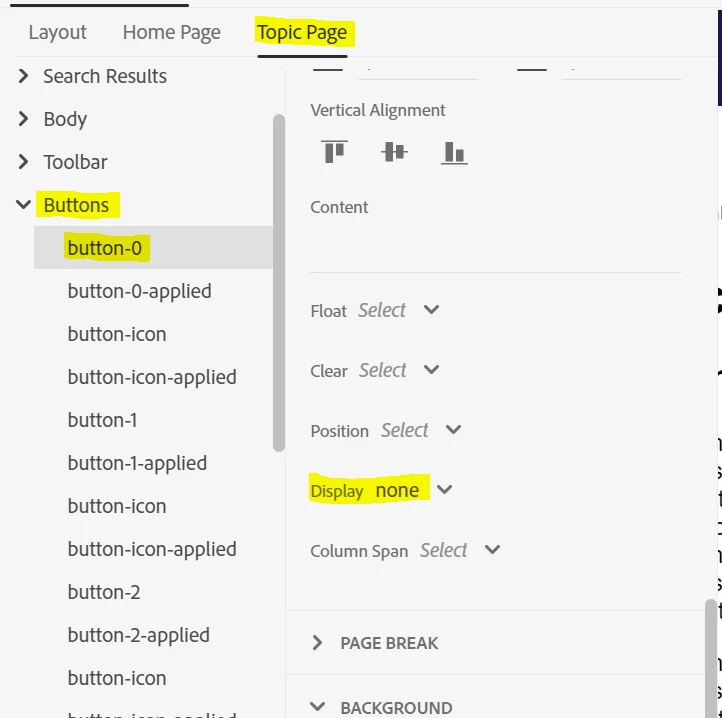
Here, I tried which button-number was the button I wanted to be deleted and set the display to "none". Now, the button is no longer displayed. Instead, a search button is shown which is not working (no tooltip, no on-click-action).
So, I don't really understand at which place I have to define what.
- Is my assumption correct that I have to define the function on the first tab and the layout, image etc. on the second?
- Why are there no image paths given for buttons that definitely have an image?
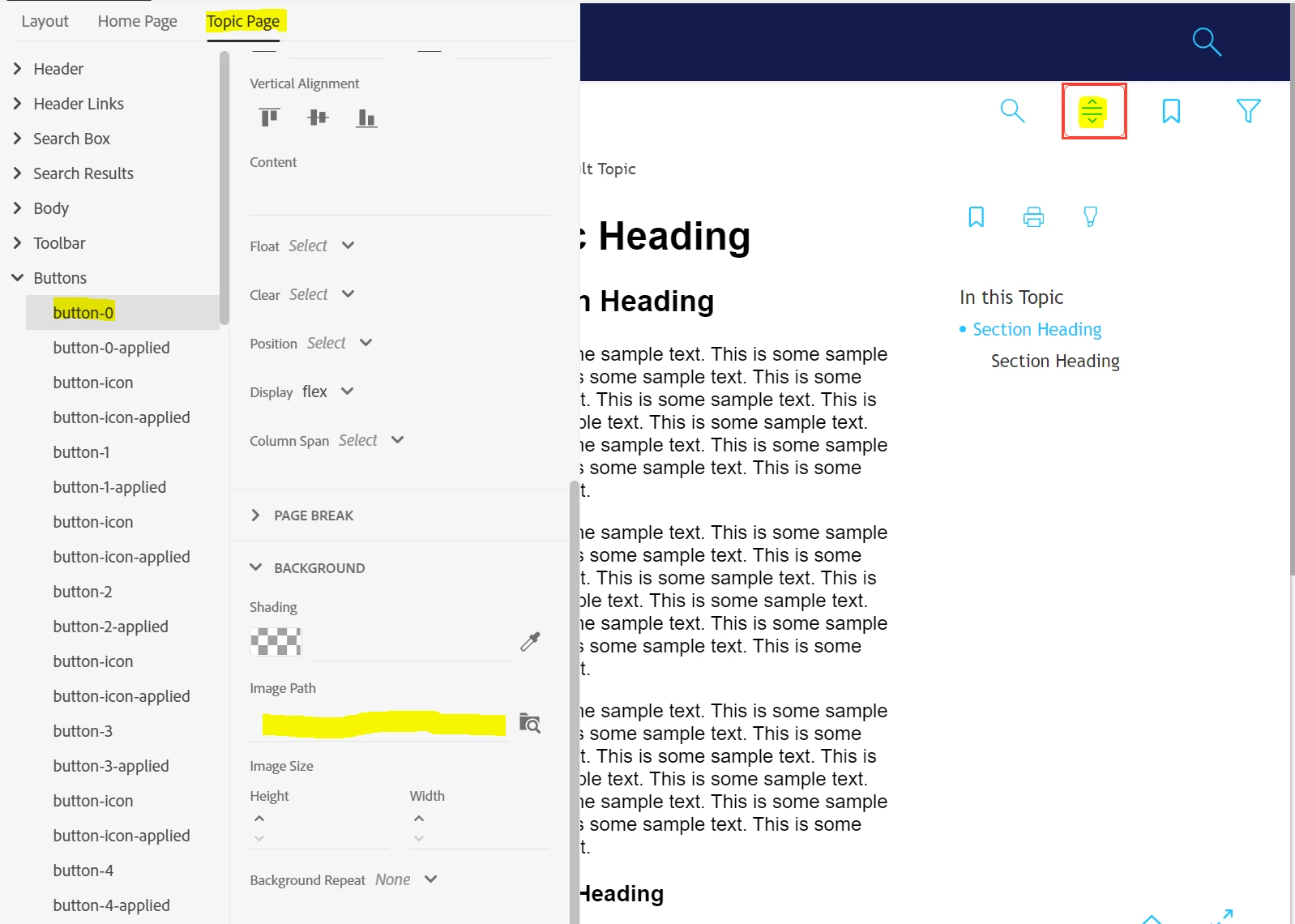
- How am I to know which button is which number? In some cases, I get a marker in the editor, in some I don't.
- Also, deleting a button in the Layout tab causes chaos in the naming/funtion of the other buttons:
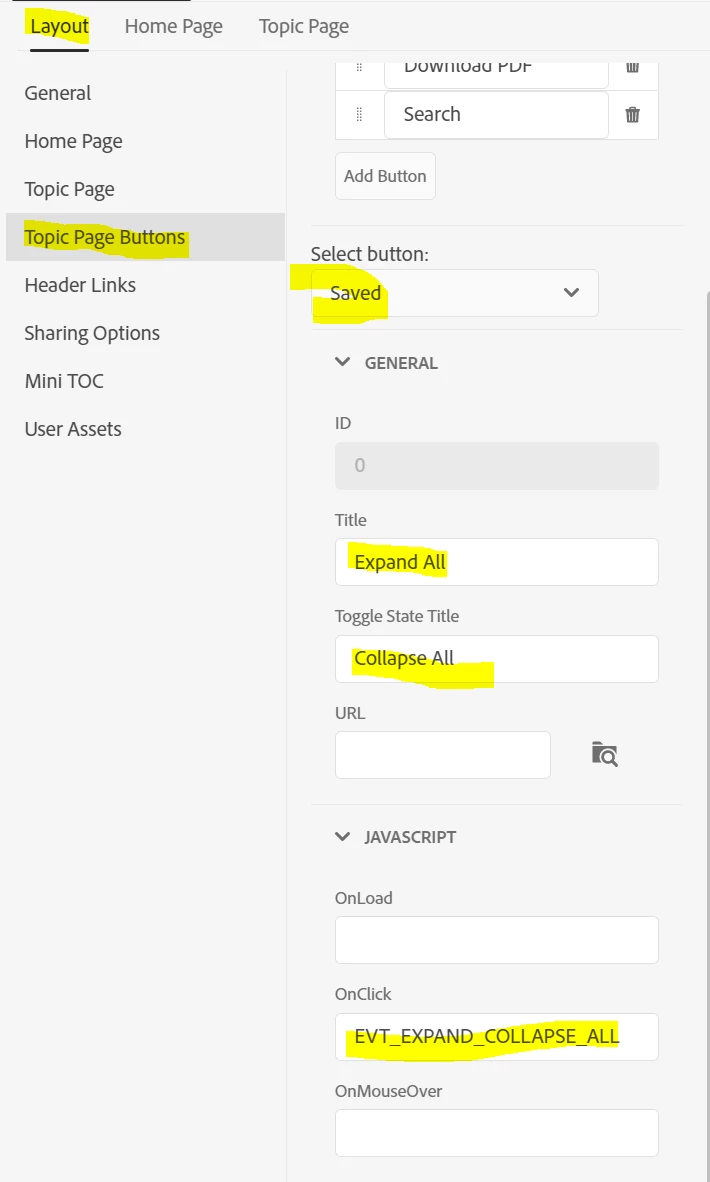
 I would be grateful for any ideas / documentation etc. on this. I already read this https://helpx.adobe.com/robohelp/using/frameless-skin-editor.html and what I could find on Peter Grainge's site
Thanks,
Karin

 AdChoices