
Inspiring
December 9, 2020
Answered

Frameless Studio Skin - search bar issue

  • December 9, 2020
  • 8 replies
  • 337 views

I am using the Frameless 'Studio' skin and when I attempt to use the search box, some words will not appear even though my project mentions it throughout almost every topic. Along with this, the search box will sometimes get stuck when searching and won't display any of the searches.

e.g.
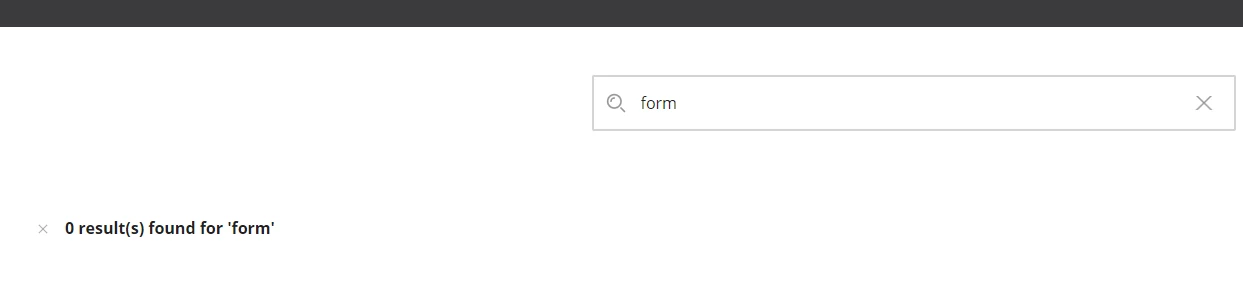
If I search the word 'Form' in my project using the 'Find and Replace' feature, it returns 802 matches from 40+ topics. At first I assumed this issue was due to the search returning a very large amount of matches, but with my second example ( see below ), a similar issue occurs.


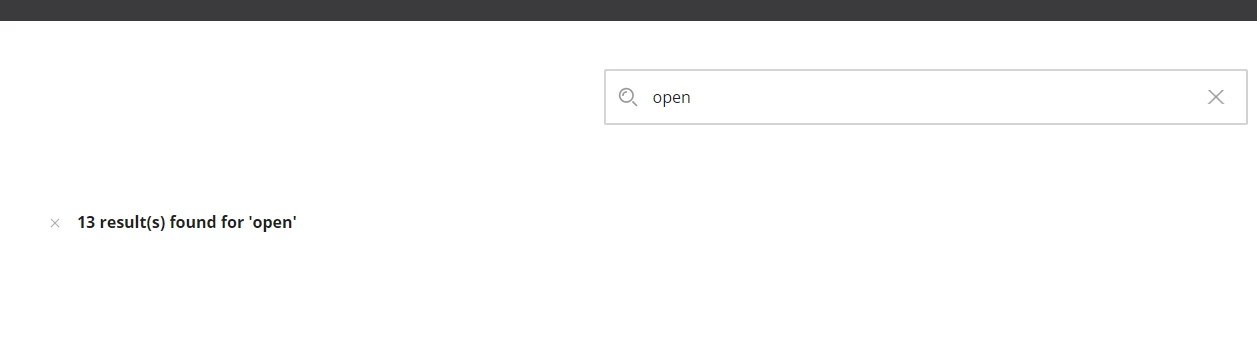
Another example is if I search the word 'Open' in my project using the same feature, it returns 28 matches. When searched in the skin search box, it displays that there are 13 matches, but will not display them:

Thank you in advance for any support.

    This topic has been closed for replies.
    Correct answer David5EBE

    I have logged this via the bug tracker. The temporary fix is listed within the description also:

    RH-8435 | Tracker (adobe.com)

    8 replies

    David5EBEAuthorCorrect answer
    Inspiring
    December 14, 2020

    I have logged this via the bug tracker. The temporary fix is listed within the description also:

    RH-8435 | Tracker (adobe.com)

    Peter Grainge
    Community Expert
    Community Expert
    December 14, 2020

    I can verify that. You should log a bug.


    https://tracker.adobe.com

    Post the link to your bug report in this thread and others can vote for it. The more people who do so, the higher it gets prioritised.

    ________________________________________________________
    See www.grainge.org for free Authoring and RoboHelp Information

    Use the menu (bottom right) to mark the Best Answer or Highlight particularly useful replies. Found the answer elsewhere? Share it here.
    David5EBEAuthor
    Inspiring
    December 14, 2020

    After creating and testing in a new RH 2020 project, I managed to find a fix for this issue. I tested the following words in the search box: after, form, because


    The 3 testing words would not appear in the search engine within my new testing RH project output. I then proceeded to check the default 'Stop Words' list and noticed the 3 words (after, form, because) were on that list. However, originally I did not have any 'Stop Words' lists created or added in any of my RH projects. I then created the default 'Stop Words' list in my new RH test project and deleted the following words from it: after, form, because. After these words were deleted from the list, I tested the search engine in all of my RH projects outputs and the words appeared in the search box.


    It would seem as if the 'Stop Words' default list is attached to all RoboHelp projects automatically, but does not appear when the section is selected from the editor view. This caused the confusion when specific words are searched and no results are displayed, as the RH project will not display them until they are manually added and then manually deleted.

    Jeff_Coatsworth
    Community Expert
    Community Expert
    December 9, 2020

    Don't think so - index & search are two different things - I'd give the RH folks a buzz - See https://helpx.adobe.com/contact/enterprise-support.other.html#robohelp for your support contact options.

    David5EBEAuthor
    Inspiring
    December 9, 2020

    After testing with the 'Orange' and 'Oceanic' skin, the similar issue occurs. The search box is now displaying the results for the example 'Open' but still not displaying any results for 'Form':


    With a few other words that I know are in my project, the search box will also not display them when searched.  Perhaps this could be an index issue ?
    - Thanks in advance!

    Jeff_Coatsworth
    Community Expert
    Community Expert
    December 9, 2020

    Does your output misbehave if you try another skin as an experiment?

    Jeff_Coatsworth
    Community Expert
    Community Expert
    December 9, 2020

    What version of RH are you running? Are you all patched up? Check Help > Updates to check.

    David5EBEAuthor
    Inspiring
    December 9, 2020

    I am all patched up and using RoboHelp 2020.3.32 on PC. I have been able to replicate this potetial issue on a couple browsers ( Chrome, Edge, IE ).