
Garbages and Corrupt texts are show in the CHM output of Chinese Simplified.
Hi All,
I have a question regarding the Garbage and Corrupt texts are show in the CHM output of Chinese (simplified and traditional).
I'm use RoboHelp 2020 (2.22) for buid the CHM and do to setting the Control Panel’s Region and Change the System local... to computer’s native language before the build.
Then after finished and get the CHM output and it's look perfect once we open on the computer’s native language [Chinese (simplified and traditional) in this case]. But it is show the Garbage when we open this CHM file on the other computers native language (English and other local), see the image1.
Could you please advice that how to implement the CHM output to open on the other computers native language (English) without the Garbage in the content page?
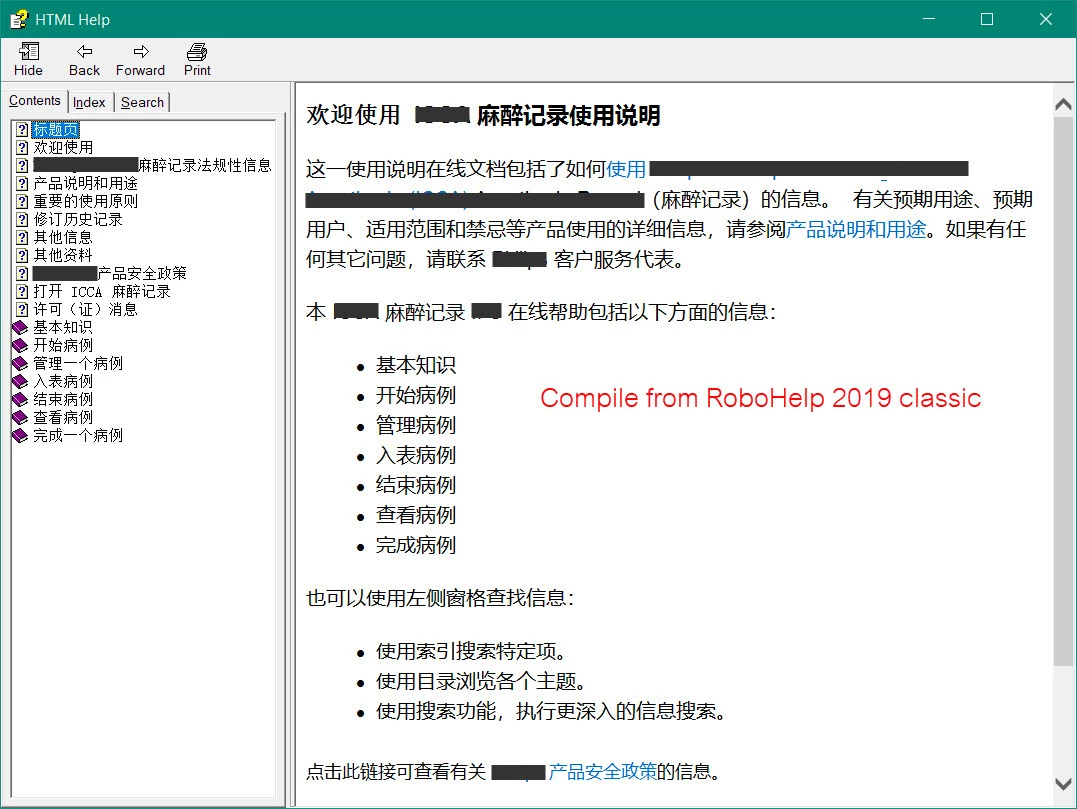
** NOTE: Before upgrade to RoboHelp 2022 I use RoboHelp 2019 classic and not found this problem with in 2019 version, as see in the Image2.
Image1 : CHM from RoboHelp 2022 and show garbage when we open in other local languages.
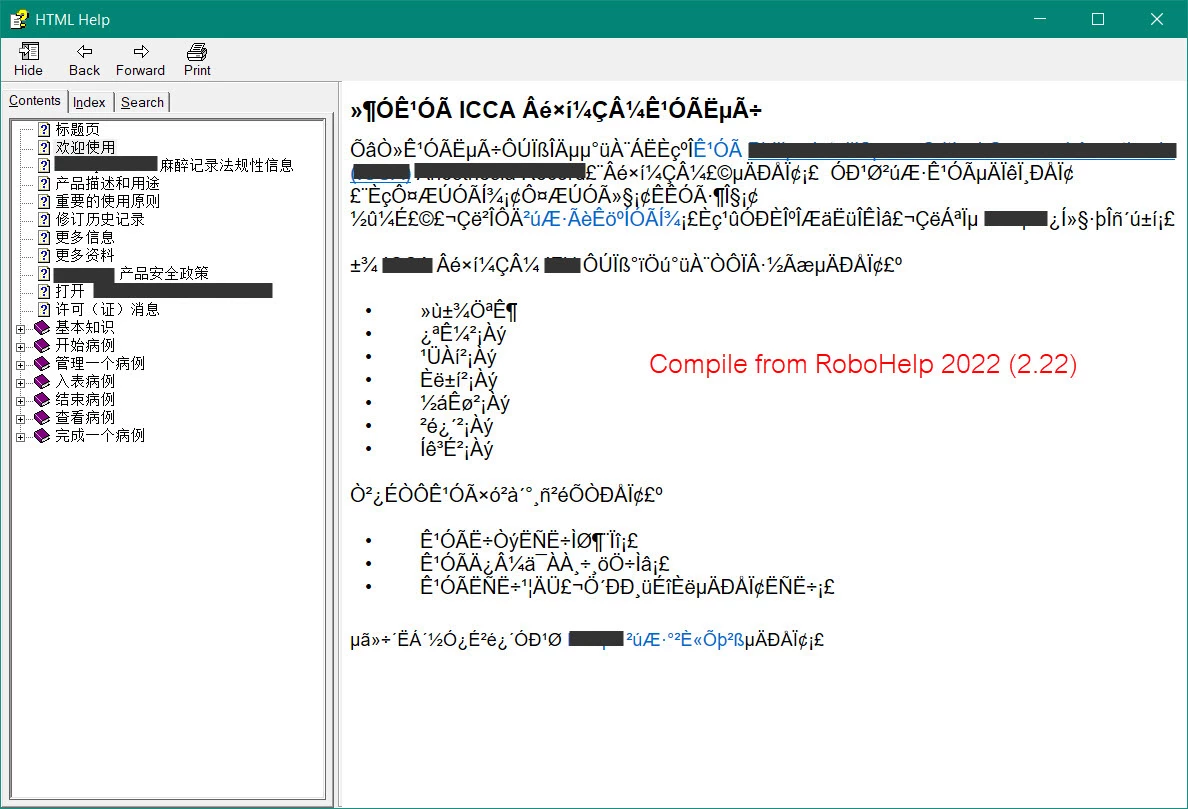
Image2 : CHM from RoboHelp2019 and able to open in other local languages.


 AdChoices