Inspiring
May 19, 2026
Question

Generating WCAG Compliant Output

  • May 19, 2026
  • 2 replies
  • 40 views

Has anyone been successful in creating WCAG (2.0, 2.1, or 2.2) compliant output using Robohelp?

I’ve tried several iterations and I’ve found that at a basic level the output doesn’t seem to meet most standards. I thought it might be because of my project-level configuration/specific things I’ve changed, but I’ve also tried generating test default projects HTML5 and Frameless and even the frameless comes back with many errors and alerts using ARC scan (TPGI).

Note: I’m concerned about topic-level issues such as heading order, alt text implementation, etc. My major problems are navigation/layout concerns baked into the Robohelp output cake. 

Any tips, tricks, or, even better, WCAG-compliant templates I can download and repurpose for our projects.

Thanks in advance!

Results for some out-of-the-box layouts

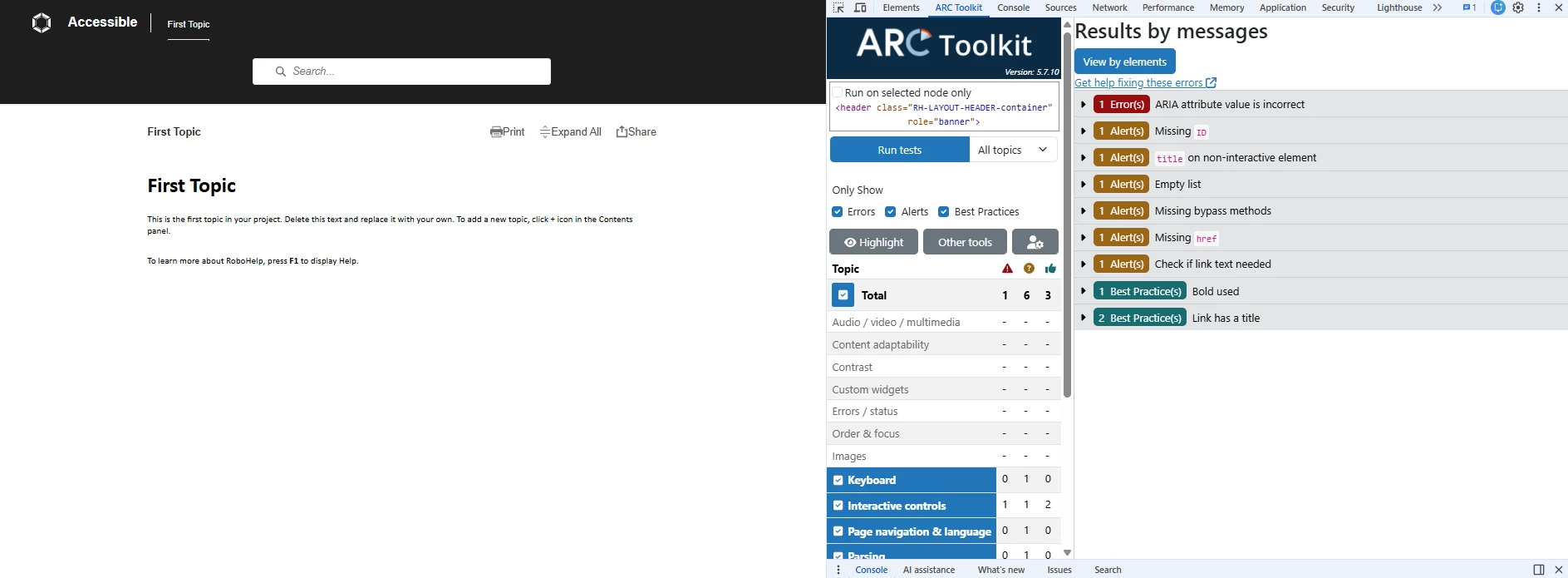
Frameless (Top Navigation)

Frameless top nav ARC accessibility scan results.


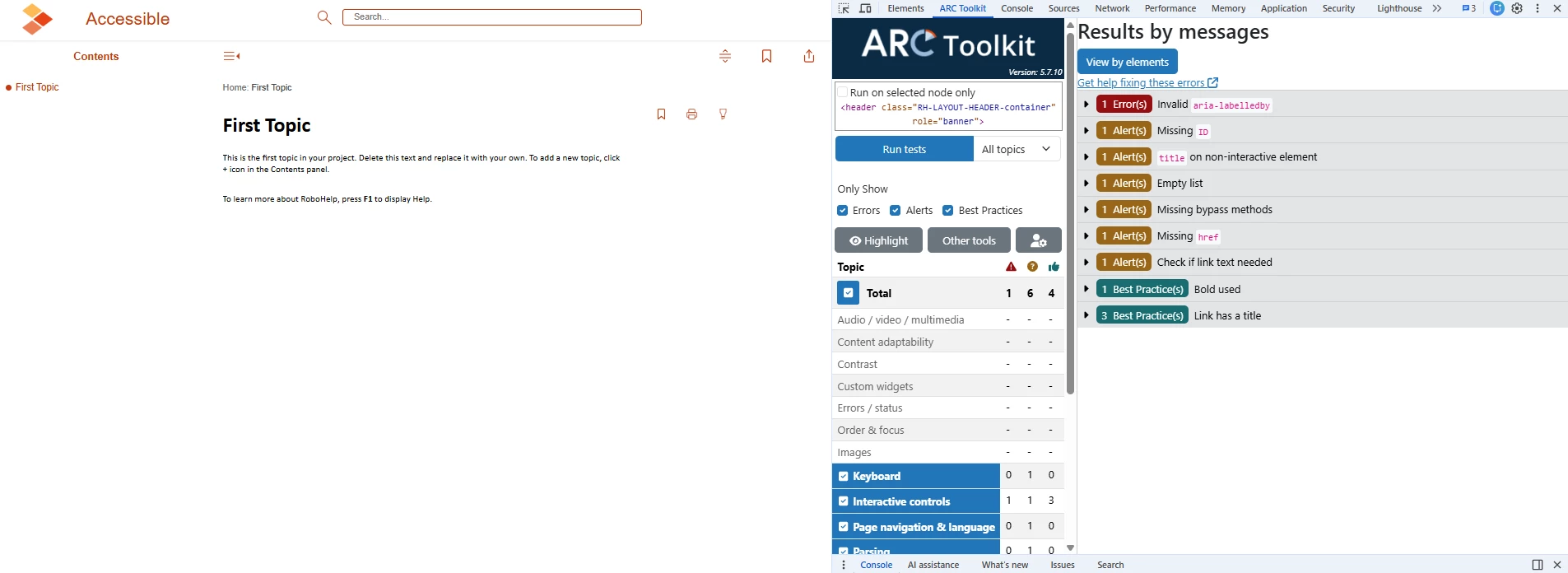
Frameless (Default)
 

Frameless nav ARC accessibility scan results.

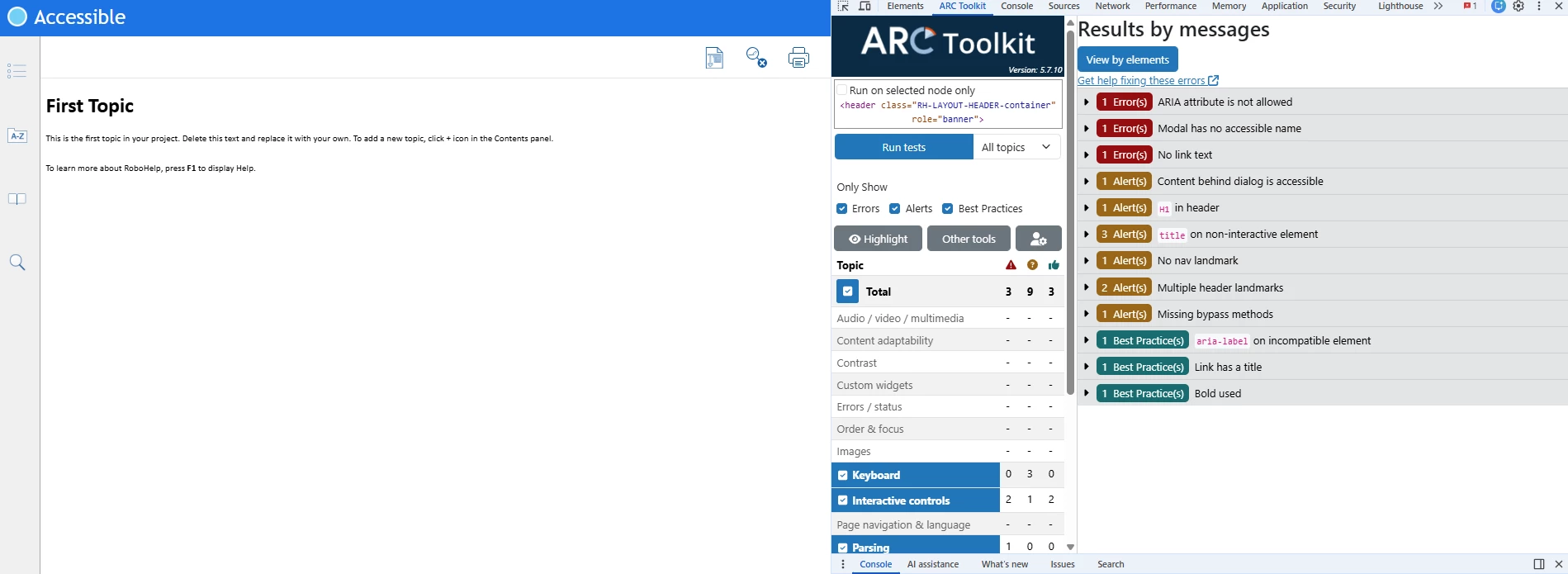
HTML5 (Default)

HTML5 ARC accessibility scan results.


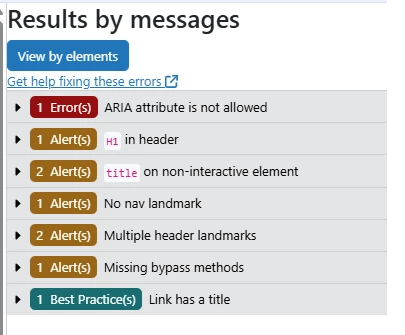
On my project, every page has the following accessibility issues:

  • Error: ARIA attribute not allowed
  • Alert: H1 in header
  • Alert: title on non-interactive element
  • Alert: No nav landmark
  • Alert: Multiple header landmarks
  • Alert: Missing bypass methods
User’s common accessibility errors and alerts.


    2 replies

    Jeff_Coatsworth
    Community Expert
    Community Expert
    May 19, 2026

    I suspect your “tool” is a bit suspect - your examples don’t even have any links in them, but it’s still squealing about missing hrefs and link text and ARIA attributes aren’t even required by WCAG.

    Inspiring
    May 26, 2026

    I agree the tool is imperfect and our scans require additional review, however, I think many of these problems still need addressed. Any component needs to communicate its identity and state to assistive technology. With native elements, that’s more straightforward, but in Robohelp output just about every clickable item outside of the iframe is dependent on Java elements, so ARIA is required to bridge the gap. If that’s the case, then I’d assume the ARIA should be on-point with WCAG standards. Also, the examples do have links. Every item in the TOC and navigation buttons are technically links, however, they’re constructed using Java commands in order to be dynamic. Most “buttons” are also anchor tags wrapped in divs, so I would expect it to flag a missing href on those.

    I suppose I’d just like some more basic guidance from Adobe on the accessibility front because as it stands, out of the box, bog-standard stuff like the skip-to button on these sites doesn’t even function properly. Yes, they exist, but you should be able to select the link from first keyboard tab press and right now you need to shift+tab up until you get to it since it always focuses at the top of the TOC (when TOC is your default tab).

    Jeff_Coatsworth
    Community Expert
    Community Expert
    May 26, 2026

    I suggest that you take this up with the RH folks - see the email link #2 bottom left at https://helpx.adobe.com/contact/enterprise-support.other.html#robohelp for your Adobe Support options. The email link tcssup@adobe.com is strongly recommended above all other options as it reaches a team dedicated to Technical Communication Suite products including RoboHelp.

    The other options take you to a team that support all Adobe products and they focus more on the Creative Suite products. They may not have the level of RoboHelp knowledge you need.

    Peter Grainge
    Community Expert
    Community Expert
    May 19, 2026

    Adobe have stated that the templates as supplied are all compliant. What they can’t control is any customisation and your content.

    I can only suggest you try that Get Help link.


    My site www.grainge.org includes many free Authoring and RoboHelp resources that may be of help.

    Use the menu (bottom right) to mark the Best Answer or Highlight particularly useful replies. Found the answer elsewhere? Share it here.