
Known Participant
March 6, 2017
Answered

Generation of a project with one folder containing topics resulted in duplication of the project folders. What is causing this?

  • March 6, 2017
  • 1 reply
  • 517 views

Using RH11.4

The project contains only one Topic folder (with no subfolders): [drive]\ECS Online Help\ECS Help\Topics

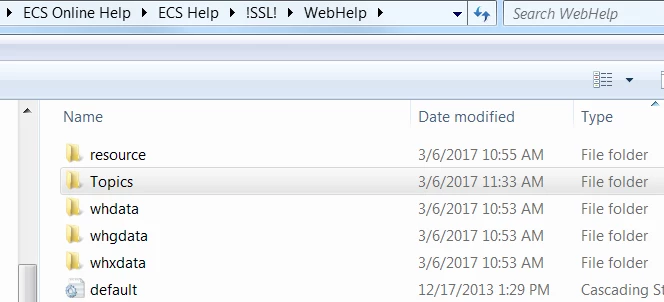
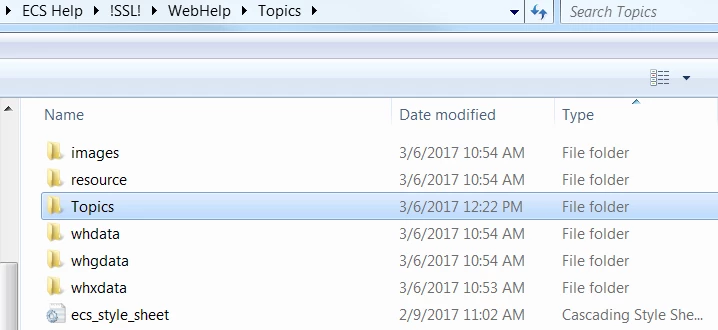
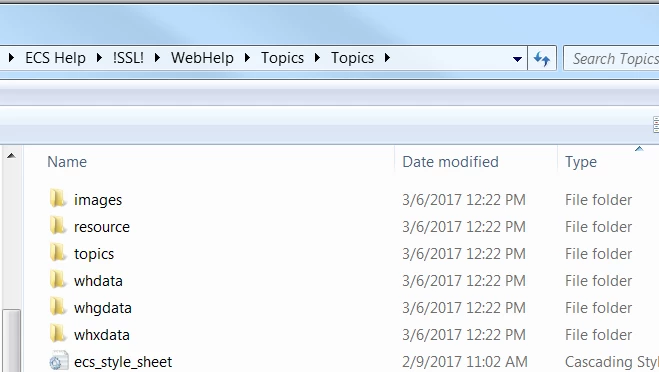
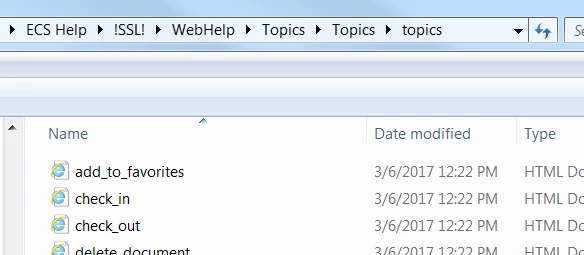
When I generate the project the SSL! folder for that help project contains duplicate folders: [drive]\ECS Online Help\ECS Help\!SSL!\WebHelp\Topics\Topics\topics.

Explorer looks like this:
Next folder level:

Next folder level:
Finally the topics:
This topic has been closed for replies.
Correct answer Captiv8r

Nope, that should do it!

What I was somewhat expecting to see was that you had another folder inside the Topics folder that was named Topics. So there's definitely something amiss here.

I might suggest you try creating a new Single Source Layout. If you aren't familiar with that process, I believe I have a video that will show you how to accomplish it.

Click here to view

Once you add a fresh layout, generate and see if the problem persists.

Cheers... Rick

1 reply

Captiv8r
Legend
March 6, 2017

Hi there

Can you please share with us a screen capture of your Project Manager Pod? And before you capture the screen, please expand all as shown in the image below.

Cheers... Rick

brickerdAuthor
Known Participant
March 6, 2017

Do you need more than this?

Captiv8r
Captiv8rCorrect answer
Legend
March 6, 2017

Nope, that should do it!

What I was somewhat expecting to see was that you had another folder inside the Topics folder that was named Topics. So there's definitely something amiss here.

I might suggest you try creating a new Single Source Layout. If you aren't familiar with that process, I believe I have a video that will show you how to accomplish it.

Click here to view

Once you add a fresh layout, generate and see if the problem persists.

Cheers... Rick