
Participant
December 11, 2020
Question

GIT Collaborate--> Add Project Application Error Error RoboHelp 2020

  • December 11, 2020
  • 3 replies
  • 361 views

Using Mac version.

Followed all of the instructions here:

https://helpx.adobe.com/in/robohelp/user-guide.html/in/robohelp/using/git.ug.html


When adding the project get the error below.  
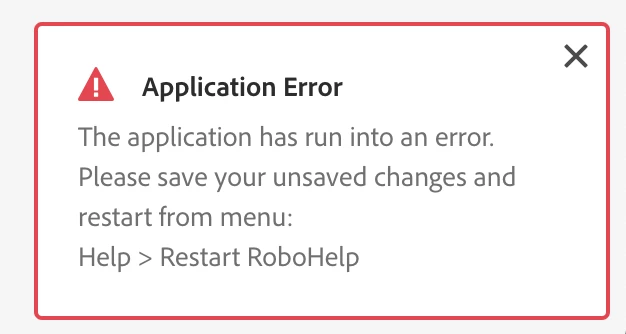
RoboHelp does add a .git and .gitignore file.  But cannot figure out why it fails to upload to repository.

I am able to connect to Git from the command line successfully.  

This topic has been closed for replies.

3 replies

surbhi_maheshwari9120543
Community Manager
Community Manager
December 21, 2020

Hi Joseph,

This is a bug in RH 2020 update 3. We are fixing it and it will be part of update 4.

For now as there is no issue in cloning from server workaround is to add project from some third party tool to github and then clone it in RH to work. After cloning push/pull etc are working fine.

Let us know if you face any challenge in this approach. Apologies for the inconveninece. We are constantly working on all the issues raised by our customers. Thank you for reporting this. Kindly write to us for any challenge you face while using RH2020.


Regards,
Surbhi Maheshwari

Jeff_Coatsworth
Community Expert
Community Expert
December 11, 2020

I think you need to ping the RH folks - see https://helpx.adobe.com/contact/enterprise-support.other.html#robohelp for your support contact options.

Joseph22Author
Participant
December 11, 2020

Will do.  Thanks.

Community Expert
December 11, 2020

Do you have all the updates installed? Use Help > Updates to check. However, if you're on the initial release (2020.0) then there was a bug that prevented the update working, so you'll need to download an update manually (then the Update will work going forward).

https://www.adobe.com/support/robohelp/downloads.html


You can also check patch notes here: https://helpx.adobe.com/robohelp/kb/fixed-issues.html


Joseph22Author
Participant
December 11, 2020

I am using Version 2020.3.0.  I think that is the most up to date?


Any other suggestions?